Codex computer use and Claude Code browser use burn tokens because the agent logs in and clicks through your software like a person instead of asking for the data directly. Connect your core business software through a plugin, an MCP or an API key first.
I help established business owners build agents inside their companies, and I have watched one mistake burn through a full week of usage in a single day. The agent has no direct connection to the software, so it logs in and clicks around like a human. Stop forcing your agents to click around software that has an agentic connection. If a tool offers none of those, decide whether you live with the cost or move off it.
In short: - An agent clicking around HubSpot or GoHighLevel can use a week of your subscription in one day. - Audit each core tool for a plugin, an MCP and an API key. - Pick the best connection, not the easiest one. - If an agent uses the browser anyway, stop it and ask why.
Part of the series: How to Reduce Codex and Claude Code Token Usage: 20 Ways. This is way 2. Previous: Check your usage and resets · Next: Graduate from plugins to API keys
2. Stop forcing your agents to click around software that has an agentic connection
In plain terms: a plugin (or connector) is a ready-made link you switch on and sign into (more on what a plugin is). An MCP is a standard way for a software company to hand an agent a set of actions. An API key is a password that lets your agent talk to the software directly. Clicking around (what people search for as computer use or browser use) means the agent works the screen the way a person would.
Why does Codex computer use burn through tokens?
I'll give you an example. Someone enters Codex or Claude Code. They don't connect to HubSpot via the plugin, and they don't save an API key in a keychain or credential manager for their agents to use. Then they ask their agent to do a full analysis of their HubSpot. They're an established business owner, and they've been in business 10 plus years. Then the same day they reach the weekly limit of their subscription (04:46).
Why is that? In this scenario, the agent is being forced to have the person log into HubSpot and then forced to click around like a human. This is very inefficient for any of the agents to do, and you want to avoid it as much as possible (05:16).
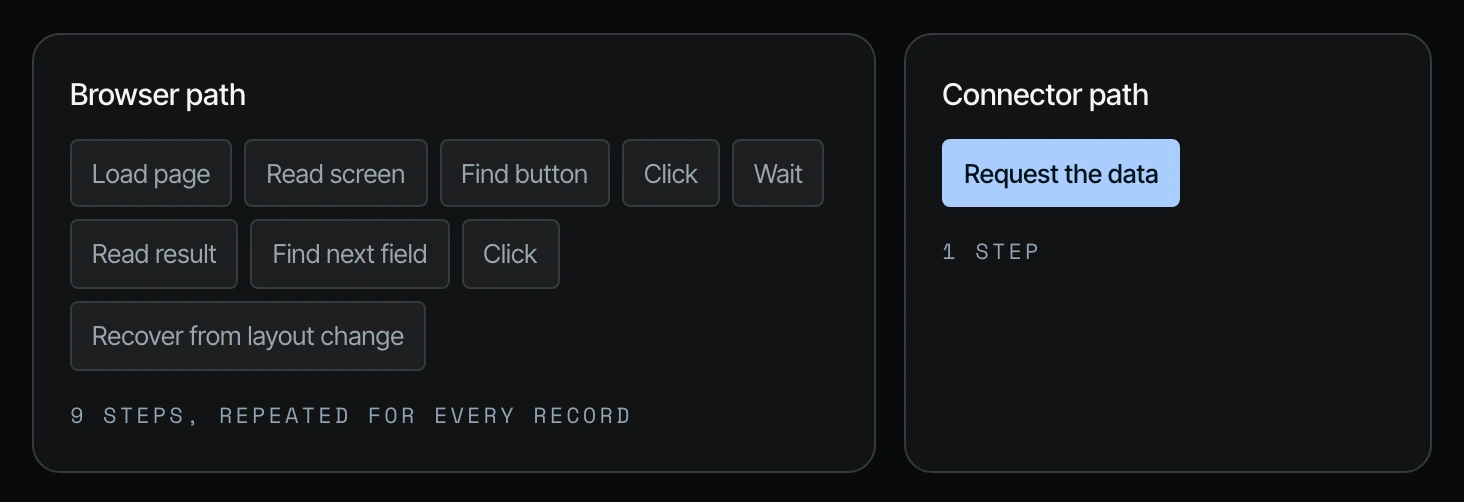
| Browser path | Connector path |
|---|---|
| Load page, read screen, find button, click, wait, read result, find next field, click, recover from layout change | Request the data |
| 9 steps, repeated for every record | 1 step |
Comparison from Shanee's field guide on the same 20 ways.
GoHighLevel MCP, plugin and API: when the software itself is the problem
Another example: you have a core software that unfortunately is not up with the times. I have a client who was convinced by an agency owner about a year ago to get tied into GoHighLevel. GoHighLevel does have an MCP. They do have a plugin, and they do have an API key. However, none of those connections allow the agent to create funnels or edit funnels. They do not allow the agent to create workflows or edit workflows, and this client really needed the agent to create a funnel (05:48).
He could have the MCP, which he does. He could have the API key, but it doesn't matter, because the number one use case for him is to maneuver through the technical operations of GoHighLevel to create a funnel, then optimize the funnels. Because their connection does not allow that agentic link, his agent has to literally click around. It's burning through his subscription, and on top of that, it is really, really slow compared to something like HubSpot, which is very agent friendly (06:19).
If you have a more established business, HubSpot is a great option. If you have a smaller business, Notion is a great option to build an agentic CRM system that your agents can create and manage. Sometimes you realize that you have a core software that you either need to live with the repercussions of, or need to migrate out of, depending on how serious you are about the future of your agentic operations (06:50).
Sometimes the answer is an upgrade, not a migration
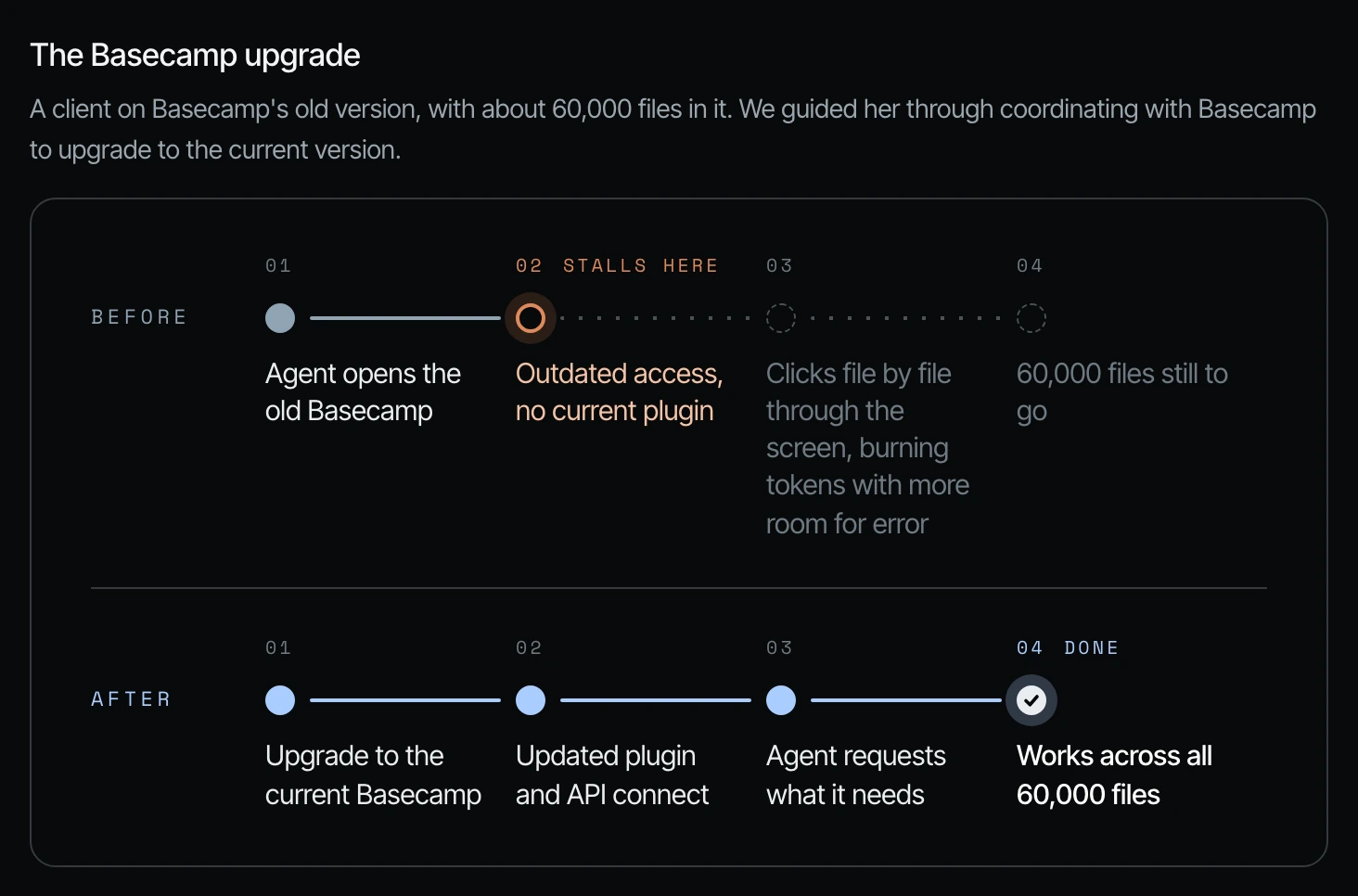
Sometimes you have to upgrade, or contact the software company, to make this happen. I had a client who was on the first version of Basecamp. She has a very established business, and she had about 60,000 files in V1 Basecamp. Basecamp does offer API keys and a plugin that are very capable, but not for the first version of the software (07:20).
We guided her through contacting Basecamp. They did the migration internally from V1 to V5, and once she was on V5, she was able to start bringing in the agents, do a baseline audit of the operations, and start building things based on the gaps the audit found (07:52).
It was a win-win, because the humans didn't need to change their behavior. They were very familiar with Basecamp. They love Basecamp. She didn't want to change that for them. And Codex got the access that it needed to start helping the humans (08:22).
| Software | Plugin | MCP | API key | What it means for your agent |
|---|---|---|---|---|
| BigTime | None yet | None yet | Pretty good | Skip the wait for a plugin. Go straight to the API. |
| GoHighLevel | Limited | Limited | Limited | None of the three can create or edit funnels or workflows. Building a new funnel forces the agent to click around. |
| Basecamp (old version) | Outdated | Outdated | Upgrading to the current version opened up the plugin and API. |
Table from Shanee's field guide, matching the client stories in the video.
How to audit your business software for agent connections
Take an audit of the core software that you have. If you have a core software that does not have a plugin, does not have an MCP, and does not have an API key that is both read and write for almost every function, then ask: what is their plan? If they say they'll have these capabilities within a month or three months, maybe that's okay, especially if you have files in that software going back 10 plus years (08:53).
But if you're a fairly new business owner and your software doesn't have any plan going forward, you need to make a decision. You are going to pay for that burn of tokens, and for the increased room for error in almost everything that you do, if you stick with software that is not agent friendly (09:23).
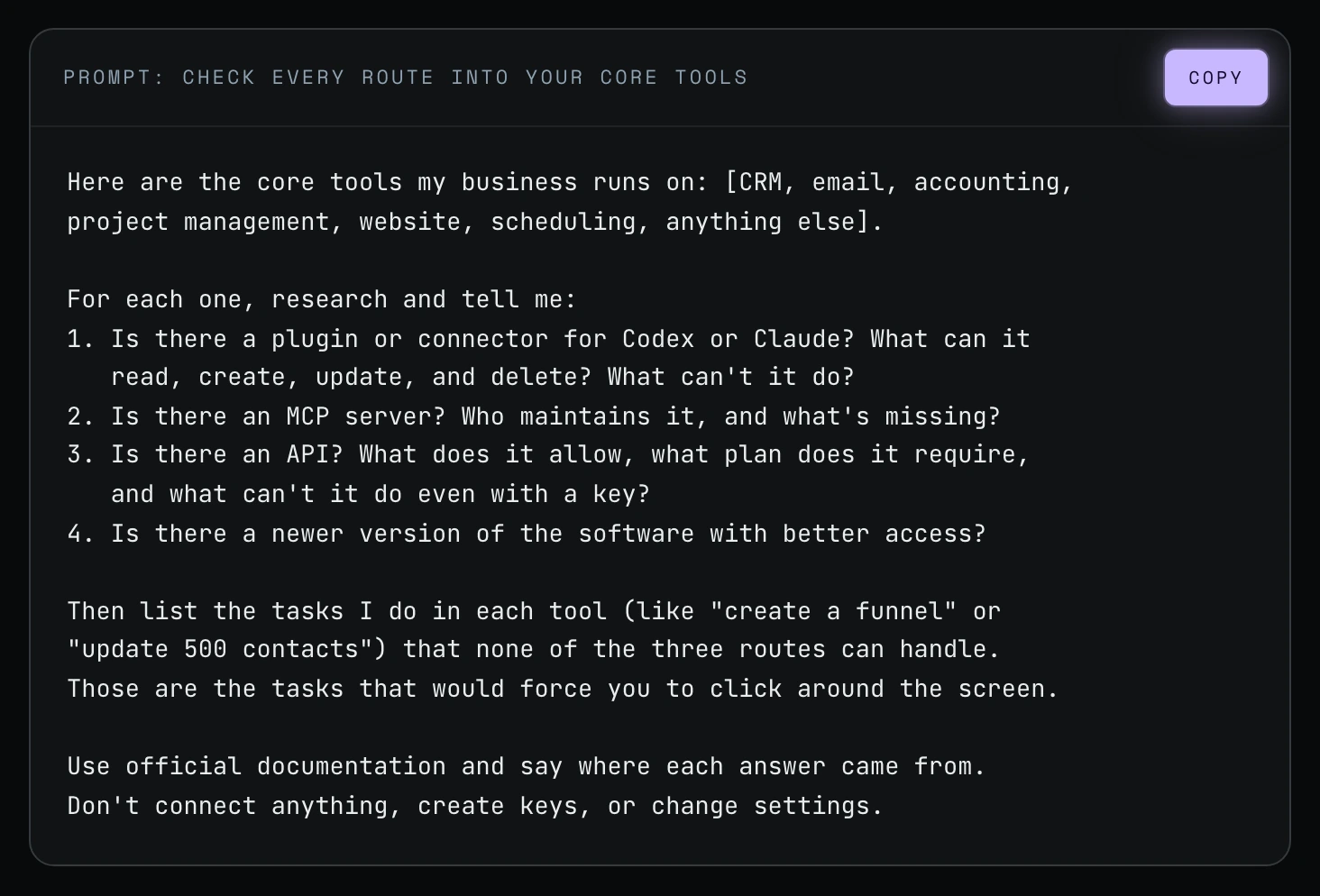
Step 1. Copy this prompt into Codex or Claude Code and fill in your tools. It asks, for each tool: is there a plugin or connector, is there an MCP, is there an API, what does it allow and what does it require (09:54).
Here are the core tools my business runs on: [CRM, email, accounting,
project management, website, scheduling, anything else].

For each one, research and tell me:
1. Is there a plugin or connector for Codex or Claude? What can it
   read, create, update, and delete? What can't it do?
2. Is there an MCP server? Who maintains it, and what's missing?
3. Is there an API? What does it allow, what plan does it require,
   and what can't it do even with a key?
4. Is there a newer version of the software with better access?

Then list the tasks I do in each tool (like "create a funnel" or
"update 500 contacts") that none of the three routes can handle.
Those are the tasks that would force you to click around the screen.

Use official documentation and say where each answer came from.
Don't connect anything, create keys, or change settings.
Step 2. Pick the best connection, not the easiest one. I highly recommend going to the best connection first, even though it is tempting to go to the plugin and just sign in. A plugin is not the best long-term solution, but it's better than sticking with software that doesn't have a read or write connection at all (09:54).
Step 3. Keep a running list. Part of this is keeping stock of which software has a plugin, which has an MCP, which has an API key, and what you're going to level up. You may start easily with plugins, but sometimes plugins are not enough (11:30). That is way 3.
What to do when Claude Code or Codex uses the browser anyway
You also have to pay attention even when you do have a connection. Last night, I knew my agents had a YouTube API key to pull captions, and I thought to upload videos. I gave an agent a task to upload a video to my YouTube channel. I saw that it was taking a very long time, and it was trying to do it through the browser (10:24).
I stopped it immediately and said, "What are you doing? Don't we have a YouTube API key?" It replied that it only had read capabilities for YouTube, not upload capabilities. So I went through the process of enabling those capabilities. It took about 20 minutes of my time. I'd rather pay for the 20 minutes now, make the proper connection, and have rules in place so future agents know to use it, instead of going to the browser and taking 30 minutes for what literally takes 30 seconds (10:57).
The reason an agent drifts into the browser is usually one of three things, and each has a different answer:
| Cause | What it looks like | What to do |
|---|---|---|
| The connector is off or not signed in | The agent fell back to the screen because the direct route wasn't available | Turn it on, sign back in, run the task again |
| The connector can't do this action | The route exists but has a gap, like GoHighLevel funnels | Decide whether an API call covers it, or whether the task should wait |
| It went to the screen without checking | Nothing was blocked; the agent just didn't look | Correct it, and add a rule to your agents.md so it checks the direct route first |
Causes from Shanee's field guide.
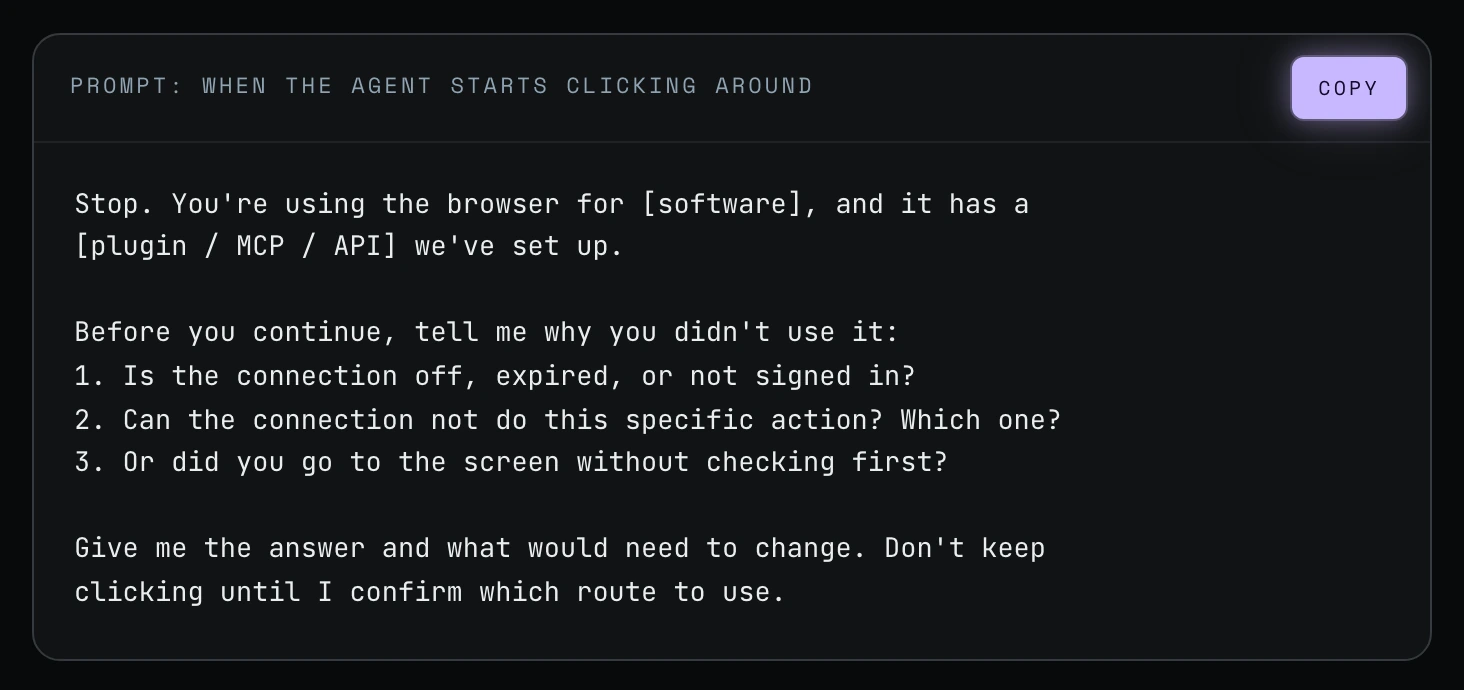
Stop. You're using the browser for [software], and it has a
[plugin / MCP / API] we've set up.

Before you continue, tell me why you didn't use it:
1. Is the connection off, expired, or not signed in?
2. Can the connection not do this specific action? Which one?
3. Or did you go to the screen without checking first?

Give me the answer and what would need to change. Don't keep
clicking until I confirm which route to use.
Frequently asked questions
Why is Codex computer use burning through my tokens?
Codex computer use burns tokens because the agent loads each page, reads the screen, finds the button, clicks and waits, for every record. A direct connection requests the data in one step. Shanee's example: a full HubSpot analysis with no connection hit the weekly limit the same day.
What should I do when Claude Code starts using the browser?
Stop Claude Code and ask why it didn't use the connection you set up. Fix the real reason (a signed-out connection, a missing permission, or no rule) and add a rule to your agents.md, the instruction file every agent reads first.
Can the GoHighLevel MCP build funnels?
In Shanee's client's experience, no. GoHighLevel has an MCP, a plugin and an API key, but none of them let the agent create or edit funnels or workflows, so his agent has to click around.
Can AI agents in Codex or Claude Code work in HubSpot without clicking around?
Yes, once the agent is connected. Shanee calls HubSpot very agent friendly, with both a plugin and an API key for Codex or Claude Code.
Does a small business have to switch software to use AI agents?
Not always. Shanee's Basecamp client stayed on Basecamp: the move from V1 to V5 gave her agents a capable plugin and API, and her team kept working the way they liked.
Related ways in this series
- Graduate from plugins to API keys: when a plugin isn't enough.
- Codex vs Claude browser agents: how the two compare in the browser.
- Write a good agents.md or claude.md: where the "check the direct route first" rule lives.
- Fix the root cause of agent mistakes: the same YouTube-upload lesson, applied to every repeat error.
- The full guide: How to Reduce Codex and Claude Code Token Usage, 20 Ways
Sources
Official / Primary Sources
- Shanee Moret, "20 Ways to Use Codex and Claude Code Without Burning Your Usage (Part 1)" (YouTube, 2026-10-02) , the HubSpot, GoHighLevel, Basecamp and YouTube upload examples, and the audit prompt.
- Shanee Moret, "20 Ways to Optimize Your Token Usage in Codex and Claude Code" (GrowthAcademy.Global field guide, 2026) , the browser vs connector comparison, the software routes table, the three causes and the "when the agent starts clicking around" prompt.