Here is how to write agents.md for Codex, or claude.md for Claude Code: keep it short and include only what the agent can't figure out alone: what your business does, who owns what, what it may do without asking, which system is the source of truth, when to stop and ask, and the mistakes agents actually make. I help established business owners build agents inside their companies, and in my own setup Codex and Claude Code share one handbook, so every agent starts from the same rules and the same business memory. A good agents.md or claude.md is an onboarding page for all agents to get up to speed about who you are, what your business is and where to find things (18:17). Now that the models are smarter, a good one is short.
In short: - agents.md is a plain text file of standing instructions Codex reads before it starts work; claude.md is the same idea for Claude Code. - Include who owns what, permissions, source of truth, when to stop and ask, and mistakes agents actually make. Leave out how-to instructions and folder maps. - Every line is read every session and costs usage, so Shanee's drafting prompt keeps the file under 60 lines. - Let the agent draft it, decide the permissions yourself, and add a line only after a real mistake.
Part of the series: How to Reduce Codex and Claude Code Token Usage: 20 Ways. This is way 7. Previous: Don't pay for faster execution unless speed matters · Next: Clean up your files to be agent and human friendly
7. Create a really good agents.md or claude.md
What is agents.md vs claude.md?
Agents.md is a plain text file that sits in your project folder. Codex reads it at the start of every session. Claude Code does the same with a file called claude.md (18:50). The vendors' docs confirm this (Codex, Claude Code), and Claude Code can also read an AGENTS.md when there is no CLAUDE.md. So you have agents.md for Codex or ChatGPT Work and claude.md for Claude. OpenClaw has its own version, soul.md, which is more about the agent's character, how it acts and its principles.
Think of it as the handbook every new employee gets on day one. Without it, every agent has to work out how your company runs before it can do the job, and you pay to onboard the same employee over and over.
This is very important. It will really influence all the agents that you have and that you start to build (19:22). And trust me, you will have more than 10 very soon if you don't already.
The old way: long files that did the thinking for the model
The better the models become, the less you have to spell out. Here is the old way: instructions, important, how to work, how to write emails, our folders, our drives, rules (19:22).
A couple of years ago, models couldn't search your files well, couldn't see your connected apps, forgot everything between sessions, and drifted off instructions in long tasks. People wrote long files because short ones didn't work. Here is what that looked like for my fictional example company, Batman Enterprises:
# INSTRUCTIONS FOR AI ASSISTANT

You are a world-class executive assistant and security industry expert
with 20 years of experience. You are helpful, professional, and thorough.

IMPORTANT: ALWAYS READ THESE INSTRUCTIONS CAREFULLY BEFORE EVERY TASK!!!

## How to work
- Think step by step before answering.
- Double-check your work for errors.
- Be concise but thorough.
- Use proper grammar and spelling.
- If you are unsure, say so.

## How to write emails
- Start with a friendly greeting like "Hi [Name],"
- Keep paragraphs short (2-3 sentences).
- End with "Best regards, Bruce Wayne, CEO, Batman Enterprises"
- Always proofread before finishing.

## How to format reports
- Use headings for each section.
- Use bullet points for lists.
- Put a summary at the top.

## Our folders
Google Drive/Company/Brand/Logos
Google Drive/Company/Brand/Fonts
Google Drive/Company/Brand/Colors
Google Drive/Company/Finance/2023
Google Drive/Company/Finance/2024
Google Drive/Company/Meetings/Q1
Google Drive/Company/Meetings/Q2
... (140 more lines of folders)

## Rules
- NEVER send emails without permission!!!
- IMPORTANT: Do NOT send emails without asking first.
- CRITICAL: You MUST ask before sending ANY email. This is VERY important.
- Never delete files.
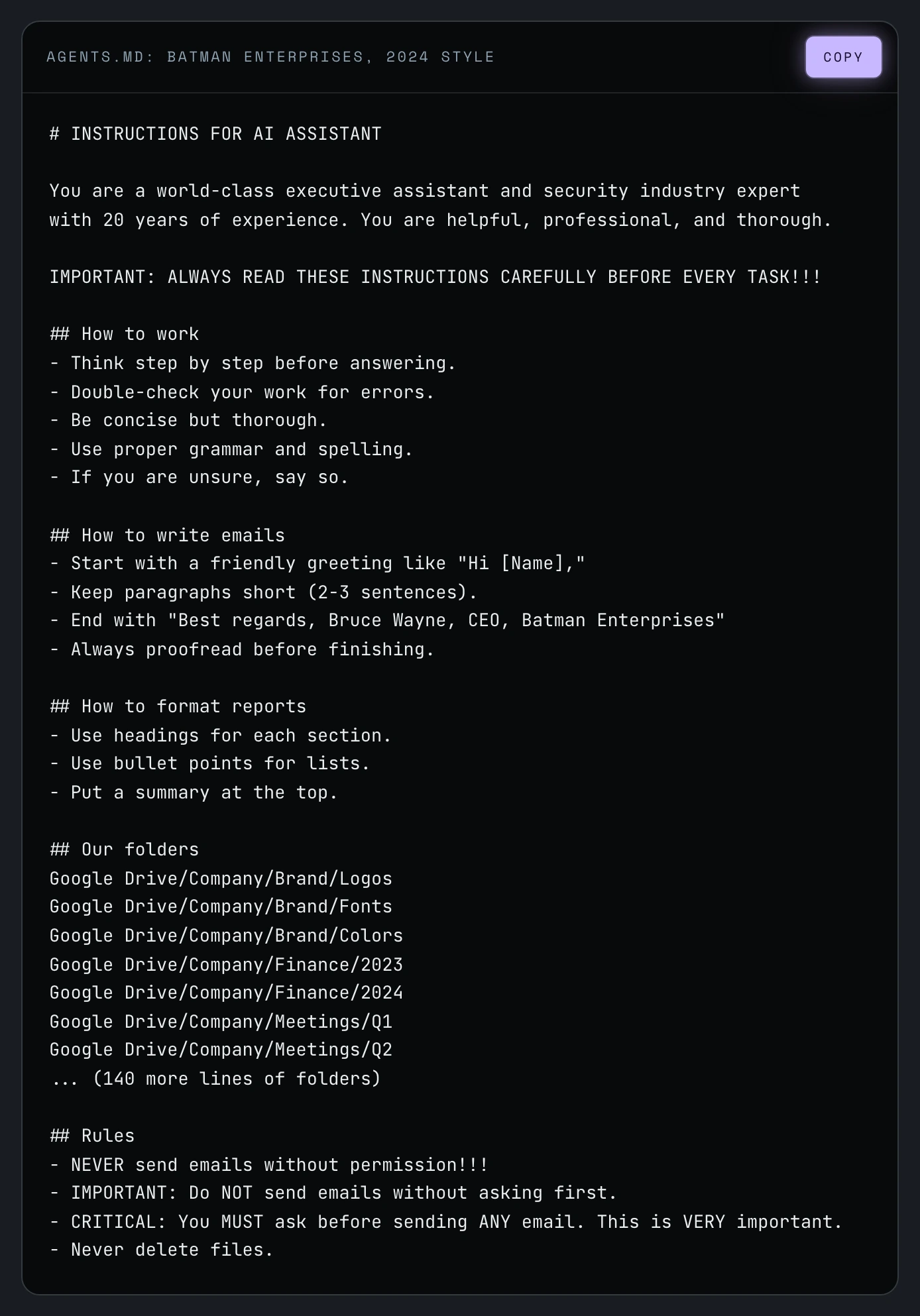
Almost every line in that file is spent on something today's models already do, or can look up in seconds. The one rule that matters (don't send email without asking) is buried and repeated three times.
What changed
What changed is that the models are getting much smarter, and that changes what the file is for (19:54). They already know how to do the work.
| Old way (2024 style) | New way (today) |
|---|---|
| A role to play ("You are an expert assistant...") | One or two sentences on what the business does |
| How to write an email or format a report | Left out. The models already know how |
| A map of every folder | Left out. With files connected, the agent can search for itself |
| The same rule three times in capital letters | One calm, clear line. Shouting "CRITICAL" can make newer models overcautious |
| Everything loaded every session | Standards load only when needed, through skills and templates (way 9) |
An agents.md example for a small business: Batman Enterprises, the new way
This is what a good agents.md or claude.md holds now. Batman Enterprises, this is the business. This is who owns Batman Enterprises. Source of truth. Stop and ask. Things agents get wrong here, and a change log (19:54).
# AGENTS.md: Batman Enterprises

14-person security consulting firm. We sell facility audits and monthly
monitoring retainers to mid-size businesses.

## Who owns what
- Bruce Wayne, CEO: final say on anything client-facing, financial, or irreversible.
- Alfred Pennyworth, Operations: files, scheduling, vendors. Approves changes to this file.
- Lucius Fox, Finance: invoicing, payments, QuickBooks.
- Barbara Gordon, Sales: HubSpot and the pipeline.

## Tools
Use the connected integrations (Drive, Gmail, Calendar, HubSpot, QuickBooks).
Browser or computer use is the last resort. If an integration fails, stop and report it.

## Permissions
Do without asking: read anything; create drafts in the client's folder;
rename and move files to match the naming rule; update HubSpot contact fields;
add notes to deals.
Ask first: send any email outside the company; change a deal stage or amount;
create, edit, or void an invoice; book or move anything on Bruce's calendar;
delete a file (move it to 99-Archive instead).
Never: move or approve money; delete HubSpot or QuickBooks records;
share files outside the company; open Company/Legal or Company/HR;
store or copy passwords or API keys.

## Source of truth
Contacts and deals: HubSpot. Money: QuickBooks. Documents: Google Drive.
Spreadsheets, PDFs, and email threads are copies, not the truth.
If a name, amount, or date doesn't match between HubSpot and QuickBooks, stop and ask Lucius.

## Stop and ask
- More than 100 records would change.
- My instructions conflict with what you find.
- The same action fails twice. Start your reply with "STOPPED:" and one sentence on why.

## Things agents get wrong here
- Client files: Clients/[Client-Name], never the desktop. Dropbox is archived.
- File names: YYYY-MM-DD_Client-Name_Document-Type_v#. Only Bruce removes _DRAFT.
- Build documents in Google Docs or HTML. PDF only after approval.

## Change log
- 2026-09-22: Added the HubSpot/QuickBooks mismatch rule after a tracker finding.
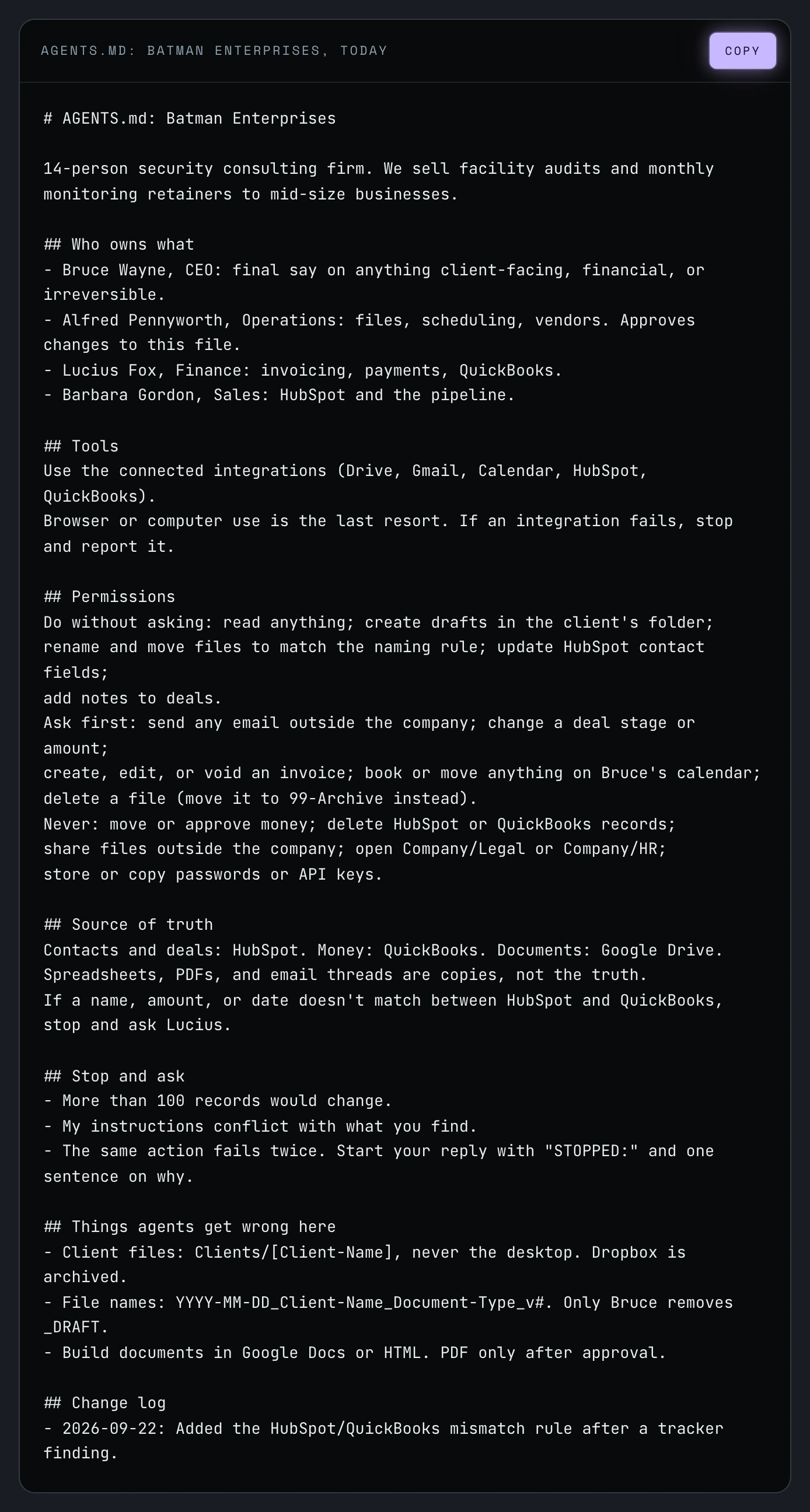
The new file is about a third of the length and says more.
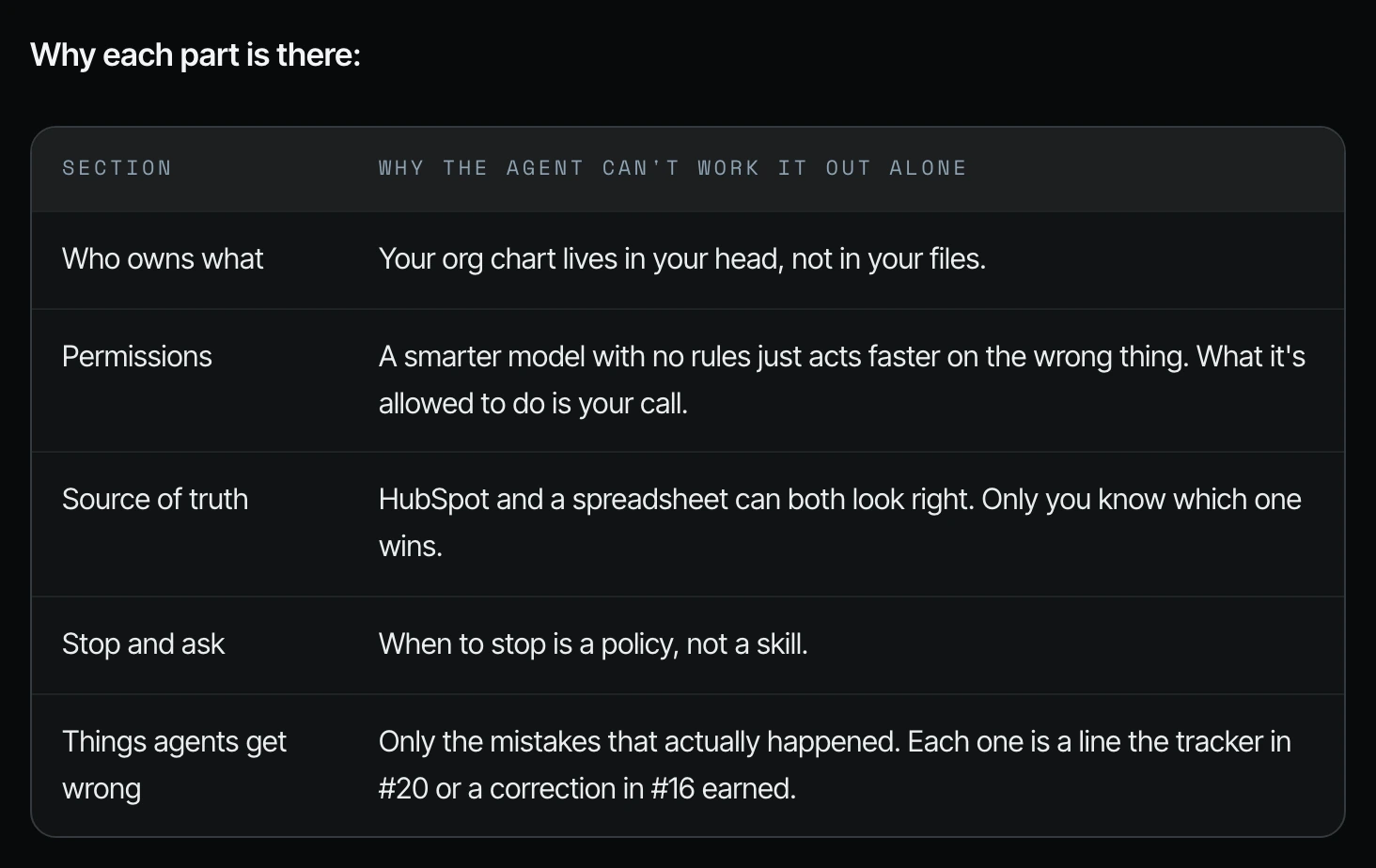
Why each part is there
| Section | Why the agent can't work it out alone |
|---|---|
| Who owns what | Your org chart lives in your head, not in your files. |
| Permissions | A smarter model with no rules just acts faster on the wrong thing. What it's allowed to do is your call. |
| Source of truth | HubSpot and a spreadsheet can both look right. Only you know which one wins. |
| Stop and ask | When to stop is a policy, not a skill. |
| Things agents get wrong | Only the mistakes that actually happened. |
On permissions: is it allowed to email clients? Is it not? Is it allowed to send invoices (20:24)? Every line is read at the start of every session, so every line costs usage every time. Before you add something, ask: could the agent find this out on its own? If yes, leave it out.
How to write your agents.md or claude.md with a drafting prompt
Step 1. If you don't have an agents.md, copy the prompt below into Codex or Claude Code. You could also just ask it, "Do we have an agents.md? What do you propose for our agents.md?" (20:56) Same thing with Claude.
Draft an AGENTS.md file for my company.
Investigate first. Ask me only what you can't find out yourself.

STEP 1: INVESTIGATE (read-only)
Do not move, rename, delete, send, or change anything.
Use my connected tools and local files to learn:
- What my company does and who is involved (team, clients, vendors)
- Which tools and systems we use, and which integrations are connected
- Where different kinds of information live, and where it's duplicated
Skim names, don't open every file. Look at email senders and subjects
from the last 90 days only. Stop once you can fill in the sections below.

STEP 2: ASK ME
One question at a time, only about what you couldn't determine.
Always ask me about permissions, source of truth, and stop conditions.
Don't guess those.

STEP 3: DRAFT
Write only what an agent couldn't find out on its own. Leave out:
- Instructions on how to write, format, or reason
- Folder lists the agent can search for itself
- Anything already stated once (no repeating, no capital-letter warnings)

Sections:
# AGENTS.md: [Company]
[One or two sentences on what we do]
## Who owns what
## Tools (connected integrations first; browser is the last resort)
## Permissions (do without asking / ask first / never)
## Source of truth (which system wins when two disagree)
## Stop and ask (include the two-failure rule, see below)
## Things agents get wrong here (leave empty for now)
## Change log

Two-failure rule: if the same action fails twice for the same reason, stop.
Start the reply with "STOPPED:" and one plain-English sentence on why.

If you couldn't fill something in, write "UNKNOWN" instead of guessing.
Keep the whole file under 60 lines.
After drafting, list the UNKNOWN items and your assumptions so I can answer them in one pass.
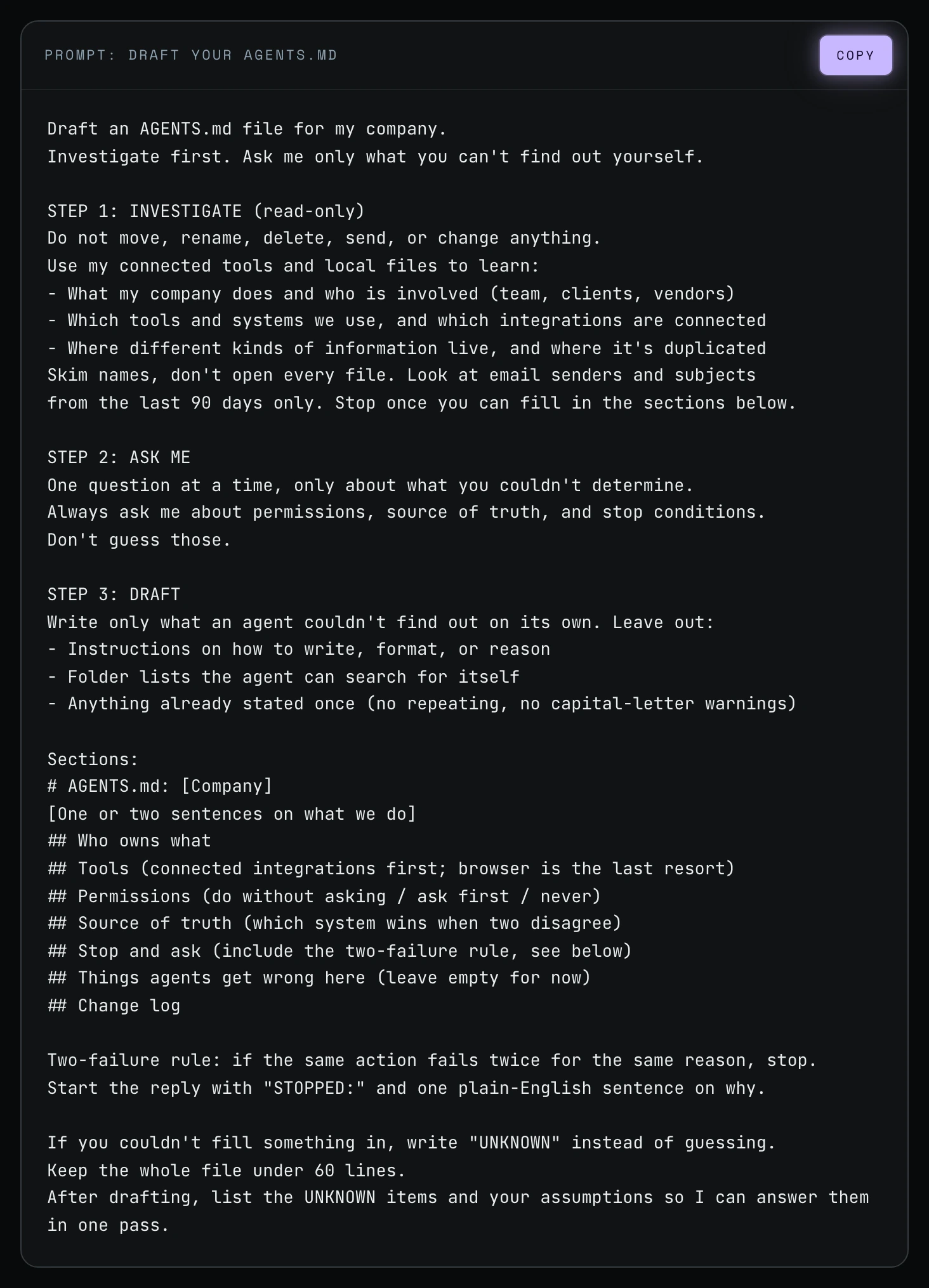
Step 2. Review what it drafts and make some changes. If a section comes back UNKNOWN, that's the agent doing its job. It asked instead of guessing.
Step 3. Do this before the file cleanup in way 8. The cleanup is often the first time an agent touches your files, and you want the permissions and stop rules in place first.
agents.md and claude.md best practices: update it, and let it grow from real mistakes
If you haven't updated this for a year, six months, three months, I highly recommend that you do. It could be the thing that's hindering the smartest, newest models from performing how they could perform, just because you have unnecessary rules inside of your agents.md or your claude.md (20:56).
And you really don't know how good your agents.md or claude.md file is until you start to use it, the agents start to use it, and you start to notice certain things (21:28). Add a line when an agent actually gets something wrong, not because it might. That's how the file stays short while the models keep getting smarter.
Frequently asked questions
What is the difference between agents.md and claude.md?
agents.md and claude.md are the same idea with different names: Codex reads agents.md, and Claude Code reads claude.md at the start of every session. Anthropic's docs say Claude Code can also read an agents.md when there is no claude.md.
How do I write a good agents.md file?
Write a good agents.md by listing only what the agent can't find out on its own: who owns what, permissions, source of truth, when to stop and ask, and real mistakes. The fastest route is to have Codex or Claude Code draft it with Shanee's prompt, then fix the permissions yourself.
Is there an agents.md example for a small business?
Yes. Shanee's example above is Batman Enterprises, a fictional 14-person security consulting firm, with every section filled in.
How long should an agents.md or claude.md file be?
Short. Shanee's drafting prompt asks for under 60 lines, and her new example is about a third of the length of the old one, because every line costs usage every session.
Do I need a developer to write an agents.md or claude.md?
No. With your files, email and apps connected, Codex or Claude Code can draft most of it. Your job as the owner is deciding what the agent is allowed to do.
How often should I update my agents.md or claude.md?
Review it now if you haven't in three to twelve months, because Shanee says old rules can hold back newer models. After that, add a line each time an agent makes a real mistake.
Related ways in this series
- Clean up your files to be agent and human friendly: the next step, and the first time an agent will rely on your new permissions.
- Make great agent output the standard: where brand guides and templates live so they load only when needed.
- Stop when the same thing fails twice: the two-failure rule written into the Stop and ask section.
- Fix the root cause of agent mistakes: how real mistakes become new lines in the file.
- Turn your SOPs into AI agents: turn the processes your team already follows into agents.
- Get your business ready for AI agents: the wider readiness checklist.
- Back to the full guide: How to Reduce Codex and Claude Code Token Usage, 20 Ways
Sources
Official / Primary Sources
- Shanee Moret, "20 Ways to Use Codex and Claude Code Without Burning Your Usage (Part 1)" (YouTube, 2026-10-02) , what agents.md and claude.md are, the old way vs new way, the Batman Enterprises example and the drafting prompt.
- Shanee Moret, "20 Ways to Optimize Your Token Usage in Codex and Claude Code" (GrowthAcademy.Global field guide, 2026) , full text of the old and new Batman Enterprises files, the why-each-part table and the drafting prompt.
- OpenAI, Codex AGENTS.md documentation , Codex reads AGENTS.md files before doing any work (checked 2026-10-05).
- Anthropic, "How Claude remembers your project" (Claude Code documentation) , Claude reads CLAUDE.md at the start of every session and can read AGENTS.md when there is no CLAUDE.md (checked 2026-10-05).