
Is Codex fast mode worth it? Only when you or someone on your team is sitting there waiting on the agent. The lightning bolt in Codex gives you 1.5x the speed, but it burns through the usage on the plan you pay for at a faster rate, so leaving it on for background work means hitting your weekly limit sooner. I help established business owners build agents inside their companies, and I run my own work in Codex and Claude Code every day, with 70% of my weekly Codex usage still left when I recorded this video (0:31). If nobody is sitting there waiting on the agent, leave it off.
In short: - Codex fast mode is the lightning bolt in the message box, and its tooltip reads "1.5x speed, More usage." - Turn fast mode on when your time is part of the cost, like redesigning a landing page live with the agent. - Leave fast mode off for work the agent does while you do something else, like an overnight invoice follow-up. - Shanee's own audit found Codex set to fast mode by default, so check the lightning bolt before your next long job.
Part of the series: How to Reduce Codex and Claude Code Token Usage: 20 Ways. This is way 6. Previous: Match the model to the job · Next: Create a really good agents.md or claude.md
6. Don't pay for faster execution unless speed actually matters
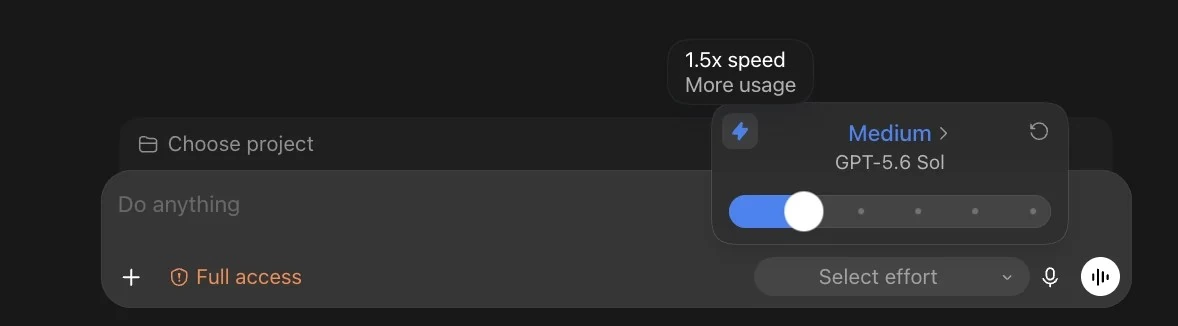
Fast mode is a setting that runs the agent quicker and uses more of your usage limit to do it. It sits right next to the model and reasoning settings (how hard the model thinks before it answers) from way 4 and way 5.
You're gonna get 1.5x the speed, but you're also going to burn through your tokens (the units your AI plan measures usage in) at a faster rate as well (18:17).
How to turn fast mode on or off in Codex
Step 1. Start a new chat in Codex or ChatGPT Work. At the bottom right of the message box, click the model and effort setting. In the video, it reads GPT-6 Astra medium (17:47).
Step 2. Look for the lightning bolt. If you unclick the lightning bolt, you're on normal speed. If you click the lightning bolt, you will get faster results (18:17).

Codex fast mode vs standard speed: when is it worth paying for?
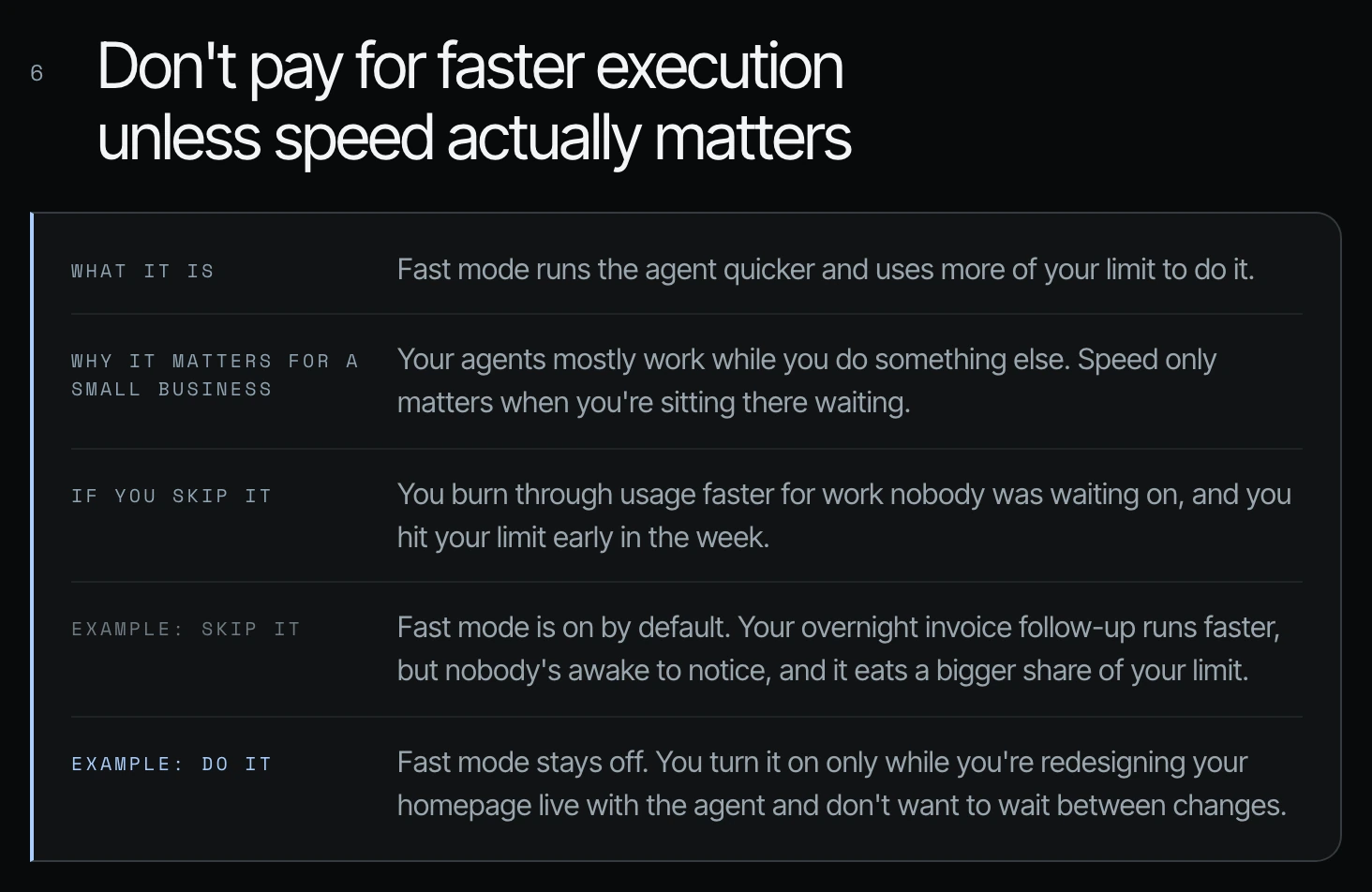
I want faster execution when my time is part of the cost. Say I'm designing a landing page with an agent: "Move that section. Change the headline. Make that image bigger. No, I hate that. Try something else." I don't want to wait between every round. The same goes for building the visual standard for a slide deck, or anything else where I'm giving feedback every few minutes.
When an agent works on its own while I do something else, I don't care whether it finishes a little sooner. Turn speed on to solve a real business problem, not because the option exists.
| Fast mode off | Fast mode on | |
|---|---|---|
| When | The agent works while you do something else | You are sitting in the session waiting between rounds |
| Example | An overnight invoice follow-up nobody is awake to watch | Redesigning your homepage live with the agent |
| Cost | Normal rate of usage | 1.5x the speed, and your tokens burn faster |
Is Codex fast mode on by default? Check yours
In my own audit, Codex was set to fast mode by default, and I had not been waiting on most of that work. If you turned it on once for a live session, check that it is off again. The weekly usage audit in way 20 is how I caught it, and it is built to catch settings like this every week.
Frequently asked questions
Is Codex fast mode worth it for a small business?
Codex fast mode is worth it for a small business only when someone is waiting on the agent between rounds, like designing a landing page live. For work the agent does on its own, it spends more of the plan you pay for on speed nobody needs.
How much does Codex fast mode cost in usage?
Codex fast mode uses more of your usage limit than standard speed. In Shanee's video the tooltip reads "1.5x speed, More usage," and the video gives no exact multiplier, so watch your weekly limit after turning it on.
How do I turn Codex fast mode off?
Click the model and effort setting at the bottom right of the Codex message box and unclick the lightning bolt. Codex then runs at normal speed.
What is the difference between Codex fast and standard speed?
Codex fast mode gives you 1.5x the speed and burns your tokens faster; standard speed uses the normal rate. Shanee uses fast mode only when she is giving feedback every few minutes.
Is Codex fast mode on by default?
In Shanee's own account, her weekly audit found Codex set to fast mode by default. Check the lightning bolt in your own Codex message box before your next long job.
Related ways in this series
- Match the model to the job: pick the right model in the same panel.
- Keep reasoning on medium for most work: the effort setting that sits next to the lightning bolt.
- Build a weekly helper that finds waste and fixes your token usage: the audit that flagged fast mode in Shanee's own account.
- Codex reasoning levels for business owners: the effort setting explained for owners, before you touch speed.
- Back to the full guide: How to Reduce Codex and Claude Code Token Usage, 20 Ways
Sources
Official / Primary Sources
- Shanee Moret, "20 Ways to Use Codex and Claude Code Without Burning Your Usage (Part 1)" (YouTube, 2026-10-02) , the lightning bolt click path and the 1.5x speed statement.
- Shanee Moret, "20 Ways to Optimize Your Token Usage in Codex and Claude Code" (GrowthAcademy.Global field guide, 2026) , the landing-page example, the fast-mode-by-default audit finding and the tooltip close-up.