Scheduled tasks have been one of ChatGPT's most practical business features, and until last week they required a paid plan. On August 26, 2026, OpenAI opened them to free accounts.
The free tier is genuinely limited: up to 3 active recurring tasks, running at most daily, with flexible time windows. Paid plans keep the full feature set. The detail easiest to miss is task sharing, which changes how automation spreads through a team.
Every ChatGPT account can now run scheduled tasks. Free accounts get up to 3 active recurring tasks at a daily maximum frequency. Plus, Pro, Business, and Enterprise plans keep the full feature set, including event-triggered tasks that fire on supported Gmail, Slack, or GitHub activity. Any scheduled task can also be shared with other users, who copy and customize it.
What Changed on August 26
Task scheduling lets ChatGPT run a prompt for you on a recurring schedule: a brief every morning, a reminder with prep every Friday, a draft every Monday. Until now, that capability sat behind a subscription.
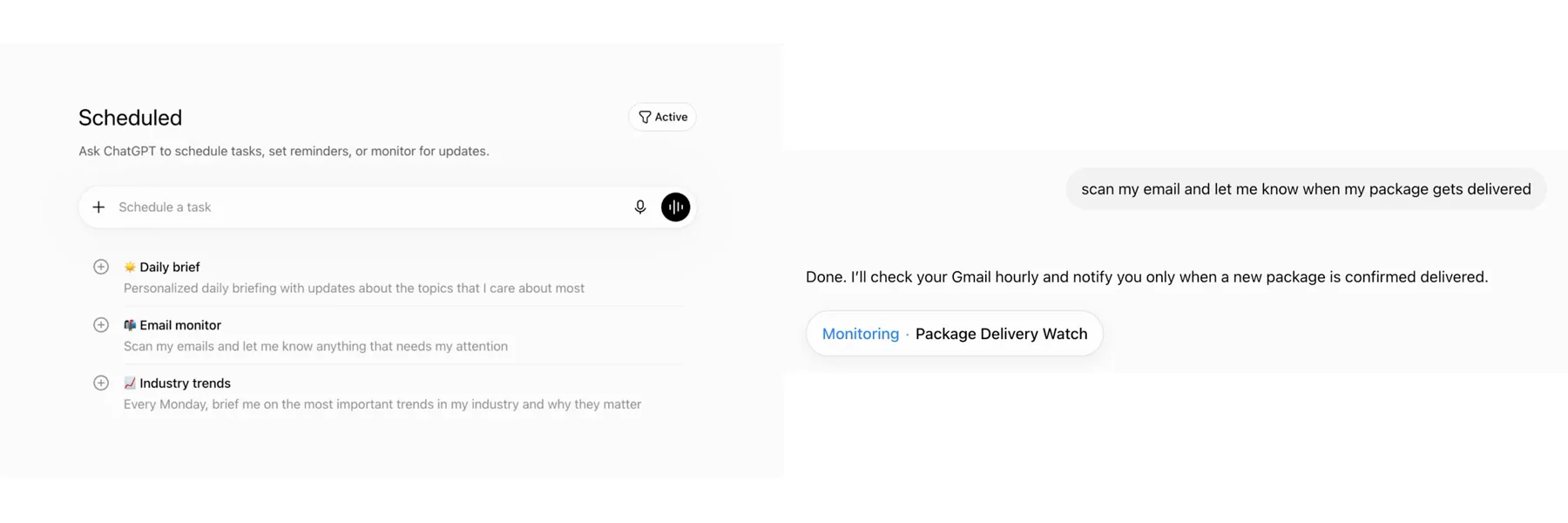
OpenAI moved the base capability to the free floor, a change covered by Engadget, Android Headlines, and TechBriefly. Free users get 3 active tasks at daily frequency. Paid users keep everything, including triggers that respond to events instead of the clock.
OpenAI also added sharing. A working scheduled task can be handed to another user, who copies it into their own account and customizes it from there.
Free vs. Paid: What You Actually Get
| Capability | Free | Plus, Pro, Business, Enterprise |
|---|---|---|
| Recurring scheduled tasks | Up to 3 active tasks | Full feature set |
| Maximum frequency | Daily, with flexible time windows | Full feature set |
| Event-triggered tasks (supported Gmail, Slack, GitHub activity) | Unavailable | Included |
| Task sharing (share, copy, customize) | Included | Included |
Read the limits honestly. Three tasks at daily frequency will cover a morning brief, a weekly review, and one recurring draft, and then you are full. That is still three more automations than most owners run today.
Three Free-Tier Tasks Worth Setting Up Today
Each of these fits inside the free limits and produces something you would otherwise assemble by hand.
A Morning Brief on One Topic
Every weekday morning, a short brief on the one topic that moves your business: your industry, a competitor category, a regulation in motion. You read three paragraphs with coffee instead of scanning ten tabs.
A Weekly Review Reminder With Prep
Every Friday, the task prompts your weekly review and prepares the structure: the questions to answer, the numbers to check, the decisions you deferred. The reminder arrives with the work already framed.
Recurring Draft Generation
Every Monday, a first draft of the thing you write anyway: the client update skeleton, the newsletter outline, the team memo. Drafts only. You review, edit, and send everything yourself.
The Underrated Part: Tasks You Can Hand to Someone
Sharing sounds minor and is quietly the owner's feature. A scheduled task that works can now be handed to a team member, a contractor, or a client, who copies it and customizes it instead of configuring their own from a blank screen.
Build the morning brief once, tune the wording for a week, then hand the working version to the person who should own it. The setup cost gets paid once per company rather than once per person.
The same discipline travels with the task. If your version prepares drafts and leaves sending to a human, the copies your team runs should keep that line intact.
When the Paid Plan Earns Its Money
A schedule runs on the clock whether or not anything happened. Event-triggered tasks, which stay exclusive to paid plans, fire when the business does something: a supported Gmail message arrives, a Slack channel gets a message, a GitHub pull request changes.
The difference shows up in timing. A client email that lands at 9pm can have a summarized thread and a drafted reply waiting by the time you look, hours before any daily schedule would have noticed it.
We covered the trigger types, availability rules, and setup path in depth in our guide to ChatGPT Work event triggers. Agents can also now log into websites mid-task, which stacks with both kinds of automation.
Whichever tier you run, keep one rule constant: tasks prepare, you approve. A scheduled draft that waits for your review is an asset; anything that sends on its own is a risk you chose.
Frequently Asked Questions
How many scheduled tasks do free ChatGPT accounts get?
Up to 3 active recurring tasks, running at most daily, with flexible time windows. OpenAI made the change on August 26, 2026.
What do paid plans add to scheduled tasks?
Plus, Pro, Business, and Enterprise users keep the full feature set, including event-triggered tasks that fire on supported Gmail, Slack, or GitHub activity rather than on a clock.
Can I share a scheduled task with my team?
Yes. OpenAI added task sharing alongside the free rollout. You share the task, and the recipient copies it into their own account and customizes it from there.
Should a scheduled task be allowed to send anything?
Set tasks up to prepare briefs and drafts, and keep sending, posting, and spending behind your own approval. The value is finished preparation waiting for review, with the outward step still in your hands.