Every owner who has handed a real task to an AI agent has hit the same wall. The work runs fine until it reaches a sign-in page, and then everything stops and waits for you.
On August 25, 2026, OpenAI removed that wall. ChatGPT Work can now handle secure website logins in the middle of a task, and the capability is rolling out to Plus, Pro, and Business users on web and mobile.
When an agent task hits a sign-in wall, ChatGPT Work detects the login screen, pauses, and surfaces a secure form where you enter your credentials and complete any two-factor step. OpenAI states the credentials never reach the underlying model and are not stored by it. The agent then continues the task to completion, and the signed-in session can persist for future tasks until you clear it in settings.
How the Secure Login Works
Picture a routine agent task: pull this week's ad performance, check a vendor order, submit an invoice in a client's portal. Somewhere in the middle sits a login screen for the vendor portal, the accounting tool, or the ad platform.
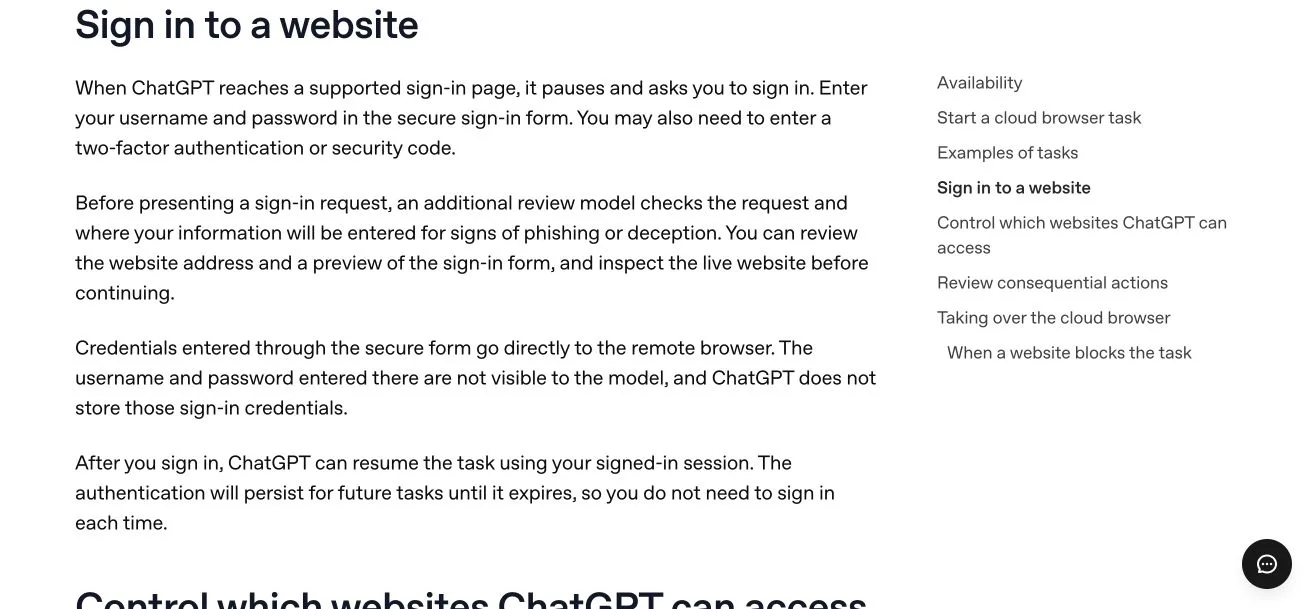
ChatGPT Work now recognizes that screen and pauses. You get a secure form, you type the credentials, and you complete the two-factor step if the site asks for one. Then the agent picks the task back up and runs it to the end.
Two details matter for anyone thinking about risk. OpenAI states that your credentials never reach the underlying model and are not stored by it. And the signed-in session can persist, so tomorrow's task on the same portal skips the login entirely until you clear the session from settings.
Neowin and Yahoo Tech both covered the rollout; links are in the sources below.
Why the Login Screen Was the Real Ceiling
Before this change, any workflow that touched a login-gated site required a manual handoff. The agent researched, drafted, and prepared, then stopped at the portal door while you stepped back in to finish.
That handoff quietly capped what delegation was worth. If you have to sit in the middle of a task, you are still the bottleneck, and most of the tasks worth delegating in an established business live behind logins: accounting tools, vendor portals, ad platforms, booking systems.
A human assistant clears that bar because you decide to trust them with specific accounts. The same shape of delegation now applies to the agent, with the same judgment call about which accounts you hand over.
Five Tasks You Can Now Delegate End to End
Start with tasks that are annoying, recurring, and low-risk. These five fit.
Pull Ad Performance Data
The agent signs into the ad platform, pulls current spend and results, and writes the summary you actually read. This one is read-only, recurring, and an ideal first test.
Check Vendor Order Status
Instead of visiting three supplier portals to answer one question, the agent signs into each, checks your open orders, and flags anything late or missing in a single status note.
Submit Invoices in a Client Portal
The agent logs in, fills the submission form with the invoice you prepared, and pauses for your confirmation before the final submit. You review a completed screen instead of doing the data entry.
Fill Permit and Intake Forms
Plenty of portals demand an account before they show you the form. The agent signs in, fills the form from your source document, and presents it for review before anything is submitted.
Book Appointments
For booking systems that sit behind a login, the agent signs in, finds slots that match your rules, and completes the booking you approved. Confirmations land in your inbox as usual.
The Safety Rules That Keep This Boring
A capability like this earns its place by staying uneventful. Three rules do most of the work.
Only connect accounts you would hand an assistant. If you would hesitate to give a trusted human the password to a system, that hesitation is information. Accounts that touch money, payroll, or client data deserve the hardest look.
Keep approval gates on anything that sends or spends. The agent prepares the submission, the reply, or the booking; you approve the step that leaves your control. Write that boundary into the task instruction every time. Our guide to AI agent security guardrails covers how to phrase those boundaries so they hold.
Clear sessions for tools you stop using. Persistent sessions are the convenience and the exposure at the same time. The settings area that stores them also lets you clear them, so make that a habit rather than a rescue.
Two-factor authentication stays in your hands, since you complete that step yourself in the secure form. Treat any login prompt you were not expecting as a reason to stop and look.
What to Do With This in Your Business This Week
- List the chores that die at a login screen. Invoice submissions, status checks, data pulls, and form filings you still do by hand because a portal sits in the way.
- Pick the lowest-risk one. A read-only task such as the ad data pull is the right first candidate.
- Run it supervised. Watch the first full run: where it pauses, what it asks for, and what it does after sign-in.
- Write the approval line into the instruction. The task may prepare anything; it may send, submit, or spend nothing without your confirmation.
- Schedule session hygiene. A monthly reminder to clear signed-in sessions for tools you no longer delegate.
Once a login-gated task runs reliably, pair it with the features that decide when work starts. Scheduled tasks handle the clock, and event triggers fire on business activity.
Frequently Asked Questions
Does ChatGPT see my password when I sign in?
OpenAI states that credentials entered in the secure login form never reach the underlying model and are not stored by it. You type them yourself and complete any two-factor step. Treat that as a vendor claim to weigh against your own risk tolerance, the same way you would with any tool that touches your accounts.
Which plans are getting secure website login?
OpenAI began rolling it out to Plus, Pro, and Business users on web and mobile on August 25, 2026. If you cannot see it yet, the rollout may simply have missed your account so far.
Can I revoke access after a task is done?
Yes. The signed-in session can persist for future tasks, and you can clear it from settings at any time. Clearing sessions for tools you stop using is the habit worth building.
Should the agent be allowed to send or spend after logging in?
Keep those steps gated. Have the agent prepare invoices, forms, and bookings to a finished state, then approve the final action yourself. Delegation works when the outward-facing step still belongs to you.