Every AI agent you have used until now has run into the same ceiling: it could only reach the tools that offered an official integration.
A connector existed for your email, so the agent could read email. No connector existed for the vendor portal or the client's reporting dashboard, so those stayed manual.
On August 26, 2026, Anthropic shipped the clearest break with that ceiling so far. The concept matters more than the vendor, and it is worth understanding even if your team runs ChatGPT.
Claude Cowork on the desktop app now includes a built-in Chromium browser. When a task needs a website, a browser opens in a side panel and the agent navigates, clicks, fills forms, and extracts information, in a session fully isolated from your tabs, bookmarks, and saved passwords. Any web-based tool your business touches becomes reachable, connector or no connector.
The Connector Ceiling
Until now, agents mostly reached only tools with official integrations. That list is long for popular software and thin for the systems many established businesses actually run on.
Think through your own operation: the state licensing portal, the distributor's ordering system, the reporting tool your industry association hosts, the client dashboard built years before APIs were fashionable.
Most of those will never get an official integration. A browser agent reaches them anyway, because it works the same interface you do: the web page itself.
What Anthropic Shipped
On August 26, 2026, Anthropic released a built-in Chromium browser inside Claude Cowork on the desktop app for Mac, Windows, and Linux. It is rolling out to Pro, Max, Team, and Enterprise plans.
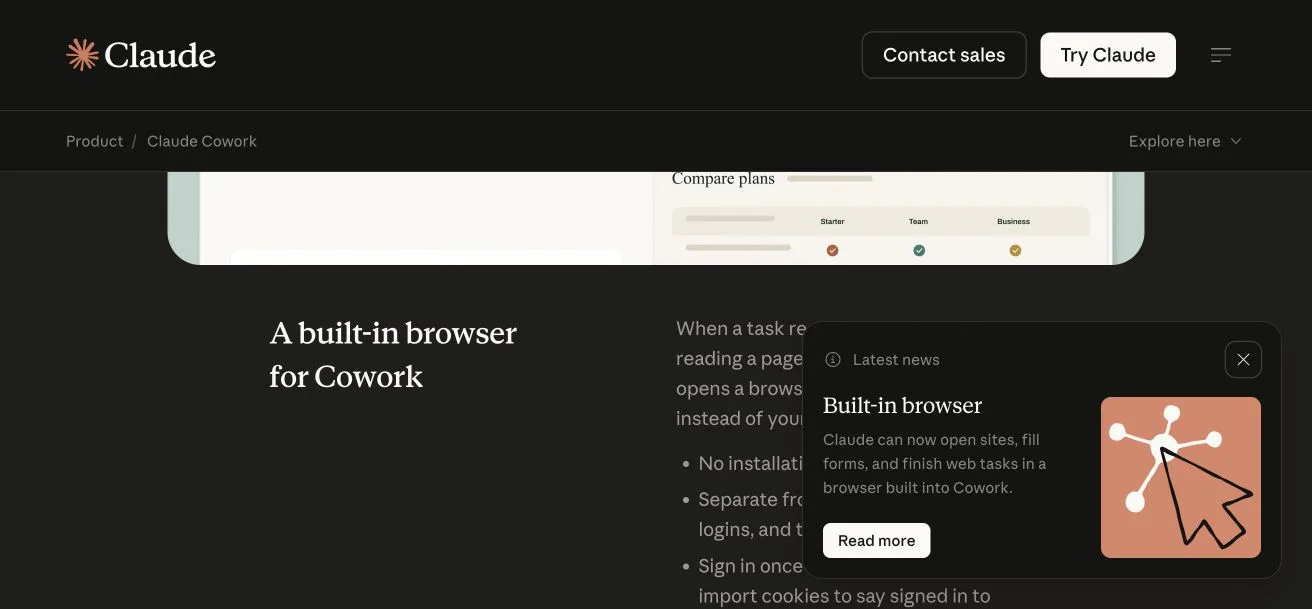
When a task requires a website, a browser opens automatically in a side panel. The agent navigates pages, clicks buttons, fills forms, and extracts information, and the side panel lets you watch it work.
Anthropic says the session is fully isolated from your personal browser: your tabs, bookmarks, and saved passwords stay untouched, and there is no extension to install. Digital Trends led its coverage with exactly that separation.
Why the Isolation Model Matters for a Business
Browser agents now come in two architectures, and they make different assumptions about trust.
The extension approach runs inside your real browser with your real logins, which our head-to-head choosing guide covers in detail. Maximum convenience, and the agent works next to everything else your browser holds.
A built-in browser starts clean. No history, no cookies, no saved credentials. You sign it into exactly what the task needs and nothing more.
For a business, that separation is an operating advantage. Agent work stays cleanly apart from your personal browsing, and every task gets scoped access: the reporting task sees the reporting tool, and that is all it sees.
When something goes wrong, and eventually something will, the blast radius is limited to whatever you signed the agent into for that task.
The Five-Minute Capability Test
Run this on whichever platform you already pay for. The point is to find out, with a real task, whether your agent has crossed the connector ceiling.
- Pick a tool your connectors cannot reach. Choose a web portal or dashboard your business uses that has no official integration in your AI platform.
- Give the agent the URL and a read-only task. Pull this week's numbers, summarize open items, or list the newest entries. Nothing that submits or changes anything.
- Sign in deliberately. If your platform uses an isolated browser, give it only the login this task needs. If it uses your real browser, note exactly what else that session can see.
- Compare the output against the page yourself. First-run accuracy tells you how much supervision this workflow needs before you rely on it.
Completion means a category of work you assumed was manual just became delegable. Failure costs you five minutes and tells you the current limit.
Honest Limits
Websites change without notice. An agent that handled a portal cleanly in March can stumble on a redesign in April, so treat any browser workflow as something to re-verify over time.
Agents can also misread pages. A mislabeled column or an ambiguous button can produce confident, wrong output, so spot-check anything that feeds a decision.
Keep approval gates on anything that submits or spends. Test on read-only tasks first, and expand from there based on logged results.
Where the Ecosystem Is Heading
The direction is bigger than one vendor. OpenAI's ChatGPT desktop browser is adding site-native tooling called WebMCP, and across vendors the same assumption is settling in: agents will reach the whole web rather than a fixed list of integrations.
Plan on that assumption. Anything your business operates through a browser is becoming agent-reachable, whether or not the vendor behind it ever builds an integration.
Frequently Asked Questions
What does "no connector required" actually mean?
The agent operates the website's own interface: it loads the page, clicks, types, and reads results. A tool needs no API and no official integration to be reachable, because the agent uses the same screens you do.
Can the built-in browser see my saved passwords or open tabs?
Anthropic says the session is fully isolated from your personal browser, tabs, bookmarks, and saved passwords, and Digital Trends' coverage emphasizes the same separation. You sign the agent into a site only when a task needs it.
Which plans and platforms have the Cowork built-in browser?
Anthropic released it on August 26, 2026 inside Claude Cowork on the desktop app for Mac, Windows, and Linux, rolling out to Pro, Max, Team, and Enterprise plans.
How is this different from Claude in Chrome?
Claude in Chrome is an extension that works inside your existing browser with your existing logins. The Cowork built-in browser is isolated and starts clean, so you sign it into exactly what each task needs and nothing more.