I'm Shanee Moret, founder of GrowthAcademy.Global. I have been teaching business owners to use AI since January 2023, and I have used Bitwarden as my own password manager for a few years. It's always been very good to me. Step 4 of the 10 ways I protect a small business is to move everyone to a password manager.
I used to know somebody who was doing about a million dollars a month, and the password to his main email was the name of the business, one, two, three. In the age of AI you don't want that even if you have two-factor, because an agent could presume you probably use that same password for other things. When one password is reused, one leak opens every door.
1. What a password manager does for a business
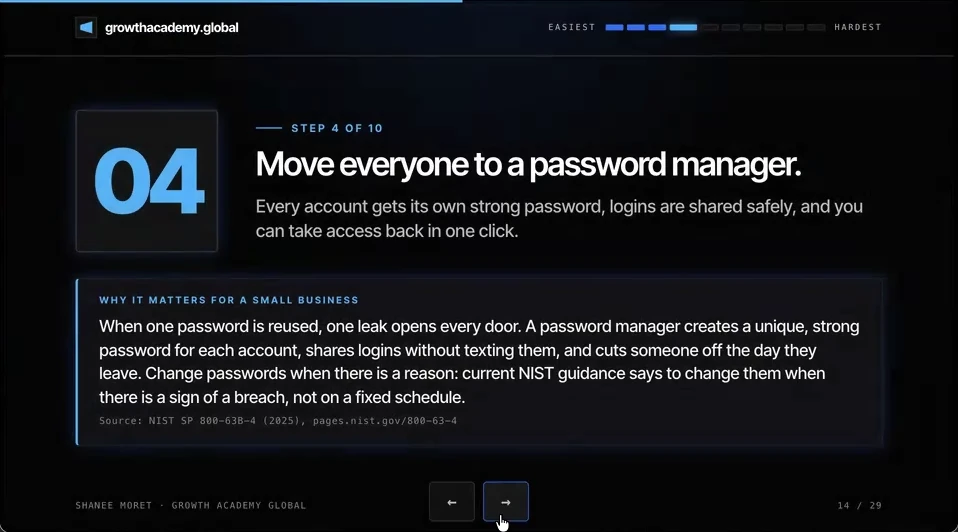
A password manager creates a unique, strong password for each account, shares logins without texting them, and cuts someone off the day they leave.
It also changes when you change passwords. Current NIST guidance (SP 800-63B-4) says not to force password changes on a fixed schedule, and to change them when there is a reason: a sign of a breach, or a person with access leaving. A manager makes those changes painless, because nobody has to remember the new password.
Another one that a lot of people use is 1Password, which has business plans too. Pick the one your team will actually use. The important part is one manager for the whole company, not five people's personal habits.
2. Set up your password manager this week
It is a pain in the butt in the beginning, because literally every single account's password has to be stored in a vault. But it is worth it.
How to roll out a password manager to your team
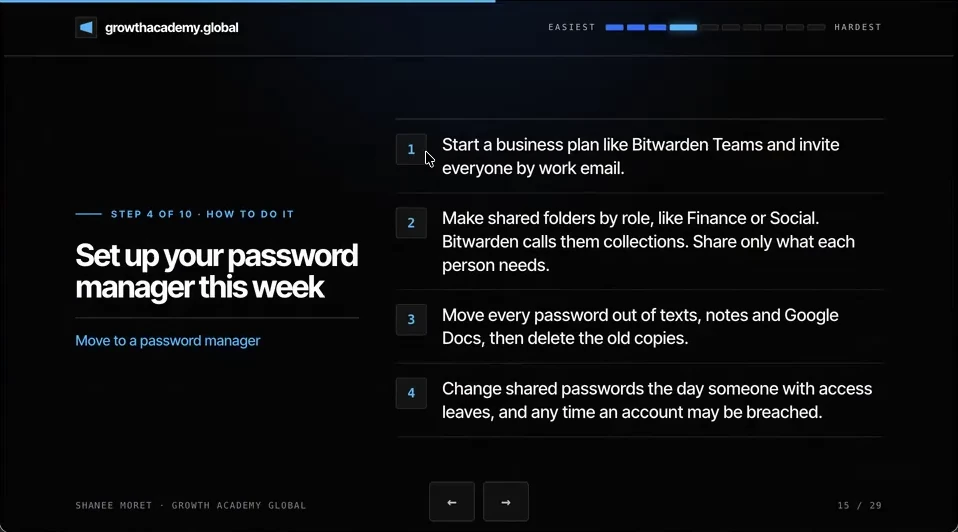
Step 1. Start a business plan, like Bitwarden Teams, and invite everyone by their work email.
Step 2. Make shared folders by role, like Finance or Social. Bitwarden calls them collections. Share only what each person needs. If you do have a team, not everyone needs the QuickBooks password, for example.
Step 3. Move every password out of texts, notes and Google Docs, then delete the old copies. Make sure no old passwords are still sitting anywhere they could cause a security problem.
Step 4. Change shared passwords the day someone with access leaves, and any time an account may have been breached.
Protect the master password
The one thing you cannot forget is the master password. Lose it and every other password is locked for good, so keep it somewhere physical and safe. I joke that it belongs under a brick in the foundation of your house.
3. When someone leaves, their agents leave with the same access
This is even more critical in the AI era. If someone is working for you and they're no longer part of the team, not only did they have access to the accounts, but so do their agents.
You don't want to think there are nefarious actors out there, but there are. Make sure that if someone is let go, these protocols are in place: the passwords they knew are reset, and they're no longer shared with them through the password manager.
Agent keys belong in the vault too. An API key pasted into a chat, a document or a code file can end up somewhere you can't see. Store it in the password manager, and replace it if it was ever pasted somewhere it shouldn't be. The next step in this series, the access audit, removes the person from each app itself.
Here's how to do this for yourself:
- Start a business plan on one password manager and invite everyone by work email.
- Create shared folders by role, such as Finance, Social and Operations, and give each person only the folders they need.
- Move every password out of texts, notes and Google Docs, then delete the old copies.
- Let the manager generate new passwords for email, bank and payroll first.
- Add 'change shared passwords and remove from the vault' to your offboarding checklist.
A password everyone knows is a password nobody controls.
Questions business owners are asking
Do small businesses really need a password manager?
Yes, and the smaller the team, the more each shared password matters. Without one, logins live in texts, sticky notes and a passwords document in Drive, and the same password tends to get reused across apps. When one of those apps leaks, attackers try the same email and password everywhere else. A manager gives every app its own strong password and lets you share access without anyone seeing or retyping it.
Bitwarden or 1Password for a small business?
Both have business plans with shared folders and admin controls. I personally use Bitwarden and have for a few years; a lot of people I work with use 1Password. Choose the one your team will actually open every day, and put the whole company on that one plan.
How often should business passwords be changed?
When there is a reason, not on a calendar. NIST's current guidance says not to force routine password changes, and to require a change when there is evidence an account was compromised. For a business, add one more trigger: change every shared password the day someone who knew it leaves.
Why does AI make shared passwords riskier?
Because a person's access now includes everything their AI agents can reach with it. If a former contractor still knows the CRM password and connects an agent to it, that agent can read, change or delete records at machine speed. A password manager lets you take the login back in one click instead of hoping they forget it.
Key moments in the video
- 5:06 Move everyone to a password manager
- 5:10 A million dollars a month and the password was company123
- 5:34 One reused password, one leak, every door
- 5:45 Why I use Bitwarden
- 6:08 Get on a business plan
- 6:23 Shared folders by role
- 6:40 Former employees' agents keep the access too
Sources
Official / Primary Sources
- NIST Special Publication 800-63B-4: Authentication and Authenticator Management. Section 3.1.1.2: verifiers should not require periodic password changes, but must force a change when there is evidence of compromise.
- 1Password: Business pricing. 1Password's Teams and Business plans for companies.
- Bitwarden: Business plans and pricing. Lists the Teams plan for businesses, priced per user per month.
- Bitwarden Help: About Collections. Items shared in an organization live in collections, and admins give groups or members access to each one.
- 10 Ways to Protect Your Small Business Now That AI Can Call You. Shanee Moret on YouTube, published October 13, 2026; the article above is drawn from this video.