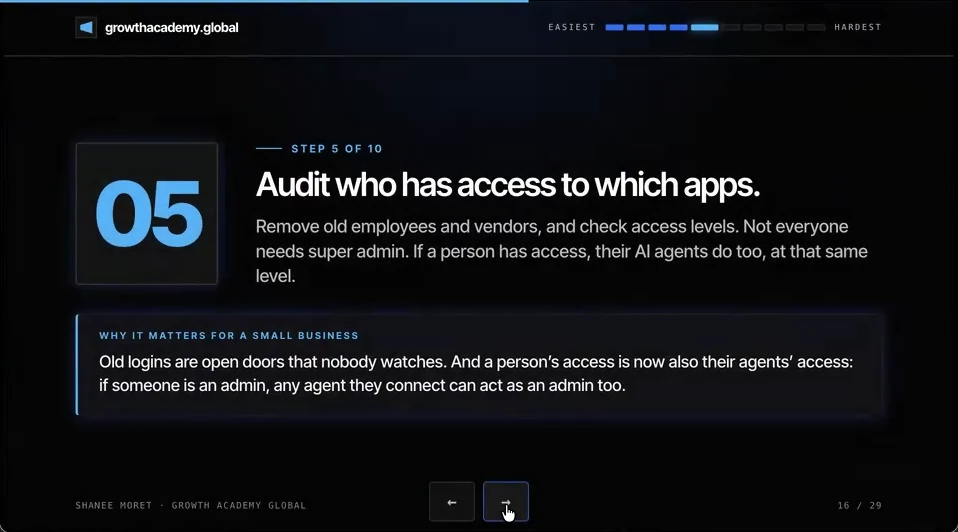
I'm Shanee Moret, founder of GrowthAcademy.Global. I have been teaching business owners to use AI since January 2023, and I run access clean-ups with clients before we connect agents to their systems. Step 5 of the 10 ways I protect a small business is to audit who has access to which apps.
Remove old employees and vendors, and check access levels. Not everyone needs super admin. If a person has access, their AI agents do too, at that same level. Old logins are open doors that nobody watches.
1. In the age of AI, you're actually at an advantage
Let's say you get a new vendor for Google Ads or SEO. In the past, if you were a non-technical business owner without a whiz on your team, you really had to look step by step at how to navigate, how to see who has access and how to remove those people.
The good thing is that tools like ChatGPT Work (Codex) or the ChatGPT desktop app can actually help you get to that page. You could say something along the lines of:
Hey, I need to review Google Analytics, Google Workspace, all of these tools to see who has administrative access. I just need you to bring me to the page and to help me find who has access and to help me remove them.
I went through this with a client probably about three months ago. They had multiple previous employees and multiple previous vendors, and not just multiple previous vendors, but multiple members of a previous vendor, all still inside tools like Google Analytics and their email.
2. Why admin access is riskier when people use agents
This is especially important in the age of AI, because if a person has that level of access, so does their agent. Even if they mean no harm at all, if their agent has that level of access and makes a mistake, the account could be deleted, or critical changes could happen that you didn't approve.
Let's say someone is an admin in HubSpot who really doesn't need to be. They barely use HubSpot, but they start using Codex. Their Codex connects to HubSpot, and one day it just goes awry and starts deleting things because it has administrative access, or it starts adding notes to critical client files or changing stuff. That's the last thing you would want.
3. Run your access audit this week
How to run an access audit
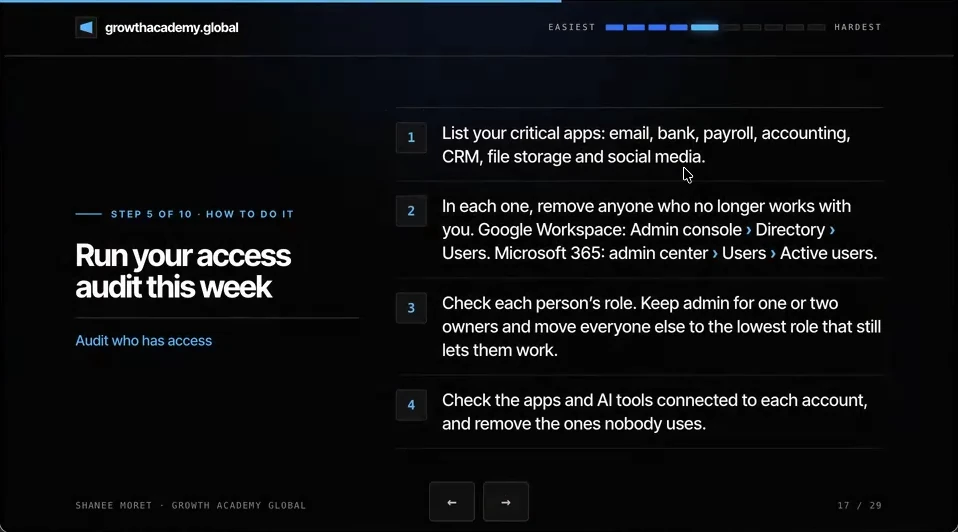
Step 1. List your critical apps: email, bank, payroll, accounting, CRM, file storage and social media. Your credit card statement will show you most of the rest.
Step 2. In each one, remove anyone who no longer works with you, whether they were a subcontractor, a vendor or an employee. In Google Workspace that's the Admin console, then Directory, then Users. In Microsoft 365 it's the admin center, then Users, then Active users.
Step 3. Check each person's role. Keep admin for one or two owners, and move everyone else to the lowest role that still lets them work. As the business owner, make sure you have the super administrative access yourself.
Step 4. Check the apps and AI tools connected to each account, and remove the ones nobody uses. You could have plugins, tools or extra things connected inside an account. Remove them. For Google, that's the third-party connections page in your Google Account.
Where to look for old admins
- Email and files: Google Workspace, Microsoft 365, Dropbox. Look for admins, shared drives and forwarding rules.
- Domain and website: your domain registrar, Cloudflare, WordPress or Squarespace. Look for account users and site admins.
- Money: bank, Stripe, PayPal, QuickBooks. Look for users, payout accounts and accountant access.
- Sales and marketing: CRM, email platform, ad accounts. Look for agency logins and partner access.
- Social: LinkedIn page, Facebook business tools, YouTube. Look for page admins and partners.
- AI tools: ChatGPT, Claude, and the OpenAI and Anthropic developer consoles. Look for members, API keys and connected apps.
Here's how to do this for yourself:
- Write down your critical apps, then add every other tool from your credit card statement.
- Open each one with ChatGPT Work or Claude guiding you, and remove every former employee, vendor and vendor team member.
- Cut admin down to one or two owners, including you, and move everyone else to the lowest role that works.
- Remove connected apps, plugins and AI tools nobody uses.
- Put the same review on the calendar every quarter, and do it the day anyone leaves.
Every login you forgot about is a login an agent can still use.
Questions business owners are asking
How do I find out who still has access to my business accounts?
Make a list of every app the business logs in to, starting with email, bank, payroll, accounting, CRM, file storage and social media, then open the Users or Team page in each one. If you don't know where that page is, ask ChatGPT Work (Codex), the ChatGPT desktop app or Claude to bring you to it and help you read the list. Your credit card statement is the fastest way to find the tools you forgot you pay for.
Why does an employee's admin access matter more now that they use AI?
Because any agent they connect inherits their access. An admin who barely uses your CRM is a small risk on their own. Once their AI agent is connected with that admin role, a single mistake or a confusing instruction can delete records or change client files in seconds, and nobody approved it.
How many admins should a small business have in each app?
One or two, and one of them should be you, the owner. Everyone else gets the lowest role that still lets them do their job, such as editor, standard user or view-only. Having a trusted second admin means the business never waits on one person who is traveling or in meetings.
How often should I run an access audit?
Every quarter as a routine, and immediately whenever someone leaves or a vendor contract ends. The quarterly pass catches the people and connected apps that slipped through; the same-day removal stops a former team member's agents from keeping access in the meantime.
Key moments in the video
- 7:05 Audit who has access to which apps
- 7:34 Let ChatGPT or Codex bring you to the right page
- 8:00 A client with old employees and vendor teams still inside
- 8:23 Not everyone needs super admin
- 8:50 When an admin's Codex goes awry in HubSpot
- 9:13 Run your access audit this week
Sources
Official / Primary Sources
- Google Workspace Admin Help: Delete or remove a user from your organization. Path: Admin console, Directory, Users, then delete the user.
- Microsoft Learn: Delete a user from your organization. Path: Microsoft 365 admin center, Users, Active users, select the user, Delete user.
- Google Account Help: Manage links between your Google Account and apps from other developers. Review third-party connections and choose Remove access for any app you no longer use.
- 10 Ways to Protect Your Small Business Now That AI Can Call You. Shanee Moret on YouTube, published October 13, 2026; the article above is drawn from this video.