I'm Shanee Moret, founder of GrowthAcademy.Global. I have been teaching business owners to use AI since January 2023, and I set up AI agents inside clients' businesses, which is how I learned this one the hard way. Step 6 of the 10 ways I protect a small business is to delete duplicate accounts.
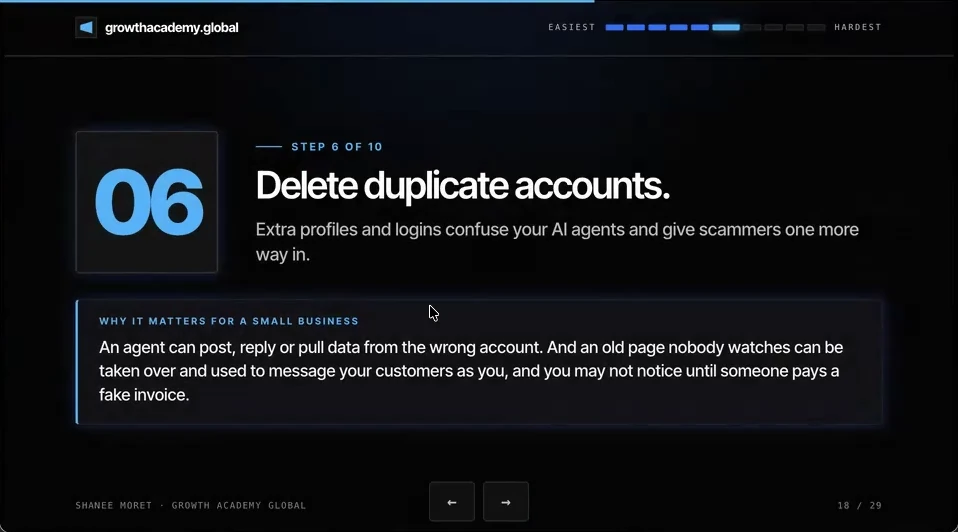
This is important because extra profiles and logins confuse your AI agents, and they give scammers one more way in.
1. The hour my client lost to the wrong Facebook profile
I actually experienced this with a client the other day. She has a service business, which we have set up, and a product-based business. I wanted to set up the product business with Muse, Meta's personal AI agent, because a lot of her sales come from Facebook and Shopify, so it made perfect sense.
Unfortunately, she has three Facebook profiles, and the first one it connected to was one she didn't really use. It took about an hour to correct that and connect the real account.
Almost every owner I work with has a few accounts they don't use and one they do. So it doesn't just cost time. An agent can post, reply or pull data from the wrong account.
2. Why an abandoned profile is a gift to a scammer
An old page nobody watches can be taken over and used to message your customers as you, and you may not notice until someone pays a fake invoice, or starts to message you and complain.
Every duplicate is one more login to protect, one more place a stolen password works, and one more profile that looks official to your customers. So you want to remove any duplicate accounts, because they confuse agents and because each one is another way for an attacker to find a way in.
3. Clean up duplicate accounts this week
How to find and remove duplicate accounts
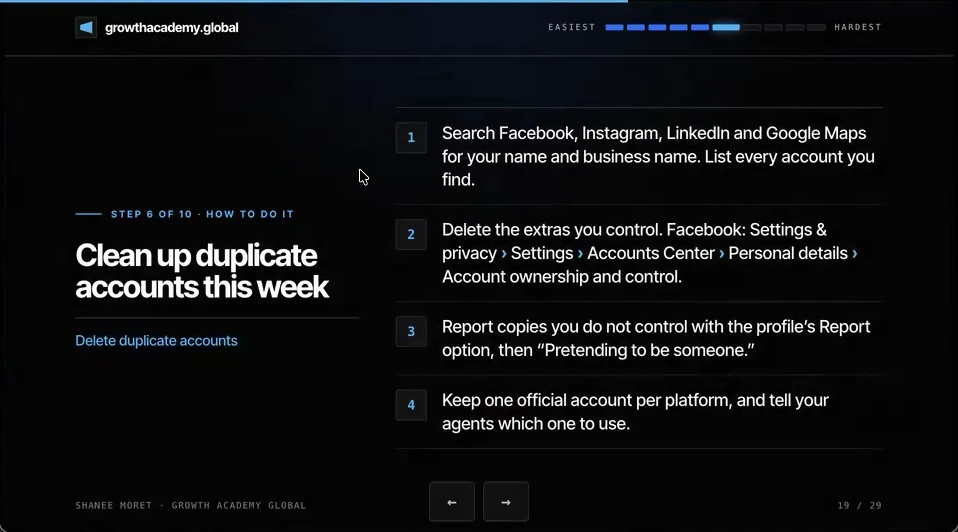
Step 1. Search Facebook, Instagram, LinkedIn and Google Maps for your name and your business name. List every account you find, including old pages, test profiles and the one a former assistant made.
Step 2. Delete the extras you control. On Facebook, go to Settings & privacy, then Settings, then Accounts Center, then Personal details, then Account ownership and control, and choose Deactivation or deletion. Before you delete, move any page or ad account admin rights to the profile you are keeping.
Step 3. Report copies you do not control with the profile's Report option, then choose that it is pretending to be someone. Meta's help page also has a form for reporting an impersonating profile if you can't reach it from your own account.
Step 4. Keep one official account per platform, and tell your agents which one to use. Put the exact profile or page link in your agent's instructions, so it never has to guess.
If you must keep a second profile
Sometimes a second login is unavoidable, for example a separate account an ad agency manages. Turn on authenticator two-factor for it today, make sure you are an admin on it, and write down who owns it. See step 3 of this series for the setup.
Here's how to do this for yourself:
- Search your name and business name on Facebook, Instagram, LinkedIn, Google Maps and YouTube, and list every account.
- Move page and ad account admin rights to the one profile you are keeping on each platform.
- Delete the extras you control, and report the ones you don't as pretending to be you.
- Paste the link of each official account into your agents' instructions.
Three profiles are three doors to guard, and you only watch one.
Questions business owners are asking
Why do duplicate accounts confuse AI agents?
When an agent connects to a platform like Facebook, it signs in to whichever account the login points to. If you have three profiles, it may pick one you abandoned years ago, and then post, reply or pull data from the wrong place. One of my clients lost about an hour untangling exactly that before her agent was connected to the right account.
How do I delete an extra Facebook profile?
Log in to the profile you want to remove, then go to Settings & privacy, Settings, Accounts Center, Personal details, Account ownership and control, and choose Deactivation or deletion. Before deleting, make sure any business page or ad account it manages has your main profile added as an admin, or you can lose access to the page.
What should I do about a fake profile pretending to be me or my business?
Report it from the profile's menu and choose that it is pretending to be you or someone else. Meta's help center also has a form to report impersonation even if you can't see the profile from your account. Tell your clients which account is the real one, so they ignore messages and invoices from anything else.
Which platforms should I check for duplicate accounts?
Start with Facebook, Instagram, LinkedIn and Google Maps, because those are where customers find and message you. Then check YouTube, X and any marketplace where you sell. Search both your personal name and your business name, since old pages are often listed under either one.
Key moments in the video
- 9:52 Delete duplicate accounts
- 10:02 Setting up a client's product business with Muse
- 10:23 Three Facebook profiles, and it picked the wrong one
- 10:58 An old page can message your customers as you
- 11:05 Search, delete, report, keep one
Sources
Official / Primary Sources
- Meta: Introducing Muse, a personal AI agent. Meta's launch post, September 8, 2026. Muse checks out with a single-use card through Link by Stripe and asks permission before buying.
- Facebook Help: Permanently delete your Facebook profile. Path: Settings & privacy, Settings, Accounts Center, Personal details, Account ownership and control, Deactivation or deletion.
- Facebook Help: Report a profile or Page pretending to be you or someone else. How to report an impersonating profile, including when you do not have a Facebook account.
- 10 Ways to Protect Your Small Business Now That AI Can Call You. Shanee Moret on YouTube, published October 13, 2026; the article above is drawn from this video.