Short answer: If you switched from ChatGPT to Claude and feel underwhelmed, you are probably still in Claude Chat. Chat memory is shallow and resets in practice between sessions in either product. The agentic leverage you heard about lives in Claude Code, a different surface inside the same app, where persistent context and real access let it run your work instead of just talking about it.
A CEO I work with runs an established business, a few million dollars a year, the kind of company with real customers and a real team and no time for hobby software. He had been a heavy ChatGPT user for two years. Genuinely good at it. He could get a clean first draft of almost anything out of that chat window faster than most people on his payroll.
Then he kept hearing that Claude was incredible. From a board member, from a peer, from the general noise of the last few months. So he switched, just moved his daily work over because everyone said it was better.
A few weeks later he told me how frustrated he was. It keeps forgetting my business, he said. I explain who we are, I explain what we sell, and the next morning it is a stranger again. And it cannot actually do the things people told me it could do. It just talks about doing them. He had expected a step change and gotten a slightly different conversation.
So he shared his screen. And there it was. He was typing into Claude Chat.
He did not have a Claude problem. He had a still-living-in-a-chat-box problem. He had switched the logo on the chat box and changed nothing else, because chat is chat. ChatGPT or Claude Chat, it is the same category of thing: a conversational surface whose memory is shallow and, in practice, resets between sessions. You open it, you explain your world, it helps for an hour, you close it, and tomorrow you start over. That is not a flaw in either product. That is what a chat box is.
And here is the part I want to say clearly, because the audience for this post is people who got good at ChatGPT. Your prompting skill is real. It transfers completely. The hours you spent learning how to brief a model, set constraints, push back on a weak answer, all of that carries over and makes you better in Claude on day one. You were not doing it wrong. The problem is that the ceiling of a chat box is the same in both products. You hit it in ChatGPT and you will hit the exact same one in Claude Chat, because it is the same ceiling. No amount of prompting skill raises it, any more than being an excellent typist gets you a different typewriter.
The leverage he actually heard about, the agent that remembers his business and does the work instead of describing it, lives somewhere else in the same app. It lives in Claude Code.
Stop Running Your Business From the Chat Box
Here is the claim, and I will defend it. If you switched to Claude, stop using Claude Chat to run your business. Claude Code is the one to live in.
The Claude app gives you three surfaces, and they are not three flavors of the same thing. They are three different tools that happen to share a login.
Claude Chat is the conversational surface. It is excellent for thinking out loud, drafting, asking questions. It is also the one whose memory is shallow and, day to day, resets on you. This is the one your old ChatGPT habit dropped you into automatically, which is exactly why the switch felt like a letdown.
Claude Cowork is genuinely agentic, and it is good. It takes real work and carries it out, and it can even run on a schedule. For a lot of people it is the right on-ramp. I am not going to pretend it cannot do things, because it can. Code simply goes a step deeper, and depth is the whole point of this post.
Claude Code is the surface you run an operation from. It runs automations and workflows on a consistent, repeatable basis with real access to your files, your tools, and your business context. The name throws people off, so let me be blunt: you do not need to be a developer and you are not here to write software. The reason it is called Code is also the reason it is powerful, it can reach into actual files and systems and act, not just generate text in a window. If Cowork is the capable assistant, Code is the one you hand the keys to. I run everything in Code, so that is the one I am pointing you to.
And this is the thing that fixes the exact complaint the CEO had. Claude Code holds persistent context. Your files live with it. You can give it a CLAUDE.md, a plain document that describes your business once, the way you would brief a sharp new chief of staff: who you are, what you sell, who your customers are, how you talk, what you never do. You can give it skills, which are repeatable procedures it runs the same way every time. You can connect it to the apps your business already runs on. None of that resets when you close the window. That standing context is the entire reason it stops forgetting your business. It is not a better conversationalist. It is a different kind of surface that keeps your world loaded instead of asking for it again.
If the words plugins and skills are new, I wrote a separate primer on what a plugin actually is and why connecting one does not let your agent do everything, and the Claude app surfaces both as their own tabs, which we walk through below. And if a one-off task is your immediate pain and you want the easier on-ramp, I covered that surface in the Claude Cowork walkthrough. This post is about the surface you graduate to when you want the work to run without you.
Find the Three Environments, and Pick Code
Open the Claude app and the first thing to do is stop accepting the default. The window you land in is not the only room in the house.
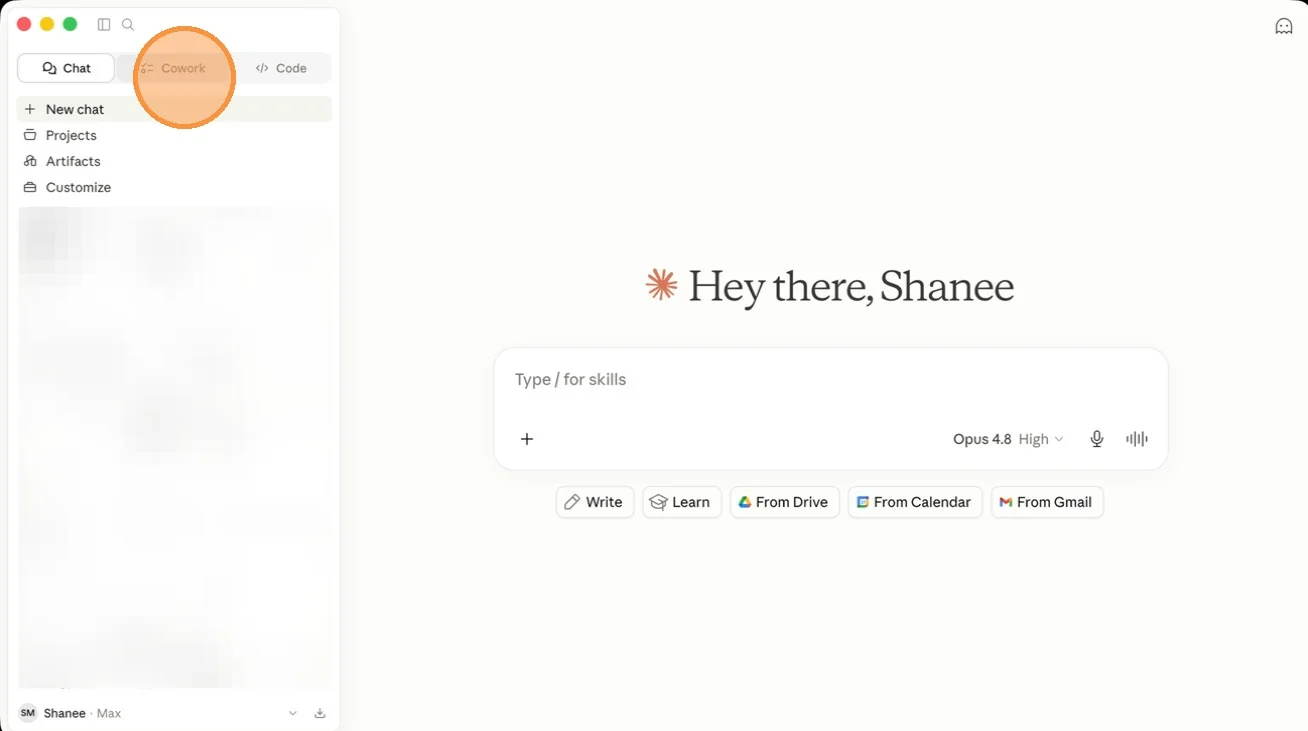
Step 1. When you open the desktop app, you see Chat, Cowork, and Code at the top left.
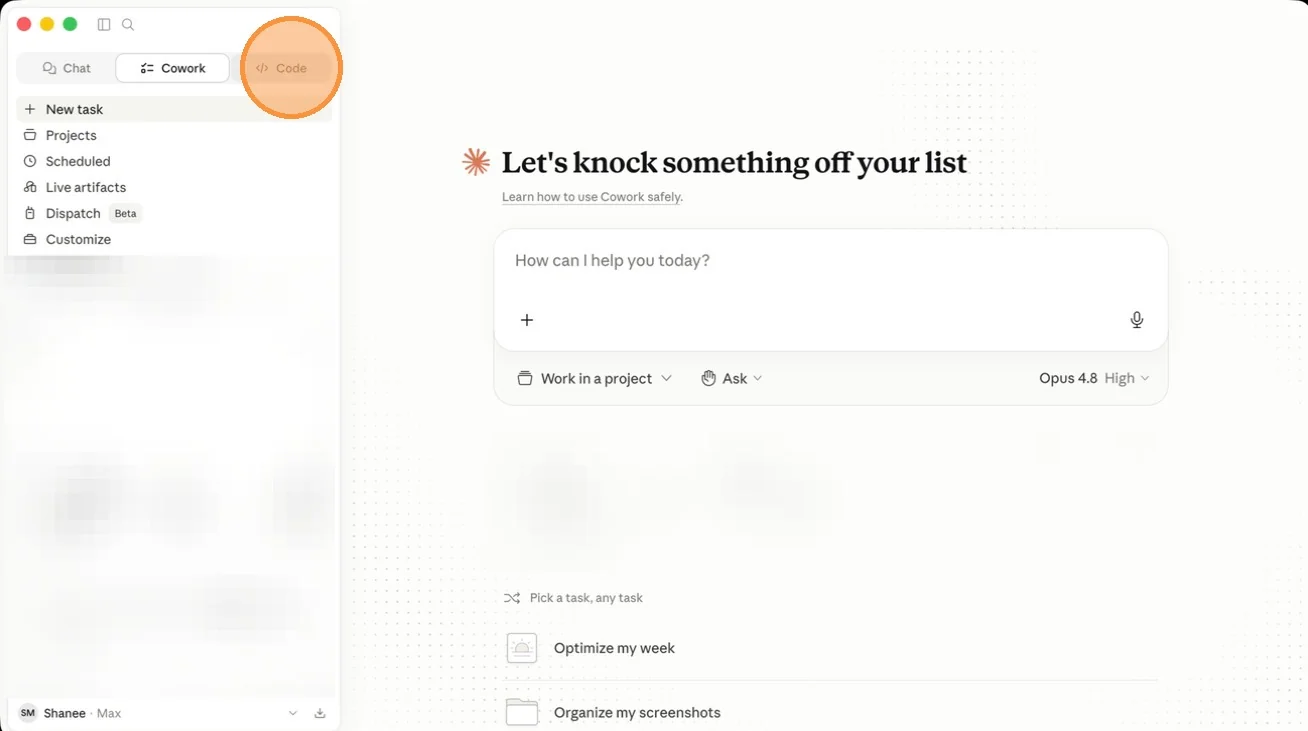
Step 2. Click Code. This is where you should be working, not in Chat and not in Cowork.
Connect Your Stack: Connectors, Plugins, and Skills
This is the section that answers it keeps forgetting my business. You are about to give Code the standing context and the real access a chat box never had.

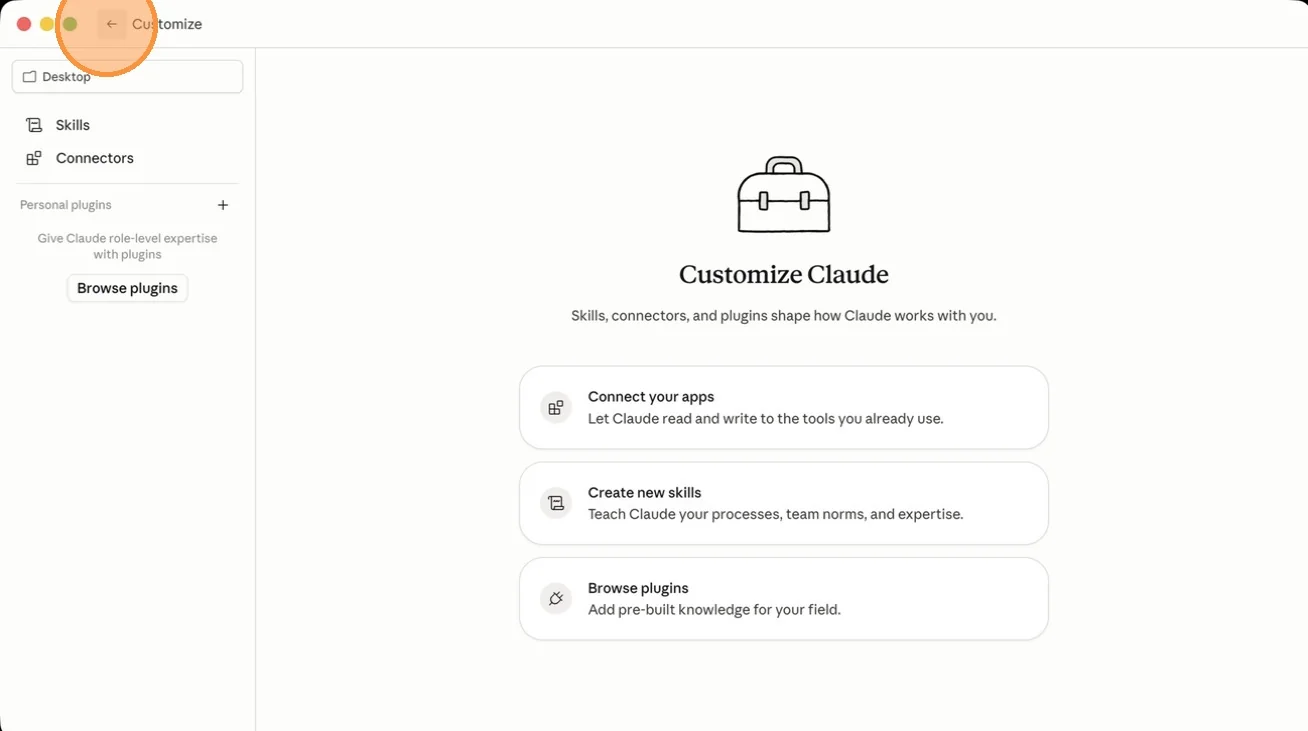
Step 3. With Code selected, open Customize in the sidebar settings.
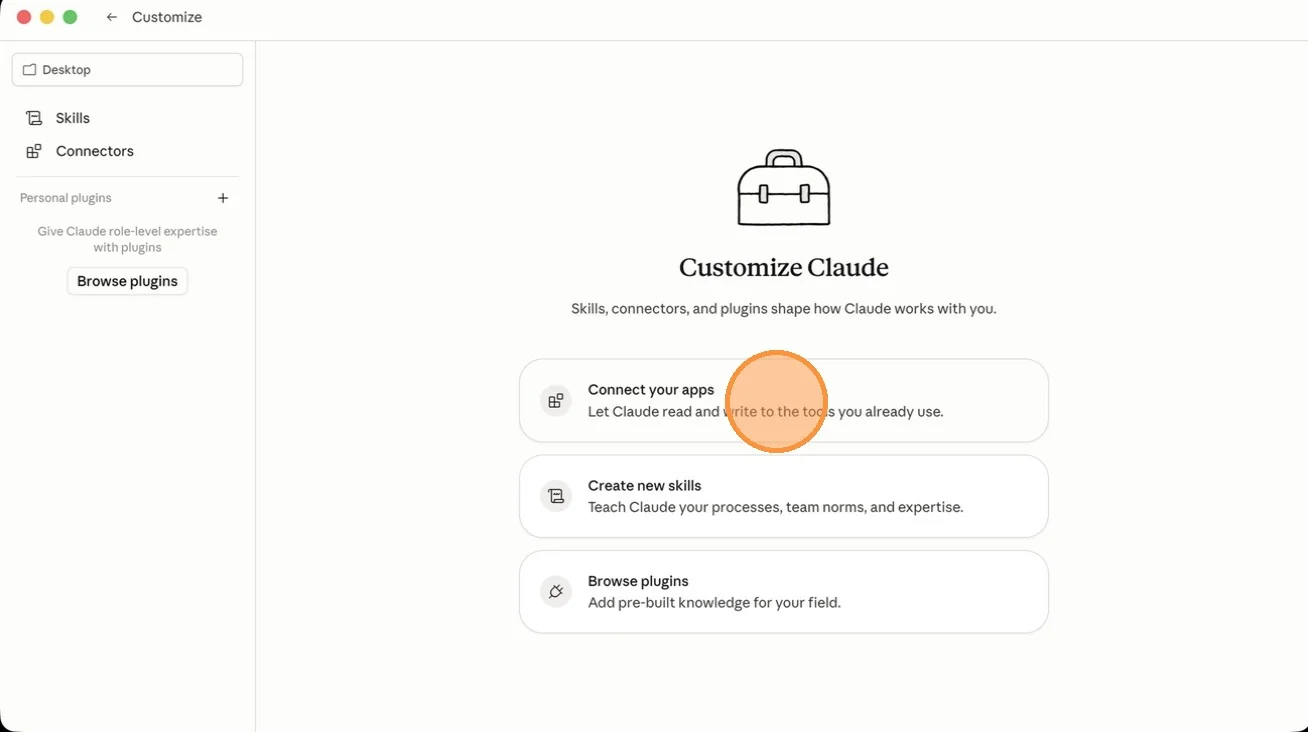
Step 4. Select Connect your apps. These are your connectors, the links between Code and the tools your business already lives in.
Step 5. Open the Plugins tab and connect the apps that are part of your core stack. One honest caveat: connecting an app through a plugin does not automatically let Claude Code do everything in that app on your behalf. That is worth understanding before you rely on one, and I broke it down in the plugin primer.
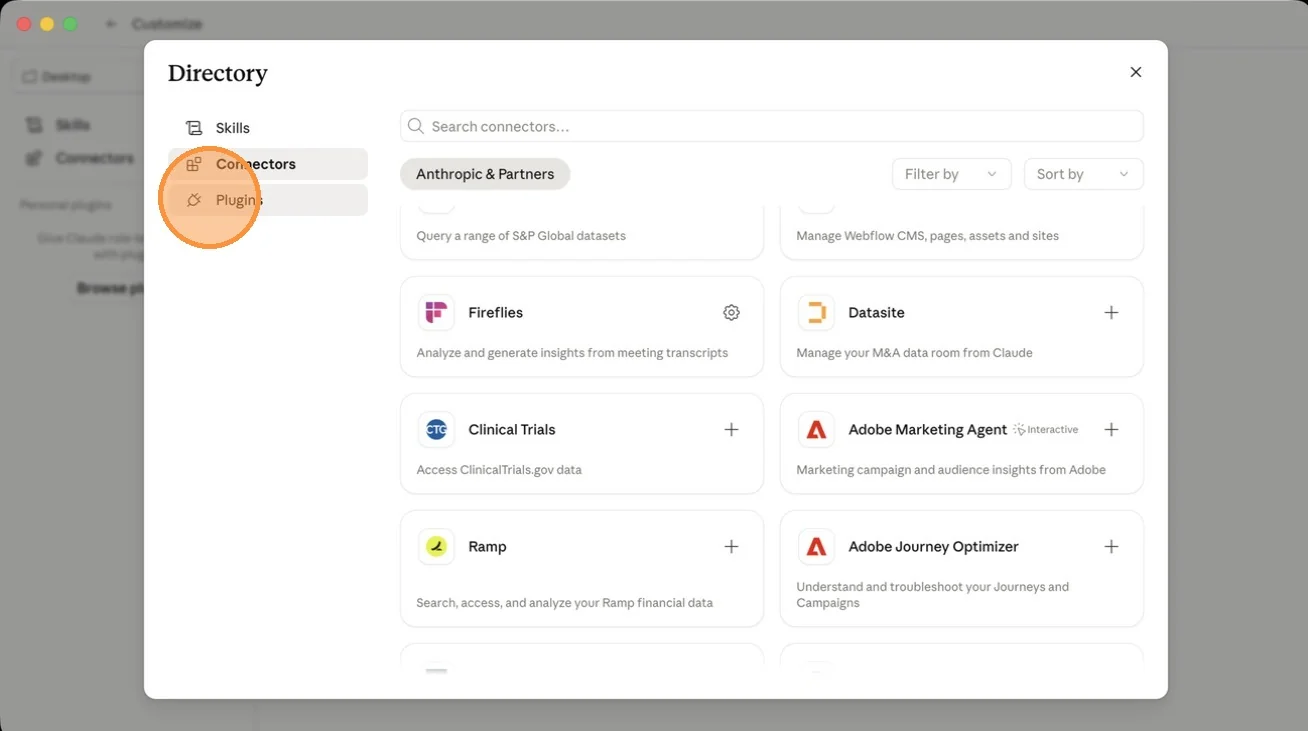
Step 6. Open the Skills tab and click the plus on the skills you actually need. Desktop Commander is a good default for most people. Twilio is worth adding if you run on Twilio. Add what maps to your stack, skip the rest.
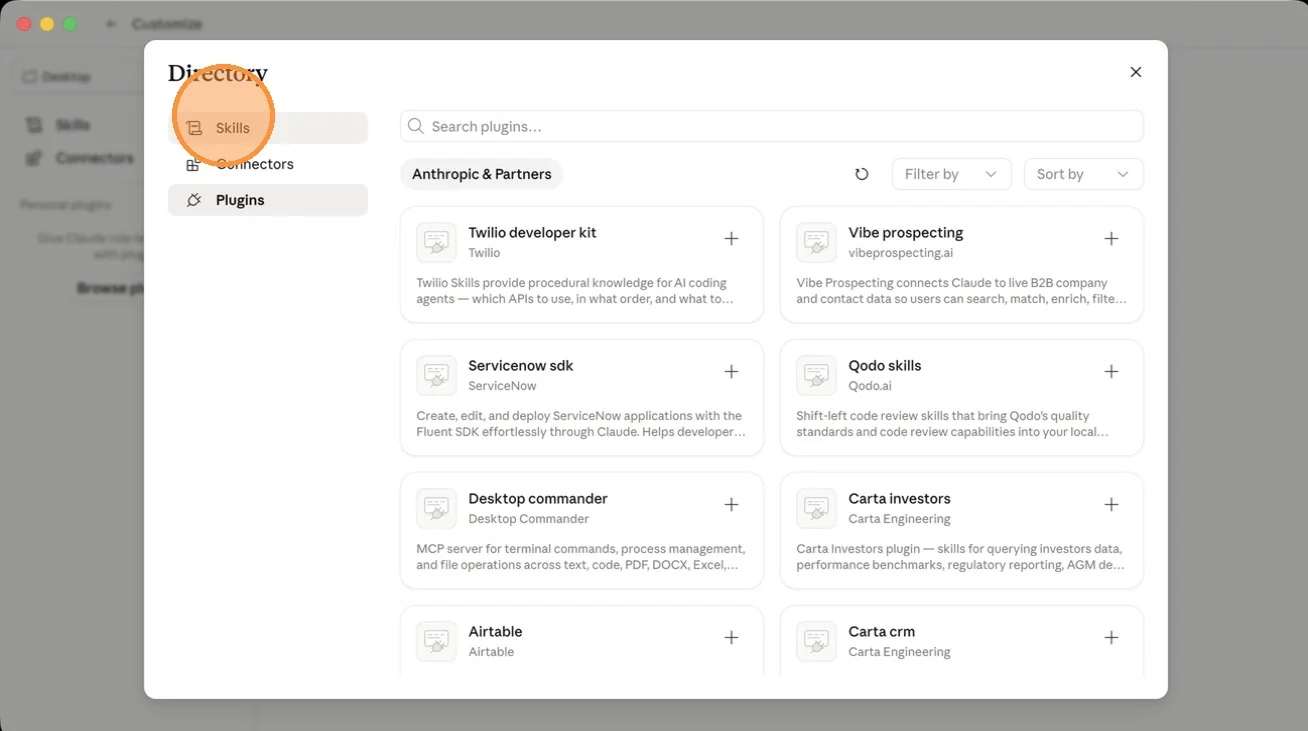
Step 7. Head back to the main interface once your apps are connected.
Turn On the Settings That Let It Run
This last group is what turns Code from something you supervise click by click into something that actually runs. I will be straight about what each one does.
Step 8. Open the user settings menu.

Step 9. Open the Claude Code category and set the transcript text size to medium or large. Your eyes will thank you when you are managing agents late and tired.
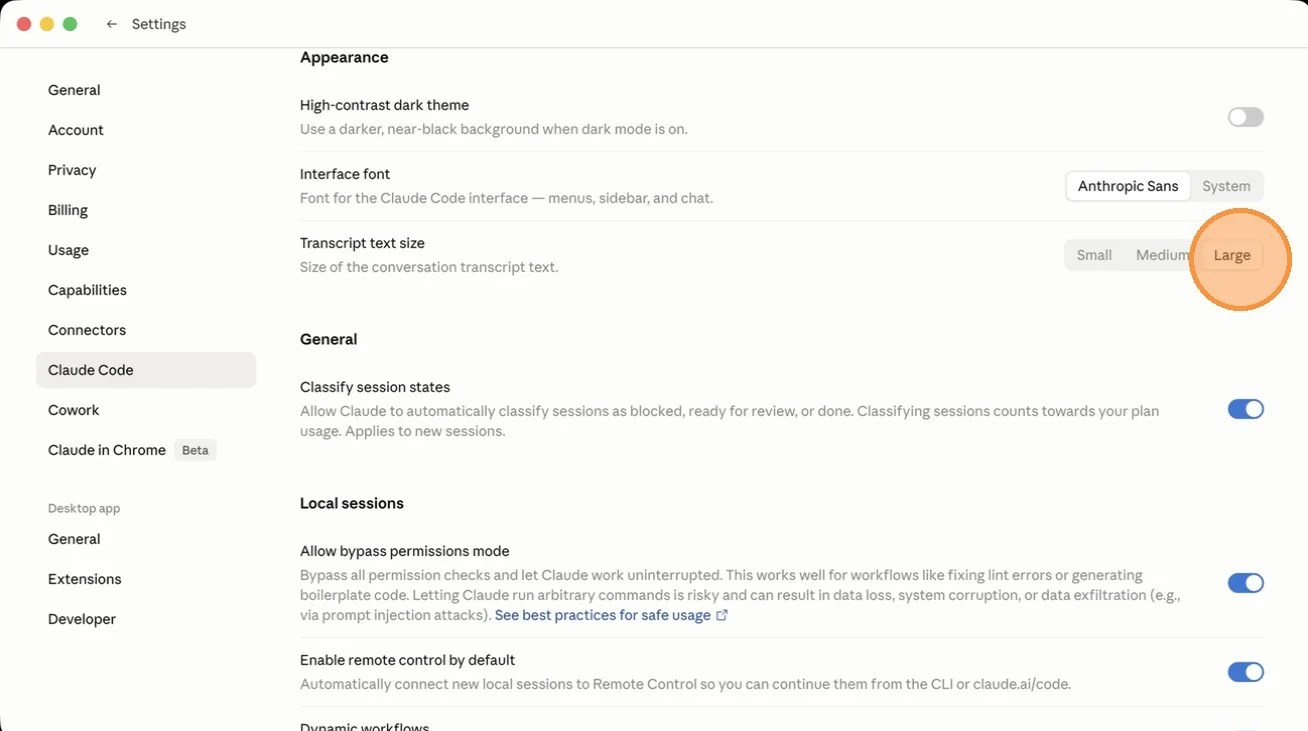
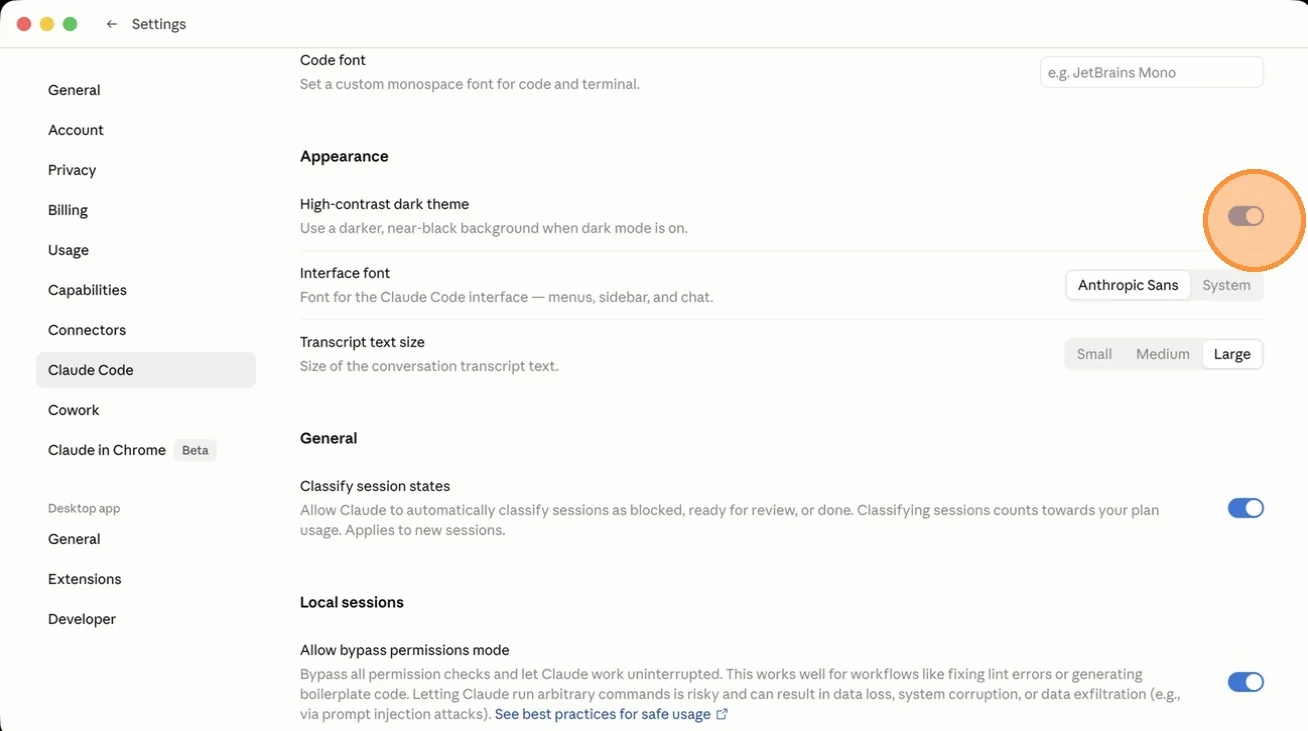
Step 10. Enable High-contrast dark theme if you prefer to work in dark mode.
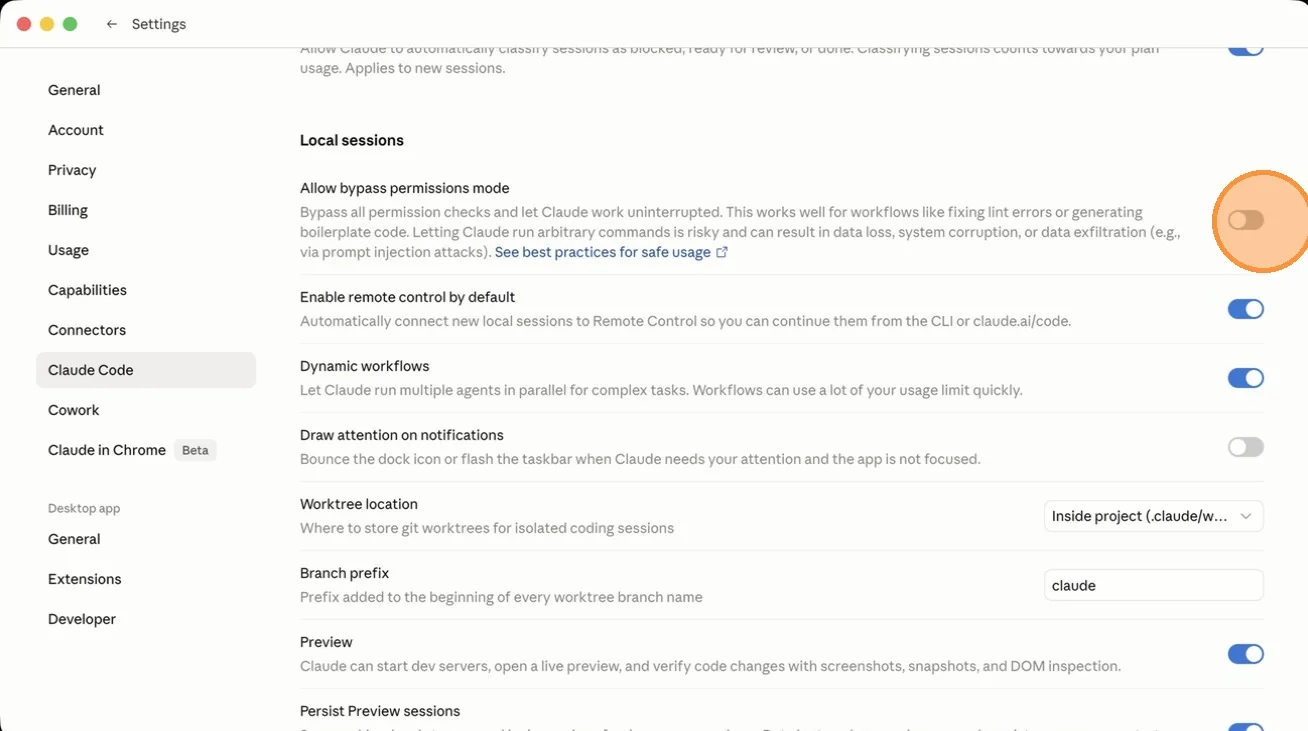
Step 11. Toggle Allow bypass permissions mode. Without this, the agent stops to ask your permission for everything and never really gets to be an agent. One honest note, straight from the setting itself: letting it run commands on its own is what makes it useful, and it also carries real risk. Anthropic flags data loss and data exfiltration through prompt injection. So turn it on for work and systems you control, once your guardrails are set, the same way you would not hand a new hire the company card on day one but you would by month three.
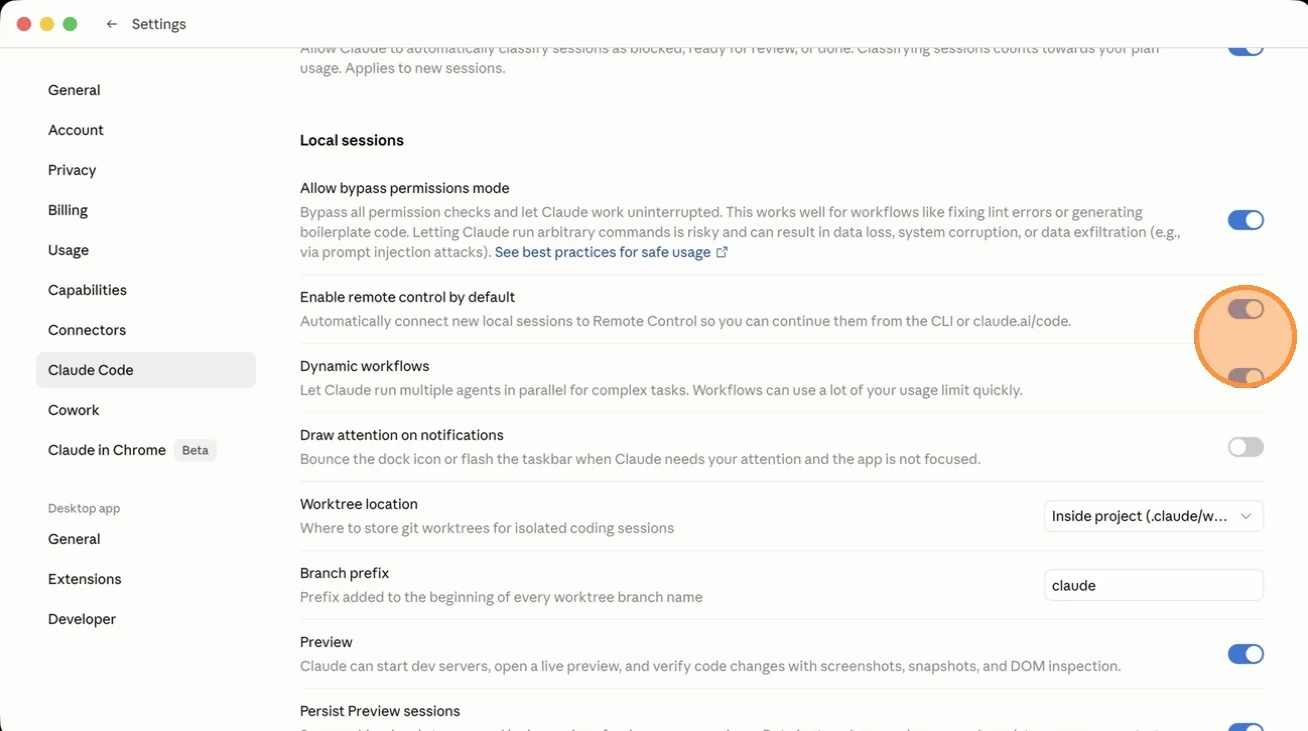
Step 12. Toggle Enable remote control by default. This lets you pick a running session back up from the CLI or claude.ai/code, so you are not chained to one machine.

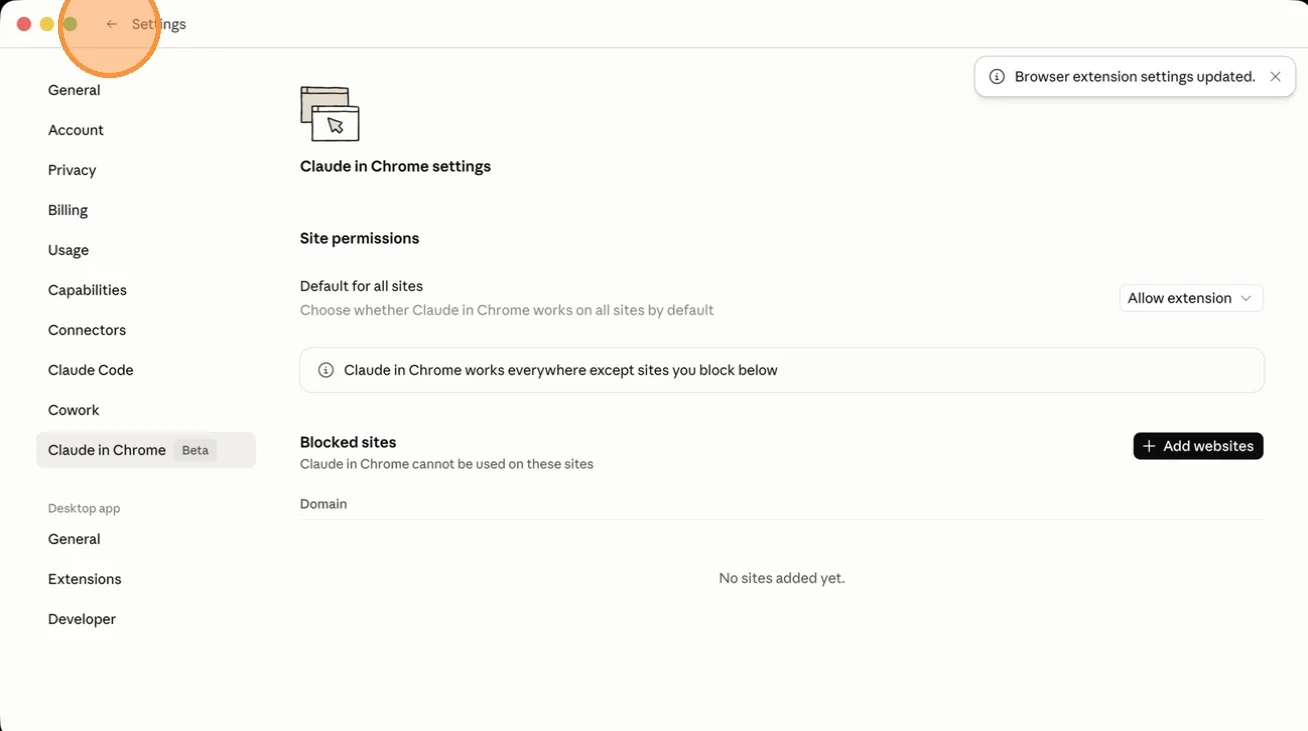
Step 13. Open Claude in Chrome and set Default for all sites to Allow extension, so it can work in the browser where a lot of real business actually happens.
Step 14. Exit the settings menu. You are set up.
What Actually Changed for Him
When the CEO moved his work from Chat to Code and wrote his business down once in a CLAUDE.md, the complaint that started all of this disappeared inside a day. It stopped forgetting his business, because his business now lived with the tool instead of being re-typed into a window every morning. The things he had heard it could do, it started doing, because it finally had the access and the standing context to act instead of advise.
Nothing about his prompting changed. He was already good. What changed was the surface underneath the prompting. He had been a power user pressed up against the ceiling of a chat box, in two products in a row, mistaking the ceiling for the tool.
Quick Answers
I switched from ChatGPT to Claude and it is not better. Why? You are almost certainly still in Claude Chat, the same kind of surface as ChatGPT. Switching products did not change the surface, so you hit the same ceiling. The leverage lives in Claude Code.
Do I need to code to use Claude Code? No. You describe your business and tasks in plain language, the way you already prompt. Code can reach real files and tools and do the work, not just talk about it.
Cowork or Code? Both are agentic. Cowork is the lighter on-ramp, good for handing off tasks. Code is where you run an operation, with your files, persistent context, and repeatable skills.
Is bypass permissions safe to turn on? It is what makes Code hands-off, and Anthropic flags real risk (data loss, exfiltration via prompt injection). Use it on systems you control, set guardrails, start on lower-stakes work, then leave it on.
You did not switch to a better chat. You switched to a company that also happens to have a real agent in the same app. Go open the sidebar.
Next: what a plugin actually is, and why one is never enough