I'm Shanee Moret, founder of GrowthAcademy.Global. I have been teaching business owners to use AI since January 2023, and I set up ChatGPT Work (Codex) and Claude for established teams. Step 10 of the 10 ways I protect a small business is to have everyone log into AI tools with a business email you control.
As an established team, at minimum, when people log into something like the ChatGPT desktop app, and even when they connect it remotely on their phone, the number one mistake I see is people logging into the wrong email.
1. The wrong-email mistake
People may have a personal email and one associated with your business. They may have logged into the personal one over the weekend, and now it's on the personal one while they're doing accounting for your business, or reviewing critical things for a client.
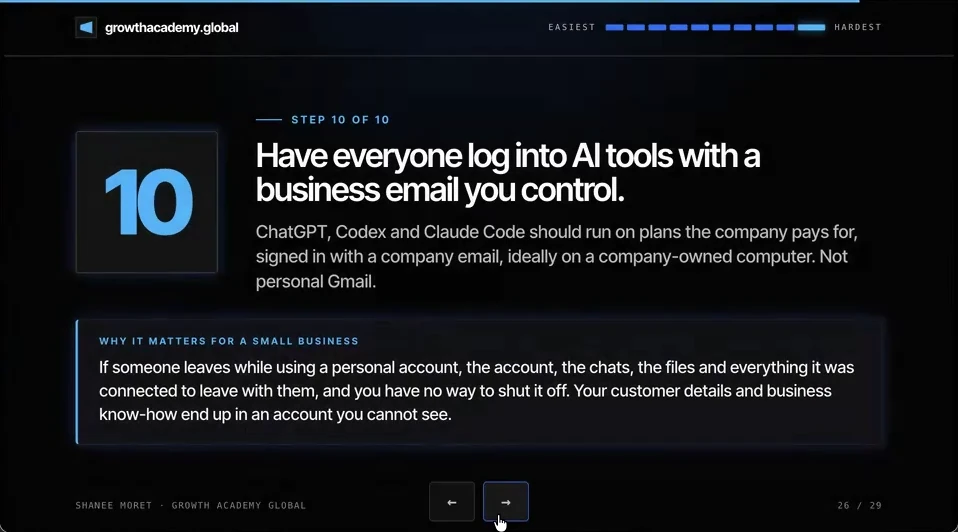
If someone leaves while using a personal account, the account, the chats, the files and everything it was connected to leave with them, and you have no way to shut it off. Your customer details and business know-how end up in an account you cannot see.
So you want to make sure that that's just a rule across the board. ChatGPT Work (Codex), ChatGPT and Claude should run on plans the company pays for, signed in with a company email, ideally on a company-owned computer. Not personal Gmail.
2. Set up business AI accounts this week
How to move your team onto business AI accounts
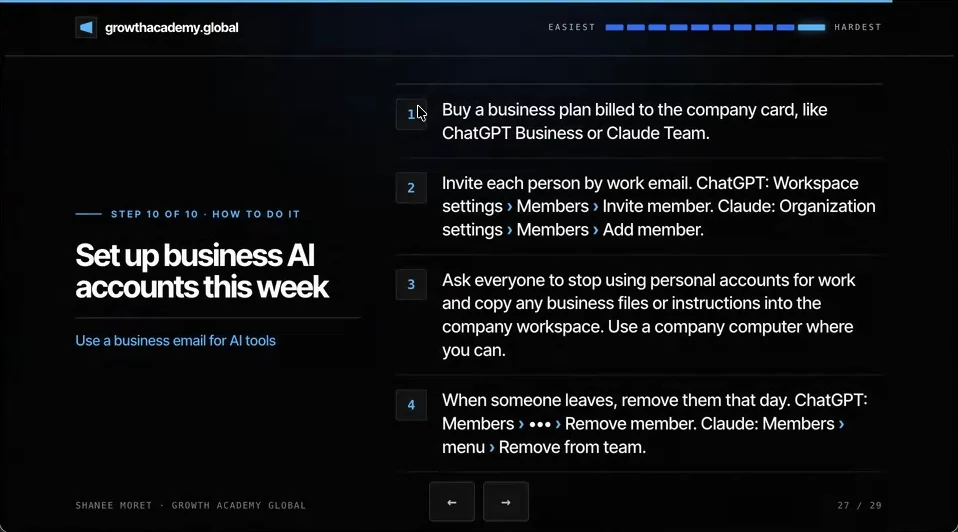
Step 1. Buy a business plan billed to the company card, like ChatGPT Business or Claude Team. Or buy individual plans for the people who need more, but make sure they are associated with the business email and paid by the business.
Step 2. Invite each person by work email. In ChatGPT, that's Workspace settings, then Members, then Invite member. In Claude, it's Organization settings, then Members, then Add member. If you set a login up for them, have them reset the password and store it in the company password manager.
Step 3. Ask everyone to stop using personal accounts for work, and to copy any business files or instructions into the company workspace. Use a company computer where you can. If you are the business owner, your people should be using something like ChatGPT Work (Codex) through the company email, on a laptop the business owns.
Step 4. When someone leaves, remove them that day. In ChatGPT, open Members, the three-dot menu next to the person, then Remove member. In Claude, open Members, the person's menu, then Remove from team.
What changes with a business plan
- Training: OpenAI says ChatGPT business plan data is not used to train its models by default, and Anthropic says the same for Claude Team.
- Control: an admin can see who has a seat, invite and remove people, and keep the workspace when someone leaves.
- Billing: one company card, one place to see the cost, and no expense reports for personal subscriptions.
For the pricing details and when a single owner's plan is enough, see ChatGPT Work pricing for small business and rolling ChatGPT Work out to a team. If someone genuinely needs several inboxes connected, connect them on purpose rather than switching logins.
3. These are the basics, and there's more
Honestly, these are just the little basics of the first 10. There's so much more. But if your team is on business AI accounts, with two-factor, a password manager, an access audit and a permission map behind them, you have closed the doors most AI-era scams walk through.
Start from the top with all 10 ways to protect your small business, in order from easiest to hardest.
Here's how to do this for yourself:
- Pick ChatGPT Business, Claude Team or both, and put it on the company card.
- Invite every person by work email and have them store the login in the company password manager.
- Ask everyone to move business files and custom instructions out of personal accounts into the company workspace.
- Use company-owned computers for AI tools where you can.
- Add 'remove from ChatGPT and Claude workspaces' to the same-day offboarding checklist.
If the company doesn't own the account, the company doesn't own what's in it.
Questions business owners are asking
Should employees use personal ChatGPT accounts for work?
No. When an employee works in a personal ChatGPT or Claude account, the chats, uploaded files and connected apps belong to that account, not to your business. If they leave, all of it leaves with them, and you can't remove their access because you never had control of it. Put everyone on a business plan, signed in with a company email.
What is the difference between ChatGPT Business and a personal ChatGPT plan?
A business plan gives you an admin workspace: you invite and remove members, pay on one company card, and keep the workspace when someone leaves. OpenAI also says data from its business plans is not used to train its models by default. A personal plan leaves those choices to each individual, and the business has no way in.
Is ChatGPT Work the same as Codex?
ChatGPT Work is the agent mode in the ChatGPT desktop app, built on the same agent as Codex, so owners will see both names. Whichever you use, the rule is the same: sign in with the company email on a plan the company pays for, ideally on a company-owned computer, because the agent can reach the files and apps on that machine.
How do I remove someone from ChatGPT Business or Claude Team?
In ChatGPT Business, open Workspace settings, Members, click the three-dot menu next to the person and choose Remove member. Removing them doesn't automatically free the paid seat, so check seat counts afterward. In Claude Team, open Organization settings, Members, then the person's menu and choose Remove from team. Do both the same day they leave.
Key moments in the video
- 17:42 Have everyone log into AI with a business account
- 17:57 The number one mistake: the wrong email
- 18:20 Buy a business plan on the company card
- 18:41 Invite each person by work email
- 18:48 Stop using personal accounts for work
- 19:04 Remove people the day they leave
Sources
Official / Primary Sources
- OpenAI: ChatGPT business pricing. Current per-seat prices for ChatGPT Business.
- OpenAI Help Center: Managing members, seat types and roles in ChatGPT Business. Invite: Workspace settings, Members, Invite member. Remove: the three-dot menu, Remove member.
- Claude Help Center: Manage members on Team and Enterprise plans. Add: Organization settings, Members, Add member. Remove: the member's menu, Remove from team.
- OpenAI: Business data privacy, security and compliance. Data from ChatGPT business plans is not used to train models by default.
- Anthropic Privacy Center: Is my data used for model training?. Data from Claude for Work plans such as Team is not used for model training by default.
- 10 Ways to Protect Your Small Business Now That AI Can Call You. Shanee Moret on YouTube, published October 13, 2026; the article above is drawn from this video.