I'm Shanee Moret, founder of GrowthAcademy.Global. I have been teaching business owners to use AI since January 2023, and I run my own business on agents that bill to API accounts every day. Step 8 of the 10 ways I protect a small business is to set spending alerts and limits, most especially if you're on AI API billing.
If you have a team or a business account on ChatGPT, Claude, Grok or wherever, you want to make sure there's a limit to how much is being spent per month. You decide what that limit is, so that in the event it does get out of control, it can never pass that number.
1. Why a small business needs a hard ceiling
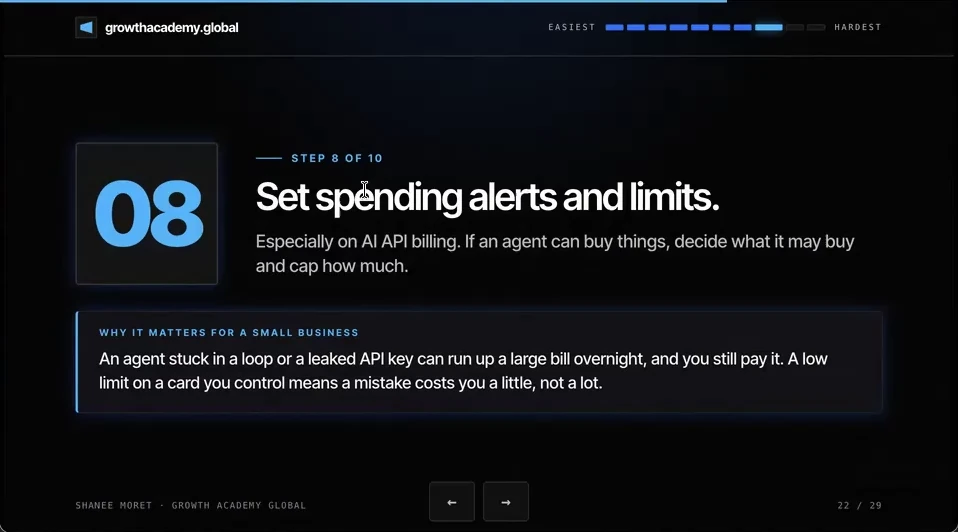
An agent stuck in a loop, or a leaked API key, can run up a large bill overnight, and you still pay it. A low limit on a card you control means a mistake costs you a little, not a lot.
Once you go past a plan's included usage and start paying for credits, a hundred dollars can disappear in an hour. API keys are also a favorite target: a key pasted into a document, a chat or a code file can end up somewhere public, and someone else's usage lands on your bill.
2. Set your API spend limits this week
How to set a hard spend limit in the OpenAI API platform
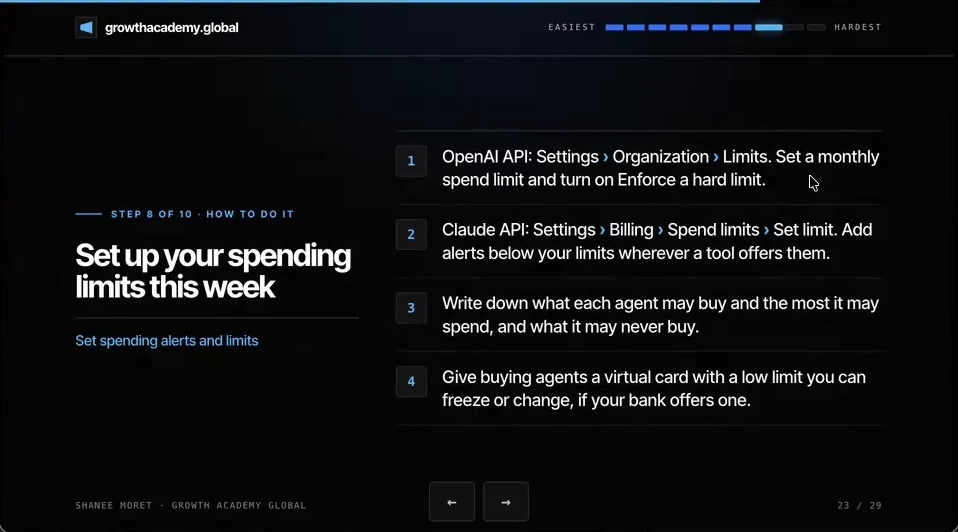
Step 1. Sign in at platform.openai.com and open Settings, then Organization, then Limits.
Step 2. Under Spend, choose Edit spend limit and enter a Monthly spend limit.
Step 3. Turn on Enforce a hard limit and save. According to OpenAI's spend limit docs, with the hard limit on, requests stop once you reach it; an alert on its own only notifies you and does not stop anything. Enforcement can lag slightly, so set the limit a little below the most you'd be willing to pay. Projects have their own Limits page too, if you want a smaller cap per project.
How to set a spend limit in the Claude Console
Step 1. Sign in to the Claude Console and open Settings, then Billing, then Spend limits.
Step 2. Choose Set limit (or Adjust limit) and enter your monthly amount. It has to sit below the cap for your usage tier, per Anthropic's limits documentation.
Step 3. For alerts, open Workspaces, choose the workspace, then the Limits tab, and add a notification at an amount below your limit. You can give each workspace its own smaller cap here as well.
3. Rules for agents that can buy things
Write down what each agent may buy, the most it may spend, and what it may never buy.
Agents that shop are already here. Meta's Muse can check out for you with a single-use card through Link by Stripe, after you approve the purchase. As more agents get the ability to buy things on your behalf, make sure the card you provide has a limit on it, and give the agent a limit for how much it may spend per day, per week and per transaction. Then make sure it follows those rules.
That's why I like the idea of giving it something like a prepaid card you put $250 on. You see how it spends those $250, and then you go from there. Give buying agents a virtual card with a low limit you can freeze or change, if your bank offers one. A lot of banks don't offer one yet.
Here's how to do this for yourself:
- Set a monthly hard limit in the OpenAI platform under Settings, Organization, Limits, with Enforce a hard limit turned on.
- Set a monthly spend limit in the Claude Console under Settings, Billing, Spend limits, and add a workspace notification below it.
- Pay for AI APIs with a card you control, not a card shared with payroll or rent.
- Write one line per buying agent: what it may buy, the most per transaction, per day and per week, and what it may never buy.
- Give buying agents a prepaid or virtual card with a small balance, and raise it only after you have watched how it spends.
Decide the worst bill you're willing to pay before an agent decides it for you.
Questions business owners are asking
How do I set a hard spending limit on the OpenAI API?
In the OpenAI platform, go to Settings, Organization, Limits, choose Edit spend limit, enter a monthly amount, and turn on Enforce a hard limit. With the hard limit on, OpenAI stops serving requests once you reach it, so an agent stuck in a loop can't keep spending. Alerts alone only send you an email; they don't stop the bill. Because enforcement can lag slightly, set the limit a little under the most you would accept.
How do I set a spend limit for the Claude API?
In the Claude Console, go to Settings, Billing, Spend limits and set your monthly limit, which must be below your usage tier's cap. Then open Workspaces, pick the workspace, and on the Limits tab add a notification so you get warned before you hit the ceiling. Each workspace can also have its own smaller limit, which is useful when different team members or agents use different workspaces.
Does a ChatGPT or Claude subscription need a spending limit too?
A flat monthly subscription caps itself, but extra usage often doesn't. If your plan lets you buy additional credits or turn on pay-as-you-go overage, that is where bills grow. Check whether auto top-up or overage is on, and if it is, set a cap or turn it off until you decide you need it.
Should I give an AI agent my credit card?
Not your main one. Give a buying agent a prepaid or virtual card with a small balance you can freeze, plus written rules for what it may buy and the most it may spend per transaction, per day and per week. Start small, for example $250, watch how it spends, and raise the limit only once it has earned it.
Key moments in the video
- 13:45 Set spending alerts and limits
- 14:11 An agent in a loop or a leaked key, overnight
- 14:20 OpenAI API: enforce a hard limit
- 14:32 Claude API: spend limits and alerts
- 14:40 Write down what each agent may buy
- 14:45 Agents that can buy on your behalf
- 15:17 Start with a $250 card
Sources
Official / Primary Sources
- OpenAI API docs: Spend limits. Organization limits, Spend, Edit spend limit, Monthly spend limit, Enforce a hard limit. With the hard limit on, requests stop once it is reached; alerts only notify.
- Claude Developer Platform docs: Rate limits and spend limits. Path for a spend limit: Settings, Billing, Spend limits. The limit has to sit below your usage tier's cap.
- Claude Help Center: Creating and managing workspaces in the Claude Console. Workspace spend limits and spend notifications are set under Workspaces, the workspace, Limits tab.
- Meta: Introducing Muse, a personal AI agent. Meta's launch post, September 8, 2026. Muse checks out with a single-use card through Link by Stripe and asks permission before buying.
- 10 Ways to Protect Your Small Business Now That AI Can Call You. Shanee Moret on YouTube, published October 13, 2026; the article above is drawn from this video.