Short answer: Create a Cloudflare API token from Manage account > Account API tokens > Create Token. Choose the permission group for the job, select only the Read, Edit, or Evaluate access the agent needs, set an expiration, review the token, create it, then store the token and account ID in a secure credential route or environment variable. Do not paste the raw token into an agent chat.
If you want Codex, Claude, OpenClaw, or another AI agent to fix something in Cloudflare, you do not give it your full Cloudflare login.
You create a limited API token and store it safely.
That token is the key that lets the agent do approved work inside Cloudflare: edit a DNS record, deploy a Pages project, purge a cache, inspect analytics, tune cache headers, verify a custom domain, or confirm whether an AI crawler is being blocked. The whole point is that the token should only have the permissions needed for the job in front of it.
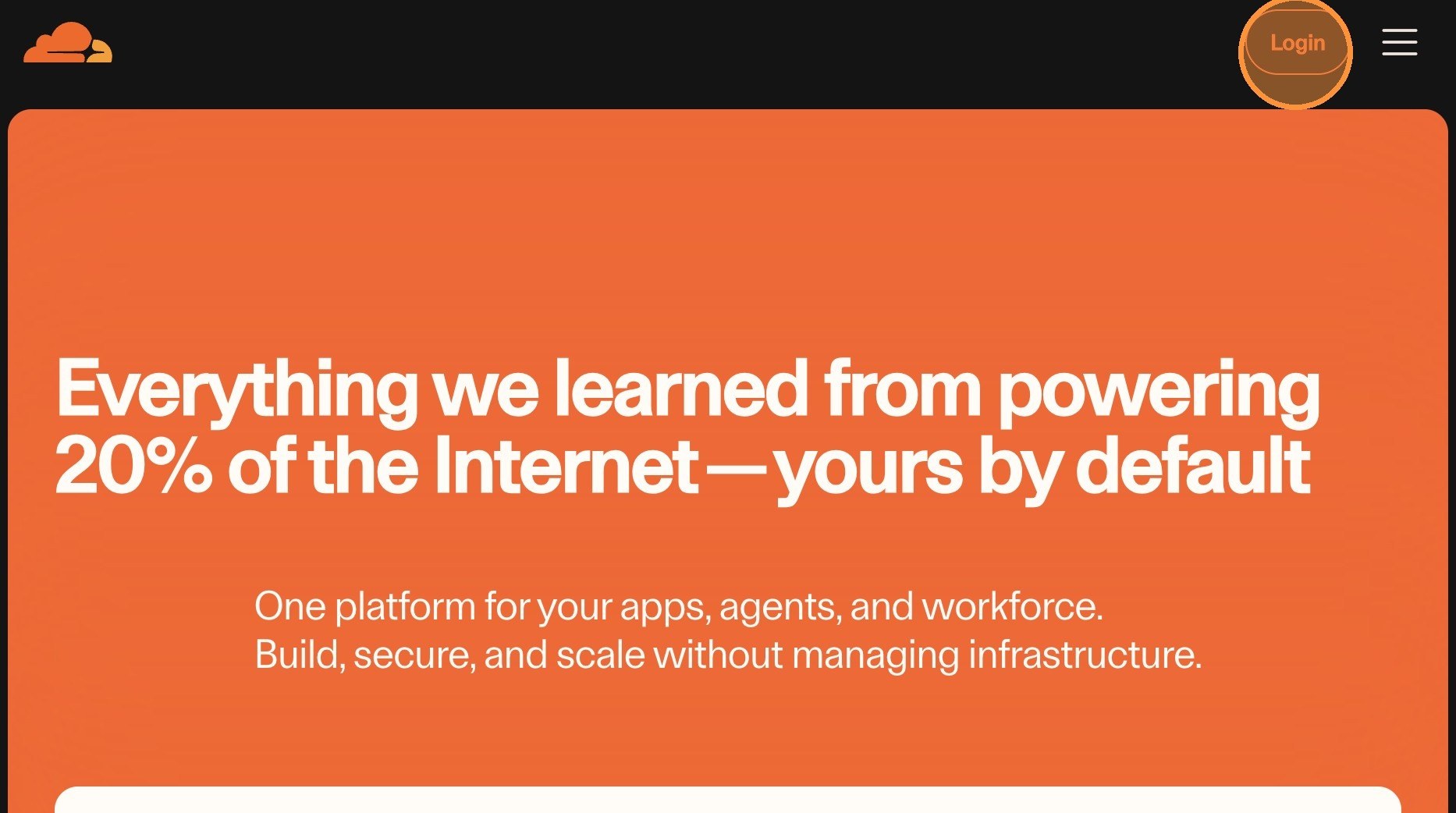
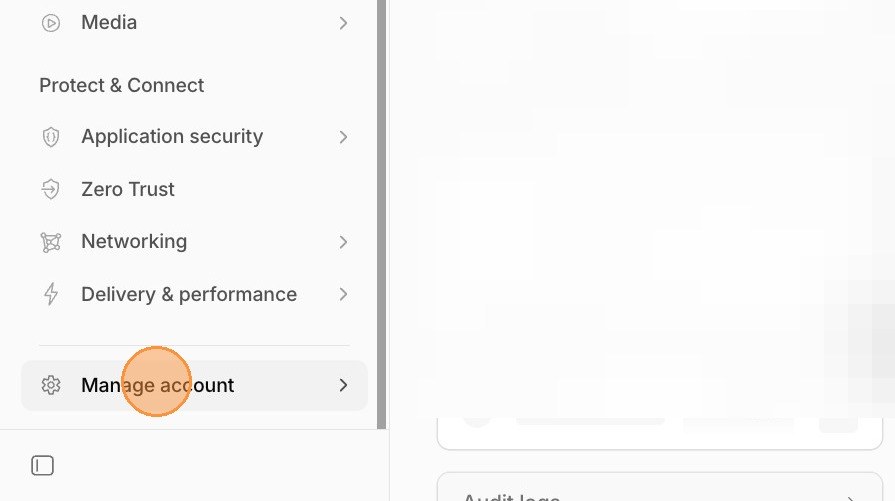
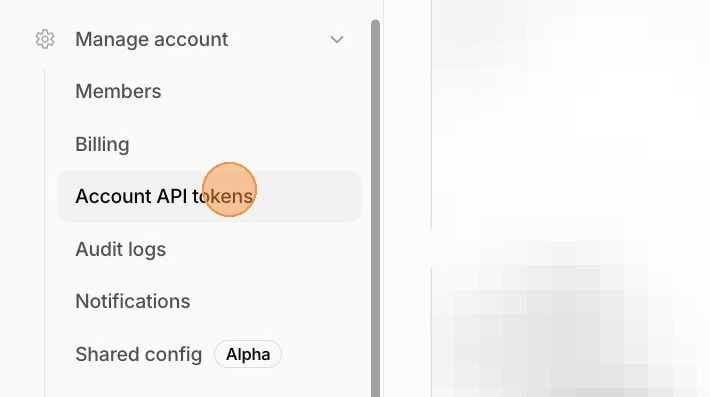
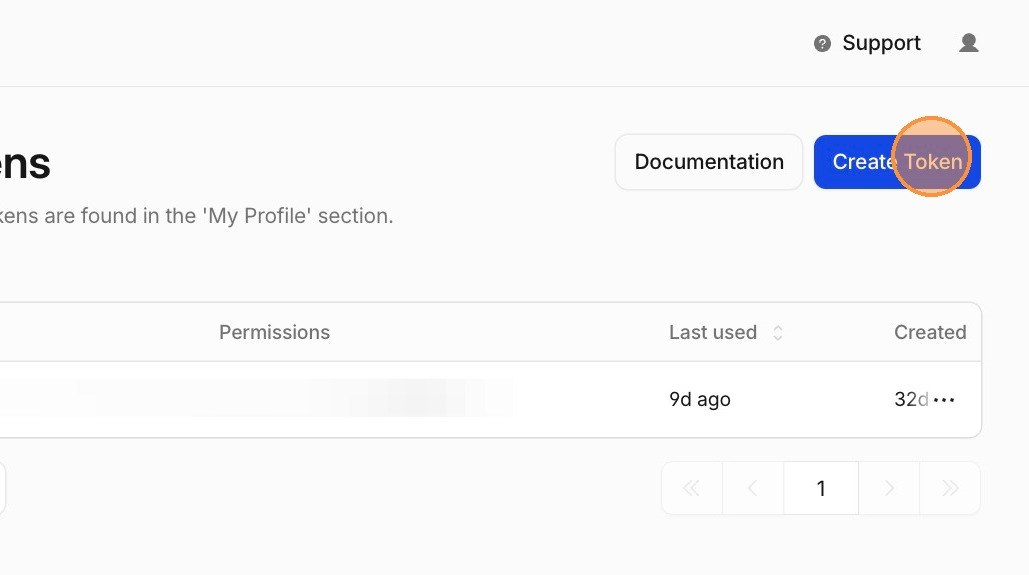
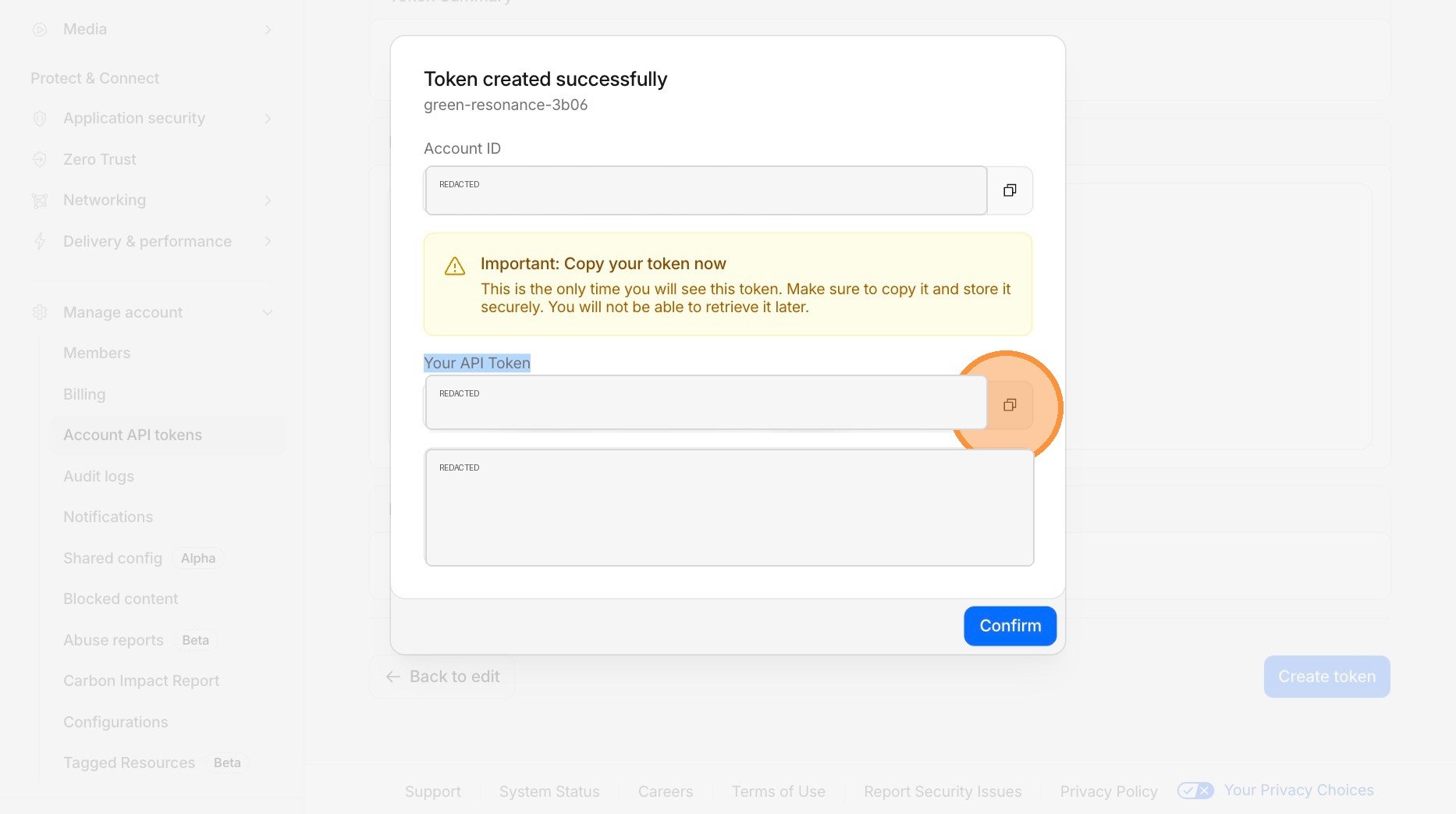
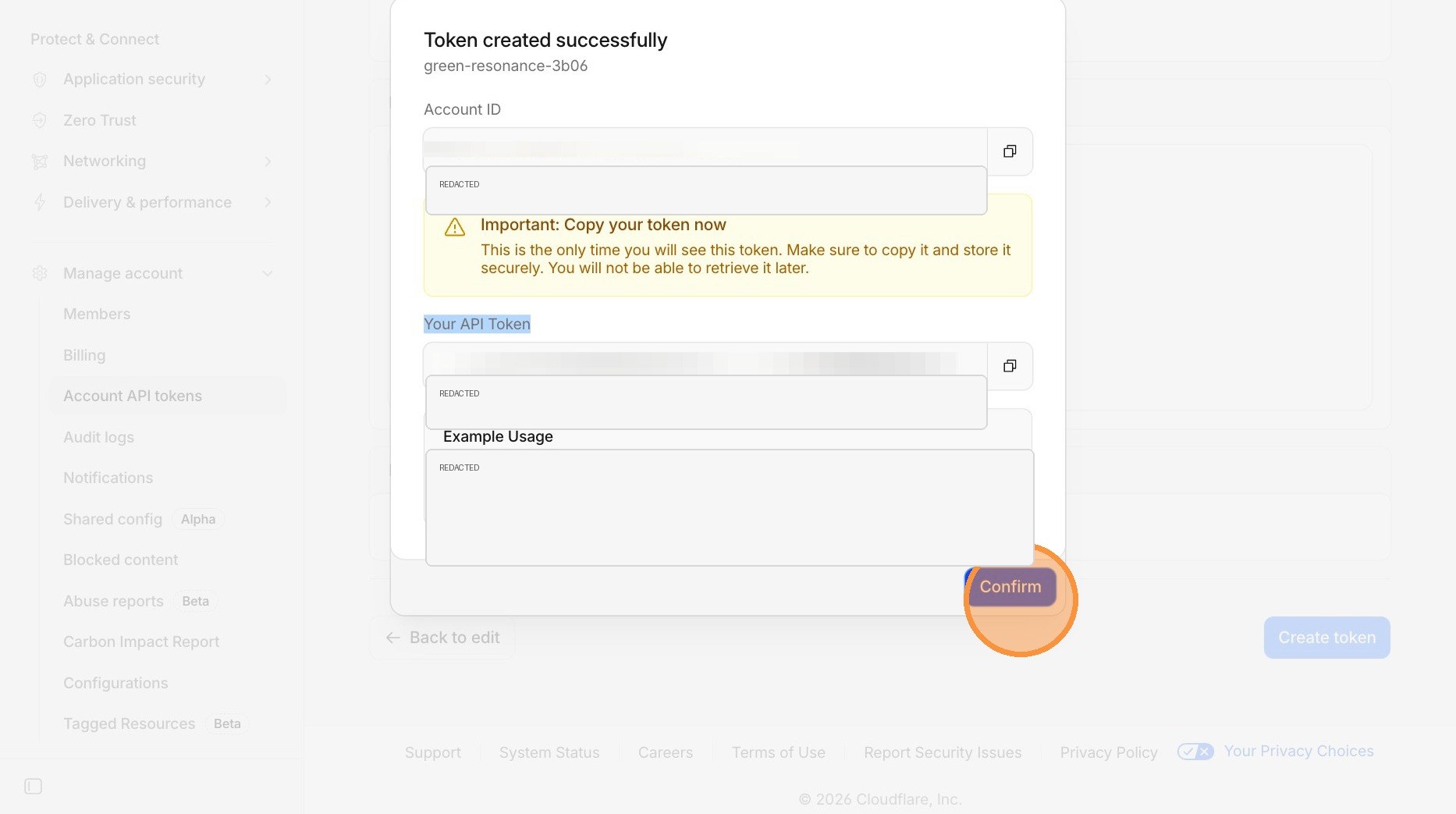
This article uses my Scribe walkthrough screenshots, but with the token values redacted. You can also open the original click-through version here: How to Generate a Cloudflare API Token.
Why does Cloudflare matter for AI-agent website work?
Cloudflare is one of the most agent-friendly parts of a modern business website stack because so many important website operations are exposed through APIs: DNS, Pages, Workers, cache rules, purge requests, redirects, security rules, analytics, logs, and bot controls.
That matters for business owners because an agent can verify and fix real infrastructure instead of only writing recommendations. It can check whether a hostname resolves, whether a Pages deploy shipped, whether a redirect is looping, whether the sitemap is live, whether cache headers changed, or whether a bot rule is blocking crawlers you actually want.
The tradeoff is access. A capable agent needs permission to inspect and sometimes mutate production settings. A scoped Cloudflare API token is how you give useful access without handing over the entire account.
What does a Cloudflare API token do?
A Cloudflare API token gives software permission to call the Cloudflare API on your behalf. Cloudflare documents API tokens as scoped credentials that can be limited by permission and resource.
In plain English: the token tells Cloudflare, "This automation is allowed to do this specific thing, in this specific account or domain, and nothing else."
That is different from a broad login or global API key. For normal agent work, the token should be scoped to the job, the zone, the account, and the time period.
When would a business owner need a Cloudflare API token?
You need this when you want an agent to do real website maintenance instead of just writing a checklist. Common examples:
- Deploy a Cloudflare Pages project after a website update.
- Add or verify a custom domain like ai.growthacademy.global.
- Inspect DNS records before changing website routing.
- Purge a specific page from cache after a production fix.
- Review cache behavior for public HTML pages without changing dynamic API routes.
- Check whether robots.txt, llms.txt, sitemap.xml, or AI crawler settings are being served correctly.
- Audit 404s, redirects, cache misses, or bot blocks using Cloudflare data.
If the agent only needs to read settings, give it read-only access. If it needs to change one zone, scope it to that one zone. Do not create a permanent all-access "AI token" for every future task.
What should you decide before creating the token?
Decide what the agent needs to do before you create the token.
Not "work on Cloudflare." That is too broad. Be specific:
- Does it need to edit DNS for one domain?
- Does it need to purge cache after a website deploy?
- Does it need to deploy or inspect a Cloudflare Pages project?
- Does it only need to read analytics and settings?
- Does it need access to one zone, one account, or everything?
If you cannot describe the task in one sentence, the token is probably going to be too broad. Start narrow. You can always create another token later.
How do you create a Cloudflare API token?
- Open Cloudflare.com and log in.
- Click Manage account in the lower-left account menu.
- Click Account API tokens.
- Click Create Token.
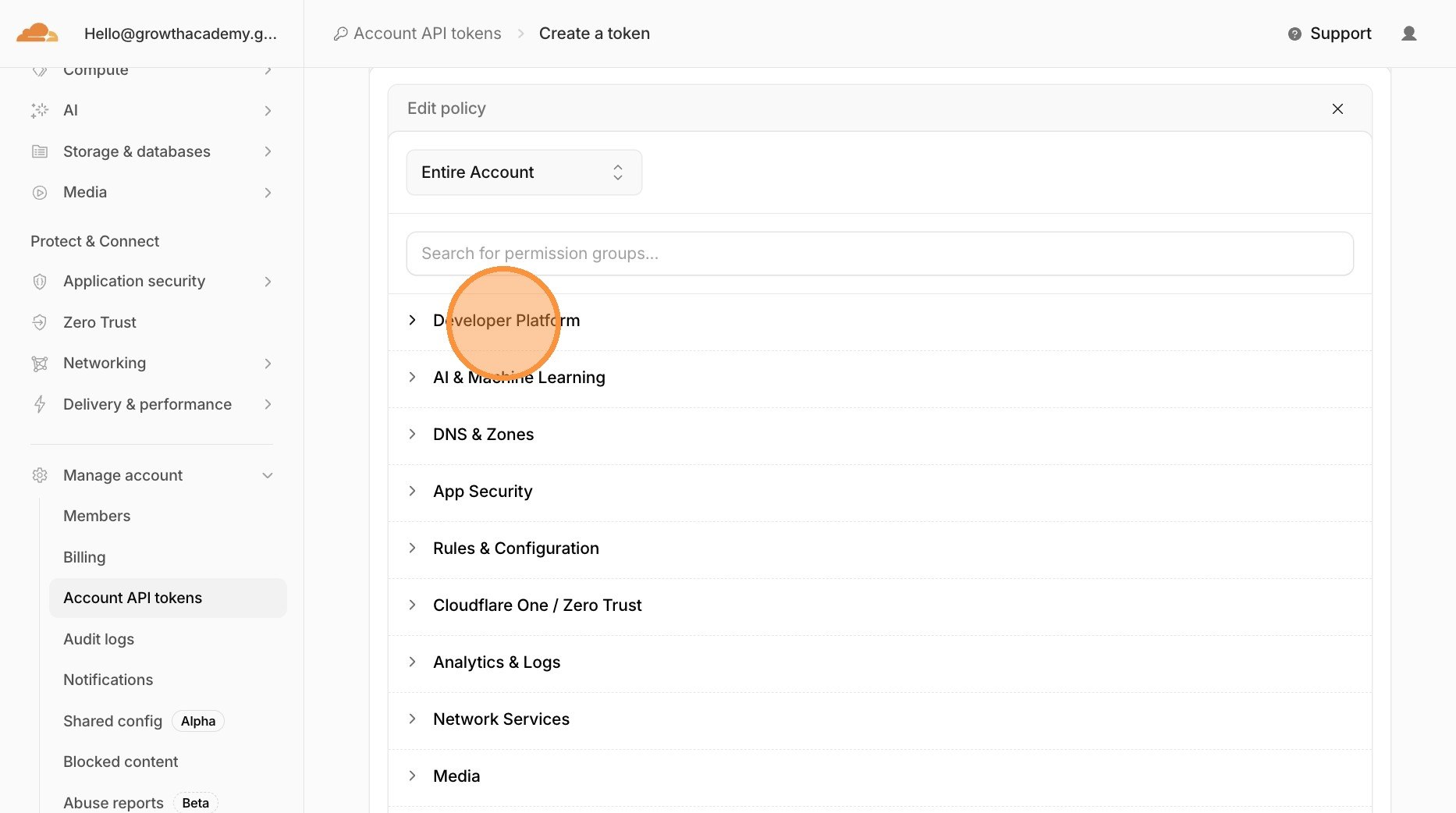
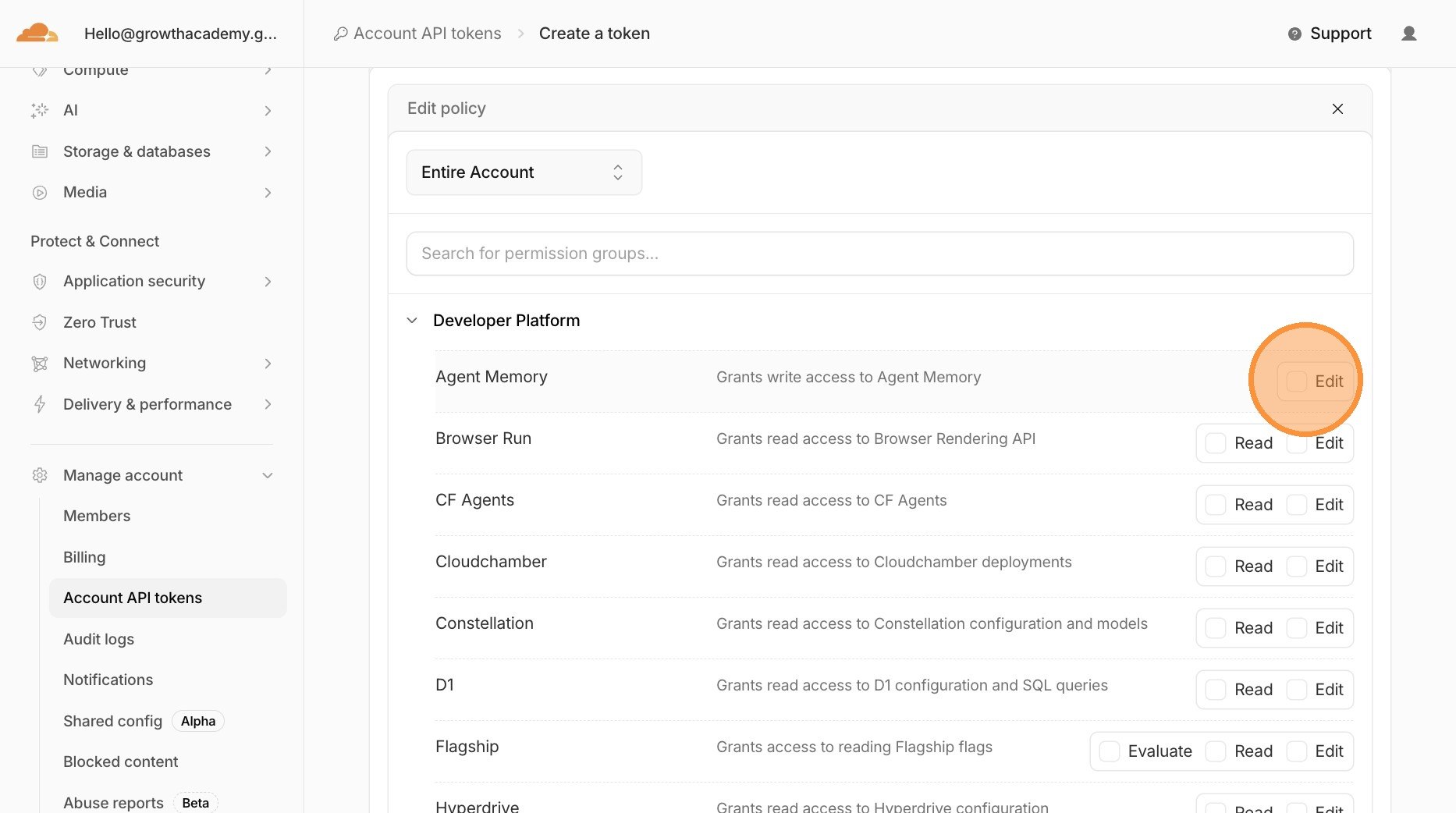
- Choose the permission category that matches the job, such as Developer Platform for Pages or Workers work.
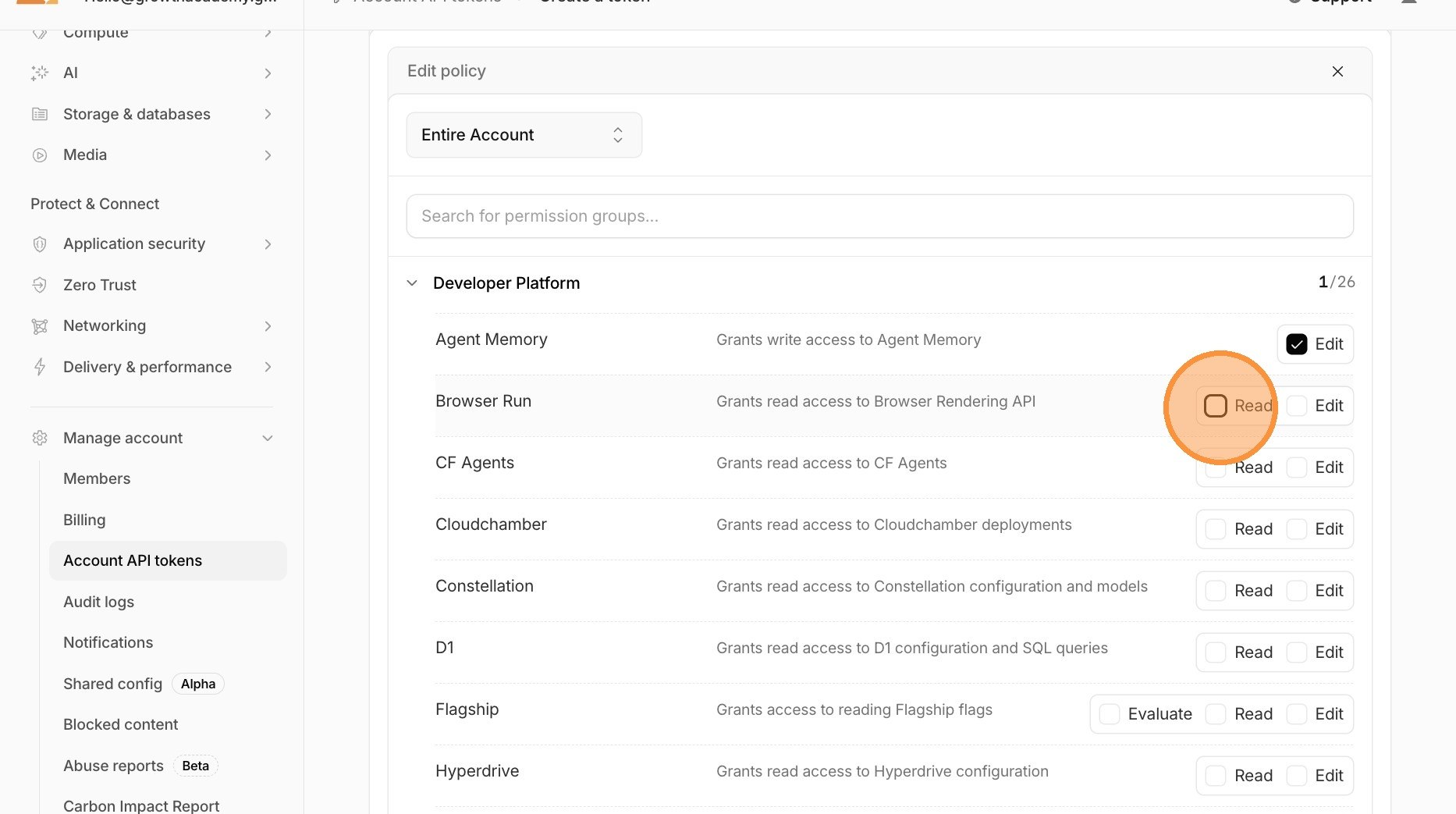
- Select only the Read, Edit, or Evaluate permissions the agent needs.
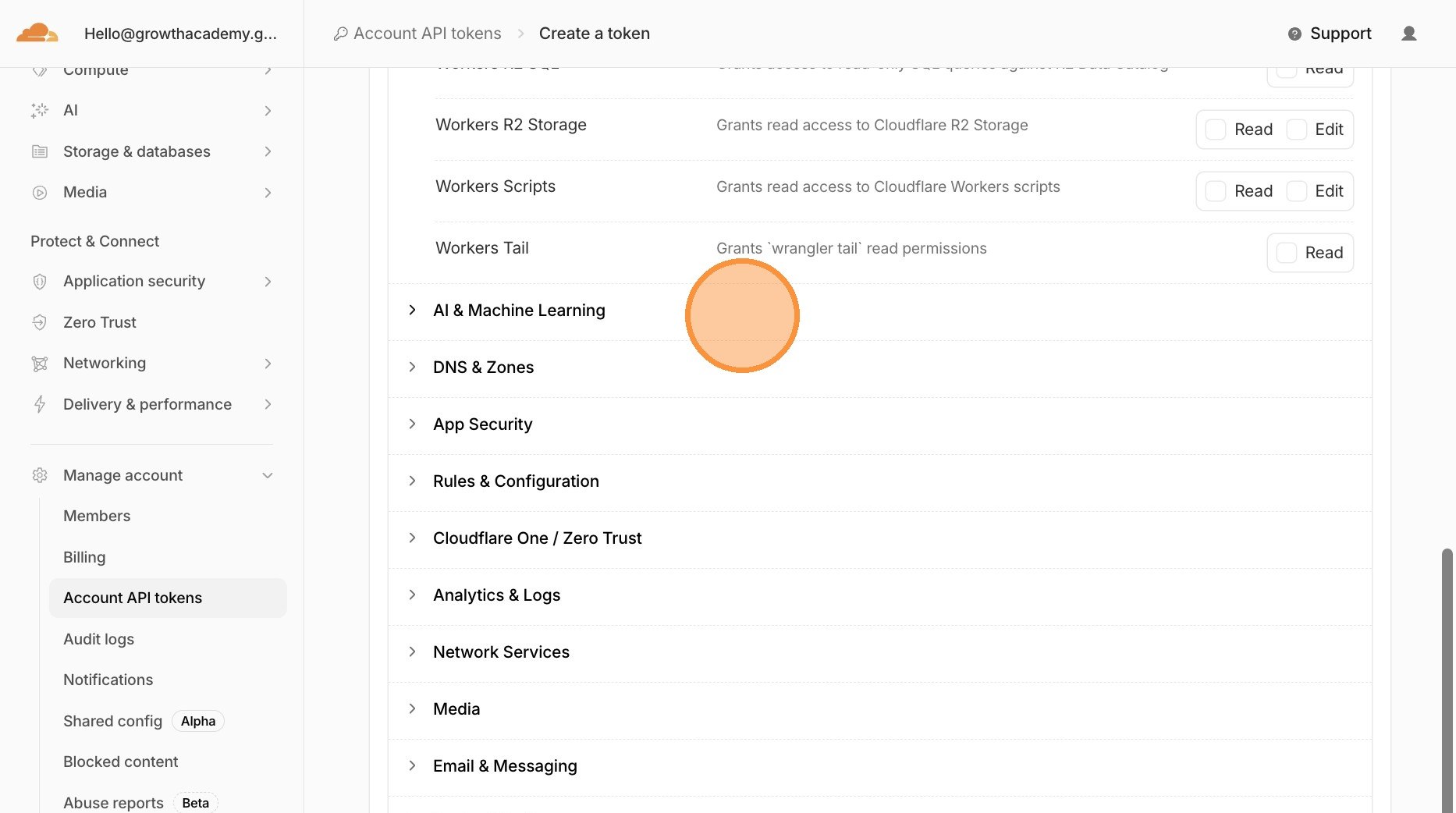
- Repeat only for the subcategories that are truly required.
- Set an expiration date you will actually review.
- Click Review token.
- Read the permission summary, then click Create token.
- Copy the account ID and API token into your secure credential route or environment variable.
- Confirm only after the token has been stored safely.
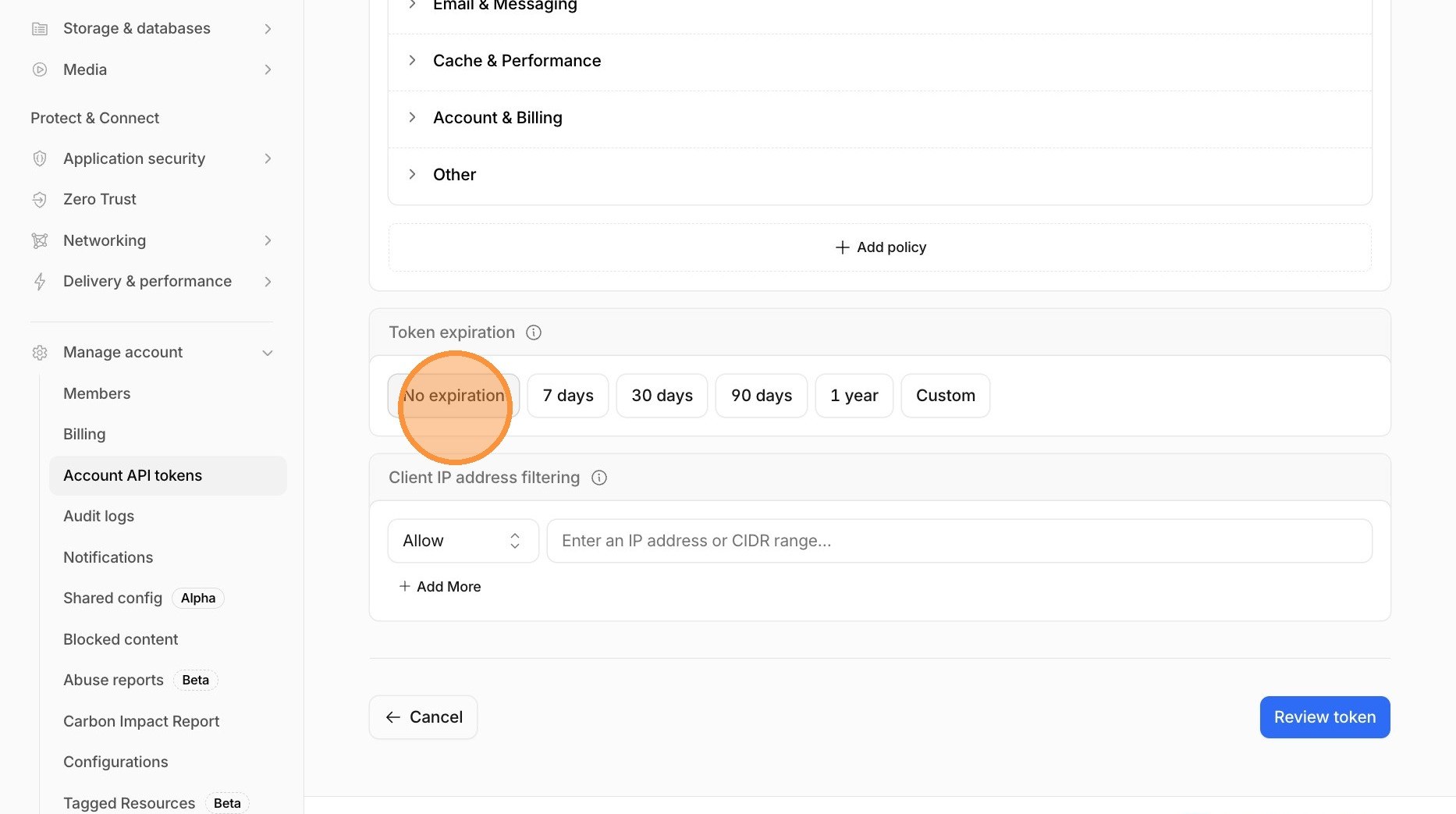
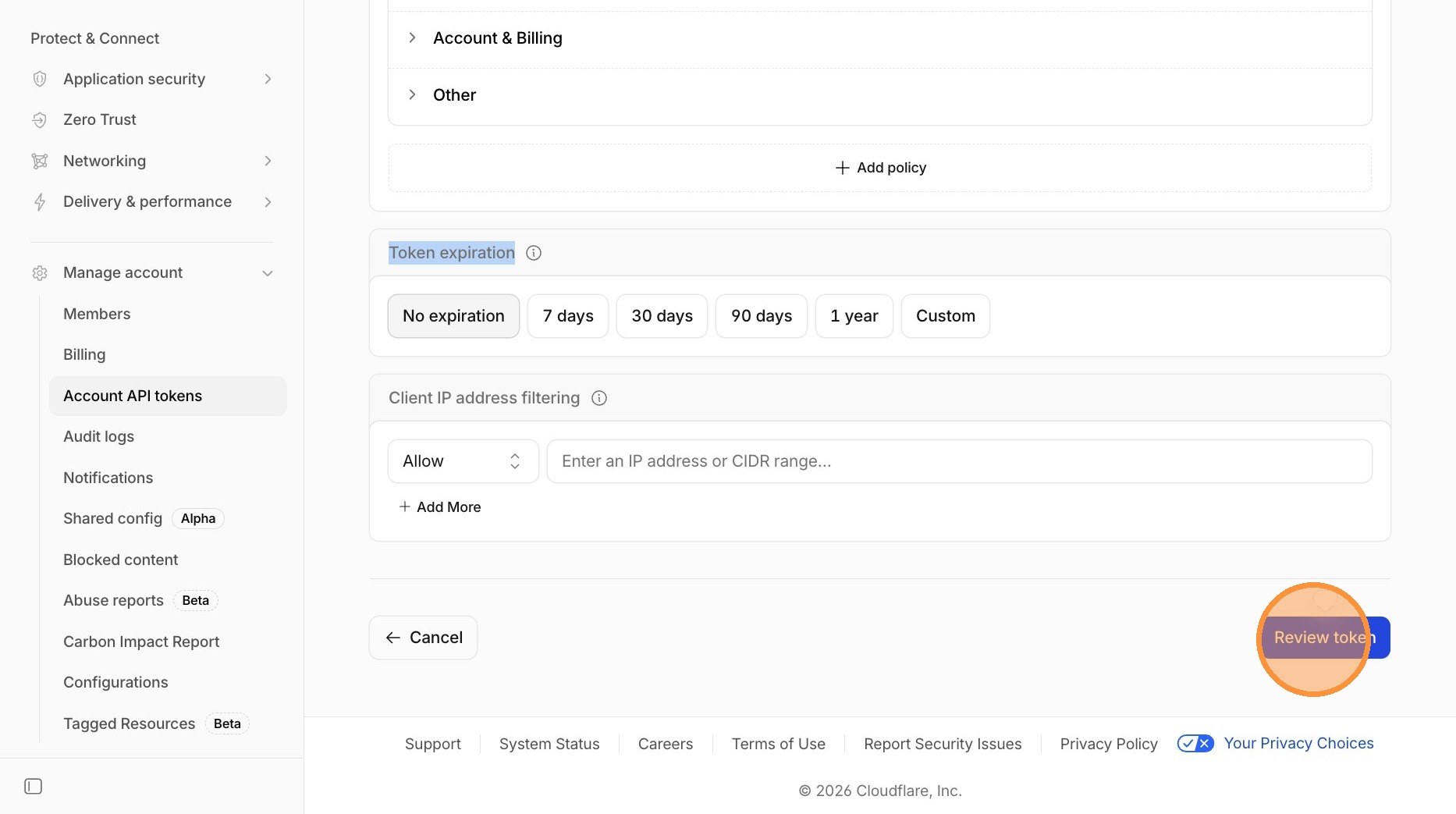
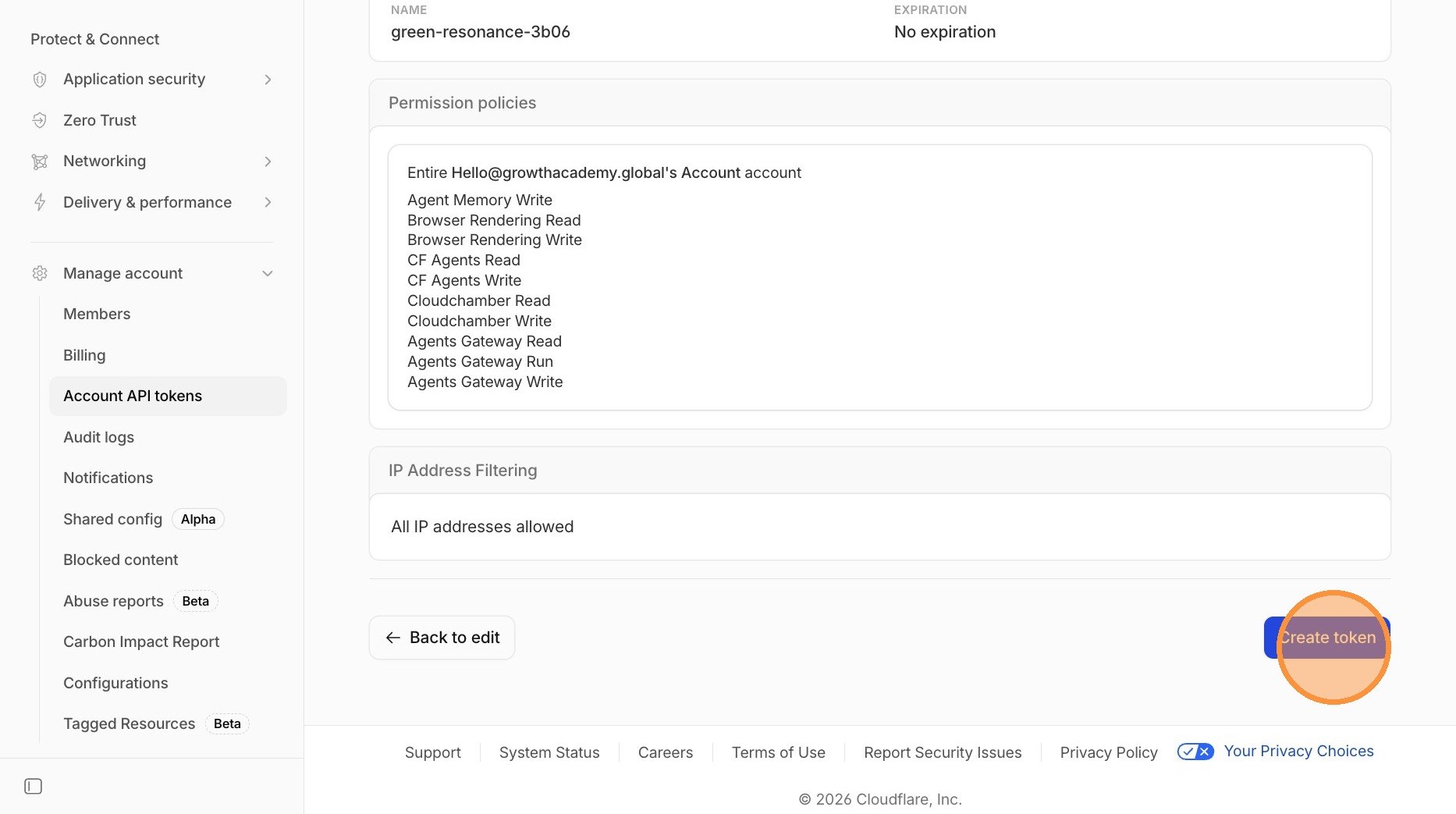
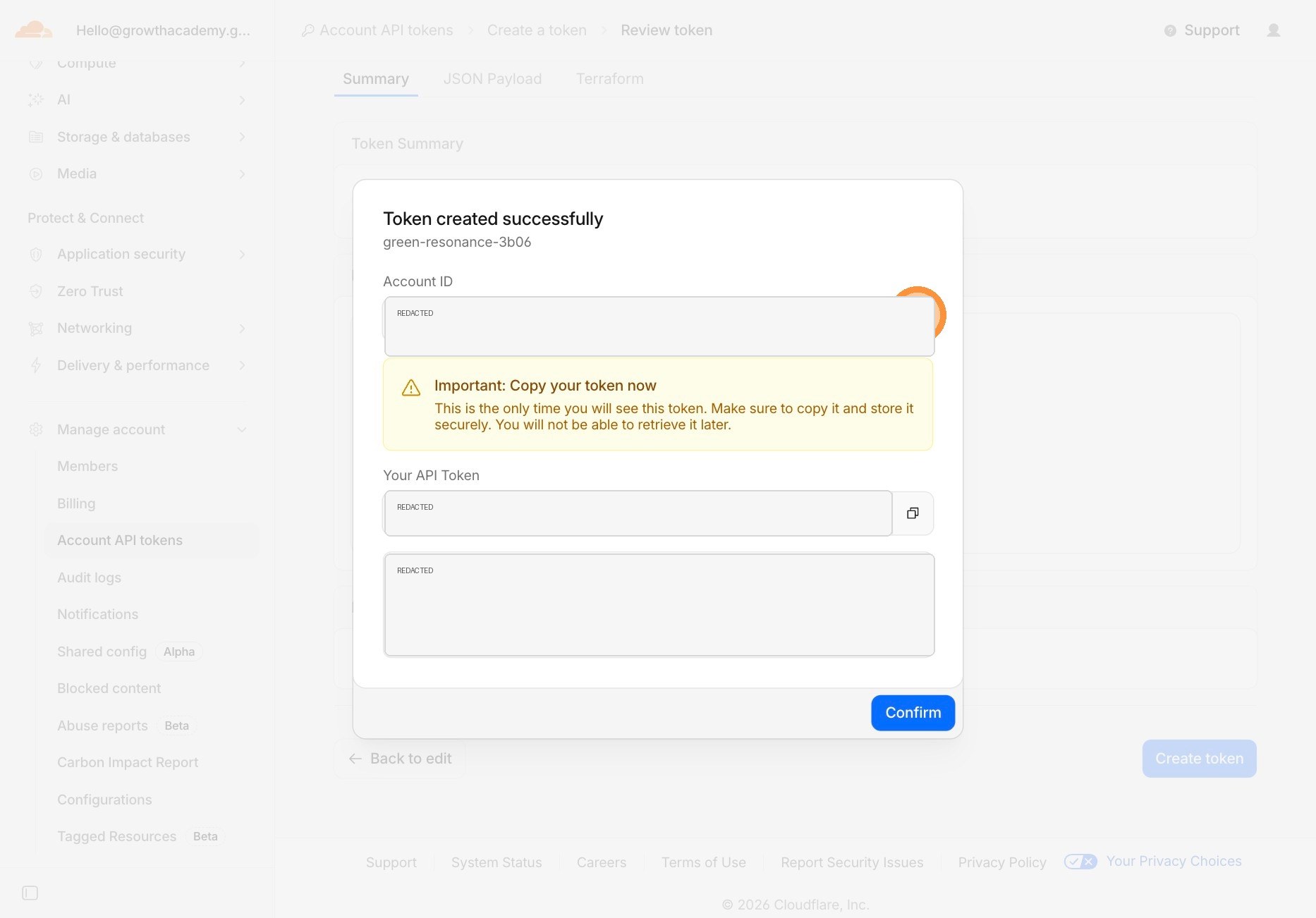
What permissions should you choose?
These are not universal recipes. They are starting points. The exact permission names can change as Cloudflare updates the dashboard, so use Cloudflare's current permission list as the source of truth.
| Agent job | Typical permission boundary | What to avoid |
|---|---|---|
| Purge cache after a deploy | Zone-level cache purge permission for the specific domain | Broad account edit access |
| Edit DNS for one site | Zone DNS Edit for that one zone | All zones, billing, user, or account admin permissions |
| Audit site settings | Read-only zone or account permissions | Edit permissions when the agent is only reporting |
| Deploy or inspect Pages | Account-level Pages permission for the relevant account | Permission to mutate unrelated Workers, DNS, or billing settings |
| Create more tokens by API | Only when you intentionally need token creation automation | Giving a normal website-maintenance agent token-creation power |
The safest pattern is one token per job type. Do not reuse one giant "AI agent token" for everything.
What should you give your agent?
Give the agent the credential route, not the raw token in chat. That might be a local keychain item, an environment variable name, a secrets manager entry, or the credential route your internal Agent OS uses.
Your agent usually needs operational context too:
- The secure credential route or environment variable name.
- The Cloudflare account ID.
- The zone ID if it is working on a domain.
- The Pages project name if it is deploying a Pages site.
- The exact hostname or path involved.
- The allowed actions.
- The actions it is not allowed to take.
Do not give it vague instructions like "fix Cloudflare." That is how agents make technically valid changes in the wrong place.
What prompt should you give Codex, Claude, or OpenClaw?
Use this when you have stored the Cloudflare token safely and want the agent to use it for one specific task.
I have stored a Cloudflare API token at: [credential route or environment variable name].
Use it only for this task: [specific task].
Account ID: [account id]
Zone ID: [zone id if needed]
Pages project: [project name if needed]
Allowed actions: [list allowed actions]
Do not rotate credentials, change billing, change nameservers, add broad WAF rules, change unrelated DNS records, purge everything, create new API tokens, or edit unrelated zones.
First verify the token can perform the required read-only check. Then show me the planned mutation before changing production. After the change, verify the live URL or Cloudflare API result and tell me exactly what changed.
That last sentence matters. A good website-maintenance agent should verify the live result, not just report that the command ran.
When should you rotate or delete the token?
Rotate or delete the token when:
- You pasted it into a chat or tool that stores history.
- The job is complete and the agent no longer needs access.
- You are not sure where the token was saved.
- The token had broader permissions than it should have.
- A contractor, employee, or temporary agent no longer needs it.
There is no shame in rotating credentials. It is normal operations. The mistake is pretending an exposed token is still clean.
What should you not do?
- Do not use your global API key for routine agent work.
- Do not create one permanent token with every permission.
- Do not give an agent billing, user-management, or token-creation access unless that is the actual task.
- Do not store the token in a public repo, shared doc, chat history, or screenshot.
- Do not let the agent make production changes before it tells you the plan.
FAQ
Should I paste my Cloudflare API token into Codex or Claude?
No. Store the token in a secure credential route or environment variable, then tell the agent where the credential is available. Do not paste the raw secret into chat history, public documents, screenshots, or source code.
Why is Cloudflare useful for AI-agent website work?
Cloudflare is API-first across DNS, Pages, Workers, cache, security, analytics, and crawler controls. That means an agent can inspect and fix real website infrastructure when you give it the right scoped permission.
How broad should the token permissions be?
As narrow as possible. Create the token for the specific job, account, zone, and duration. A cache purge token should not also have billing, user-management, token-creation, or unrelated-zone access.
The Bottom Line
A Cloudflare API token is not a magic IT artifact. It is a permission slip.
For business owners using Codex, Claude, or OpenClaw, the win is not just knowing where the API token button lives. The win is learning to give the agent enough access to do the job, and not one inch more.
Use the screenshots for the clicks. Use the permission rules for the judgment.
Sources: Cloudflare API token creation docs, Cloudflare API token permissions, Cloudflare.com, and Shanee's Scribe walkthrough.